




CLP-770ND
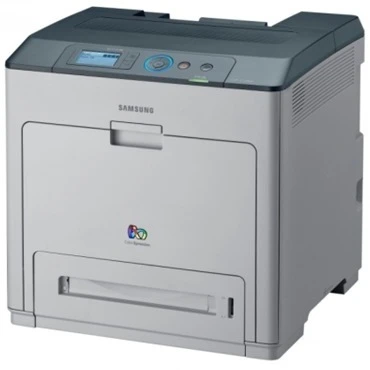
The Samsung CLP-770ND is a networked color laser printer with automatic duplexing, built for small workgroups that need shared color output; the ND suffix stands for network and duplex. It handles everyday office documents — reports, presentations and handouts — at A4 size, and it runs on the CLT-609S cartridge series: CLT-K609S for black alongside CLT-C609S cyan, CLT-M609S magenta and CLT-Y609S yellow. Each color is its own cartridge, replaced independently as it runs down, and both compatible and genuine Samsung toner for the machine are gathered on this page.
This was the step-up shared printer for an office that had outgrown a personal desktop machine: one unit on the network, two-sided printing as standard, and color available to the whole team without a trip to a copy shop. Machines in that position develop a predictable appetite — black steadily, colors in waves whenever a report or presentation run passes through. The supply habit that matches is a spare black kept permanently in reserve and colors ordered in sets when the first of them starts to fade, since the other two usually follow within weeks.
Toner Cartridges for CLP-770ND
Which cartridge should you buy?
The CLT-609S family is sold one way: four standard cartridges, no high-yield branch, so the choice here is about pack configuration rather than grade. Replace a single color when only that color is low — there is no saving in discarding toner that is still usable. When two or more slots are near empty, or when you are stocking a shared printer for the quarter, the four-color set is the economical single order, and the multi black packs cover the slot that empties most often. A small workgroup that prints color weekly will feel the benefit of keeping one full set in reserve: the machine never waits, and ordering becomes a routine instead of an emergency.
Chip, toner and everyday use
If the CLP-770ND reports low toner right after a fresh install, do not assume the cartridge is empty — it is far more likely not seated fully, or the printer needs a restart to read the new chip. Reseat the cartridge and power-cycle the machine before anything else. When prints fade toward the end of a cartridge's life, a gentle rock from side to side redistributes the remaining toner and usually buys a few more clean pages. Store spares sealed in a cool spot out of sunlight, and remember that yield ratings assume light coverage — a presentation deck uses far more toner per page than a memo.
Frequently Asked Questions
How can I get a low cartridge to last a bit longer?
Take the cartridge out and rock it gently side to side to level the toner, then reinstall it. If the low warning appeared right after installing a new CLT-K609S, reseat it and restart the printer so the chip is read correctly — a persistent false low on a new unit points to a chip fault worth reporting to the supplier.
Should I shake the cartridge when prints start fading?
A gentle rock helps when fading is even and gradual. But spots that repeat at a fixed distance down the page are the classic signature of a damaged drum, not low toner — measure the spacing between repeats, since drum defects repeat at the drum's circumference, and inspect the imaging unit before blaming the cartridge.
Which print quality setting gives sharp text?
Grainy output usually traces back to a draft or low-quality driver setting chosen for speed. Switch the driver to normal or high quality and confirm the paper type matches the loaded stock. If graininess continues at high quality, check the toner level next.
Does this printer use a separate drum I need to replace?
The cartridges on this page are the regular consumable for the CLP-770ND; there is no separate drum in its cartridge system to order alongside them. Order by the CLT-609S codes and the four slots are covered.
More printers that use the same cartridges
A short family — these are the other Samsung machines running the same CLT-609S cartridges: CLP-770, CLP-770ND/XAA, CLP-775, CLP-775ND, Samsung-CLT609S.