




CLP-770ND/XAA
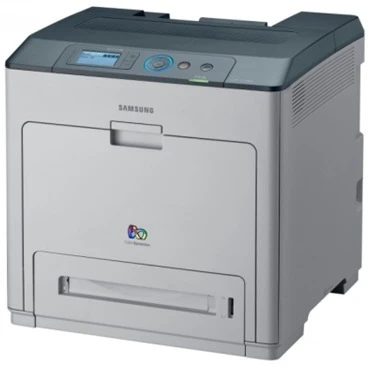
The CLP-770ND/XAA is the US-market version of Samsung's networked CLP-770ND color laser — the XAA suffix is simply a region designation. Underneath it's the same network-plus-duplex A4 color printer for shared office use.
It takes the same CLT-609S cartridges, from black CLT-K609S to the cyan, magenta, and yellow set. Compatible and genuine OEM supplies for this model are available here. Written out in full, the color side of the CLP-770ND/XAA runs CLT-C609S cyan, CLT-M609S magenta and CLT-Y609S yellow, ordered and replaced one cartridge at a time.
Toner Cartridges for CLP-770ND/XAA
This printer works with the following toner cartridges:
- Samsung CLT-K609S
- Samsung CLT-C609S
- Samsung CLT-M609S
- Samsung CLT-Y609S
More Samsung Printers
Frequently Asked Questions
Should I keep printing after the CLP-770ND/XAA says toner is empty?
A toner error right after installing a new CLT-K609S in the CLP-770ND/XAA is usually a seating issue: the cartridge may not be fully clicked in or the protective seal was left on. Power the printer off, remove the cartridge, check for leftover tape or seals, and reinstall it. The printer should recognize it on the next power-up.
Can a firmware update stop my CLP-770ND/XAA from accepting cartridges?
Skipping firmware updates on the CLP-770ND/XAA is generally safe if everything works - updates are optional maintenance, not requirements. The main reason to update is a specific bug fix or security patch you need. Just know that each update is a good moment to confirm your CLT-K609S cartridges are still recognized afterward.
Why does the CLP-770ND/XAA stop printing over the network every few days?
Plug a standard Ethernet cable from the CLP-770ND/XAA into your router or switch and wait for the network light to steady. Most networks assign an address automatically through DHCP, so print a network configuration page to confirm. Then add the printer on each computer using that IP address and the Samsung driver.