




CLP-770ND
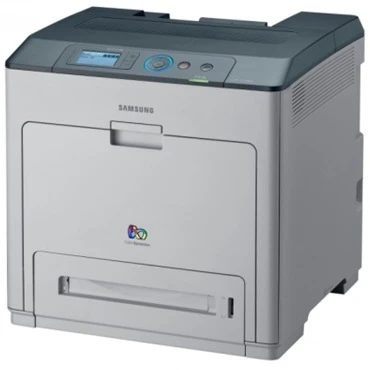
The Samsung CLP-770ND is a networked color laser printer with automatic duplexing, built for small workgroups that need shared color output. The ND suffix stands for network and duplex, and it handles everyday office documents — reports, presentations, and handouts — at A4 size.
This printer runs on the CLT-609S cartridge series: the black CLT-K609S alongside cyan, magenta, and yellow. Both compatible and genuine OEM toner cartridges are stocked for the CLP-770ND. Color work on the CLP-770ND comes from three more cartridges: cyan CLT-C609S, magenta CLT-M609S and yellow CLT-Y609S, each replaced on its own as it runs down.
Toner Cartridges for CLP-770ND
This printer works with the following toner cartridges:
- Samsung CLT-K609S
- Samsung CLT-C609S
- Samsung CLT-M609S
- Samsung CLT-Y609S
More Samsung Printers
Frequently Asked Questions
How can I get a low CLT-K609S in the CLP-770ND to last a bit longer?
If the CLP-770ND reports low toner right after a fresh CLT-K609S install, the cartridge is likely not seated fully or the printer needs a restart to read the new chip. Reseat the cartridge and power-cycle the printer. A persistent false low reading on a new cartridge points to a chip issue worth reporting to the supplier.
Should I shake the CLT-K609S cartridge when prints start fading on the CLP-770ND?
Spots that repeat at a fixed distance down the page are the classic signature of a damaged drum on the CLP-770ND. Measure the spacing between repeats, since drum defects repeat at the drum's circumference. The CLT-K609S cartridge rarely causes repeating marks, so inspect the imaging unit first.
Which print quality setting should I use on the CLP-770ND for sharp text?
If the CLP-770ND prints grainy output, a low-quality or draft setting chosen for speed is the usual suspect. Change the driver to normal or high quality and confirm the paper type matches the loaded stock. Should graininess continue at high quality, then check the CLT-K609S toner level.