




C9600N
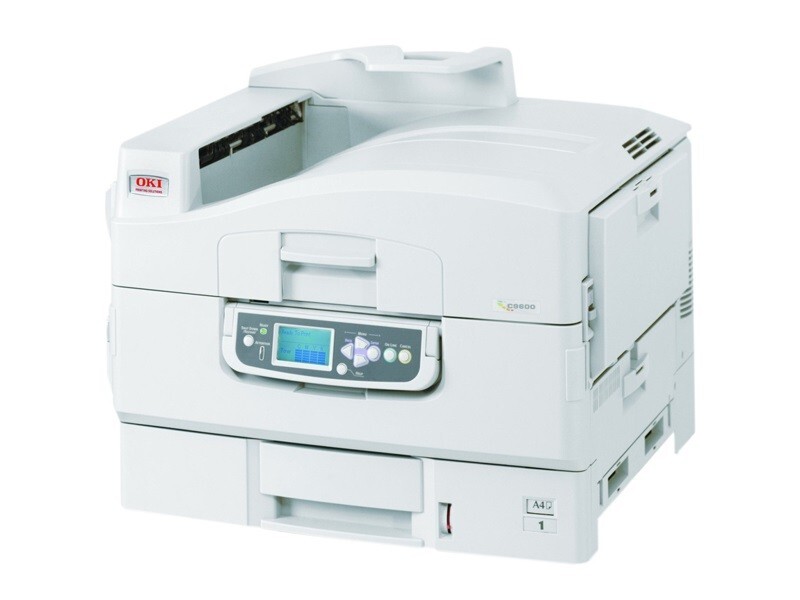
The Okidata C9600N is a larger color laser printer aimed at demanding office environments that produce heavy volumes of color documents. It runs on OKI's Type C7 toner family: the black 42918904 working alongside yellow 42918901, magenta 42918902 and cyan 42918903. It is a consumable set this model shares with the C9800 series, so one shelf of spares can cover more than one machine.
Put a printer like this on a network and it becomes shared infrastructure, and shared infrastructure lives or dies on consistency: the same driver settings at every desk, the same cartridge numbers in every order, one known shelf of spares. The C9600N rewards that discipline. Its four channels are standard across a big family of Oki machines, so the supplies routine you build for it carries over to its siblings instead of starting again with each new printer.
Toner Cartridges for C9600N
| Cartridge | Color | Page Yield |
|---|---|---|
| 42918904 | Black | See product page |
| 42918903 | Cyan | See product page |
| 42918902 | Magenta | See product page |
| 42918901 | Yellow | See product page |
The identical cartridges also appear under the C9600 name, and two sets carry this model's own name. The full shelf for the family:
- C9600N 4 Color Set
- C9600N Premium Quality 4 Color Set
- Type C7 4 Color Set
- C9600 Black single
- C9600 Cyan single
- C9600 Magenta single
- C9600 Yellow single
- C9600 2 Black
- C9600 3 Black
- C9600 5 Black
- C9600 4 Color Set
- C9600 5 Color Set
- C9600 8 Color Set
- C9600 3 Color Set
- C9600 6 Color Set
Which cartridge should you buy?
Buy by channel, not by habit. All four colors are sold singly here — under the Type C7 listings in the table and the C9600 listings below — so the default move is to replace the one cartridge that has emptied and leave the others to finish their lives. Black deserves its own plan: it is the channel a document-heavy office empties first, and the 2, 3 and 5 Black multipacks exist to keep it covered at a better per-cartridge cost. Keep one complete 4 Color Set in reserve for the day two or more channels land together; beyond that, deep 5 and 8 Color Sets are for offices whose monthly volume makes even monthly ordering feel risky.
Chip, toner and everyday use
Spares storage matters more than most owners expect on a shared machine. Keep cartridges in their sealed original packaging, stored flat in a cool, dry place out of sunlight, and do not stack heavy boxes on top of them — a crushed housing can leak or seat badly later. Use the oldest stock first so nothing ages past its best on the shelf. When you install, match the cartridge to its color slot and press until it locks; the printer reads each cartridge's chip from that moment and reports its level to every user on the network.
Frequently Asked Questions
Which cartridges does the C9600N require?
Yellow 42918901, magenta 42918902, cyan 42918903 and black 42918904 — the Type C7 set. The N model shares these numbers with the C9600HN and the C9800 variants listed below.
My network prints look different from prints sent locally. Why?
Almost certainly the driver, not the toner. Different computers often carry different default settings — color mode, quality, paper type — and the printer simply follows each job's instructions. Standardize the driver settings across machines and the output evens out; the toner itself behaves identically no matter which desk sent the job.
How should I store spare C9600N cartridges?
Sealed in their original packaging, flat, in a cool and dry spot away from sunlight. Avoid stacking heavy objects on them, since pressure can damage the cartridge housing, and rotate stock so the oldest cartridge is installed first.
Are the Type C7 cartridges and the C9600 cartridges the same thing?
Yes. Both listing names describe the same four part numbers — 42918901 through 42918904 — sold under the family's Type C7 designation in one set of listings and under the C9600 model name in the other. Either listing gives you the correct cartridge for this printer.
More printers that use the same cartridges
This set also runs the C9800 branch of the family, listed first here, then the C9600 models and the C7 page:
C9800, C9800GA, C9800GAMFP, C9800HDN, C9800HDTN, C9800HN, C9800N, C9600, C9600HDN, C9600HN, C7