




C9800GAMFP
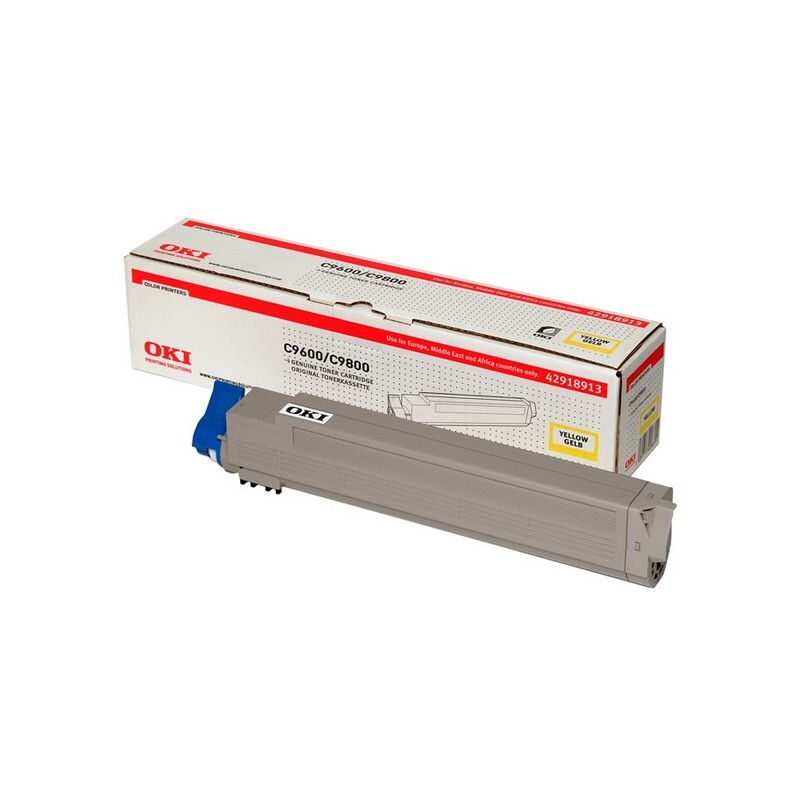
The C9800GAMFP adds multifunction capability — scanning and copying — to the graphics-arts C9800, a color-accurate laser platform. Its consumables are the familiar Type C7 set: 42918901 yellow, 42918902 magenta, 42918903 cyan and 42918904 black. Inside that range each channel is supplied separately, so graphics work can be re-supplied one color at a time instead of in a block.
Graphics-arts work changes what toner discipline means. On an office printer a cartridge is done when it is empty; on a machine bought for color accuracy, a channel that is merely low can already be a problem, because proofing work exposes every weakness. The GAMFP's per-channel supply suits that world: watch the channel the work leans on — magenta and cyan in most artwork — and replace on quality grounds, not only when the panel insists.
Toner Cartridges for C9800GAMFP
| Cartridge | Color | Page Yield |
|---|---|---|
| 42918904 | Black | See product page |
| 42918903 | Cyan | See product page |
| 42918902 | Magenta | See product page |
| 42918901 | Yellow | See product page |
| Type C7 4 Color Set (42918904 / 42918903 / 42918902 / 42918901) | All four colors | See product page |
| C9800GAMFP 4 Color Set | All four colors | See product page |
| C9800GAMFP Premium Quality 4 Color Set | All four colors | See product page |
Which cartridge should you buy?
Singles, bought against the channel that is actually fading, are the natural pattern for this machine; a graphics workflow rarely empties four colors in step. Keep the full set in reserve if the machine proofs client work daily — a stalled proof costs more than a stocked shelf. The four-color set is the economical way to build that reserve, and it also suits a planned refresh when all four cartridges are aging together. Either route, buy against the 4291890x numbers: the Type C7 family is this machine's one and only fit.
Chip, toner and everyday use
The compatible Type C7 cartridges sold here are chipped for the C9800GAMFP, so the machine recognizes them, reports levels, and needs no reset routine after a swap. Yield ratings assume roughly five percent coverage — a poor guide on graphics work, where a single full-bleed page can spend what a hundred letters would, so judge reserves by the jobs queued, not the counter. Store cartridges sealed and flat; heat and light age toner before its time. After fitting a new cartridge, run the machine's color calibration before judging output, so the new channel is measured rather than guessed at.
Frequently Asked Questions
Which cartridges fit the C9800GAMFP?
Four individual Type C7 cartridges — yellow 42918901, magenta 42918902, cyan 42918903 and black 42918904. Each color is replaced on its own when it runs out.
Do I have to replace all four cartridges at the same time?
No. Each cartridge works independently, so you replace only the color that is spent or fading. The other three keep working until their own turn comes.
Do compatible cartridges work reliably in this machine?
Yes — the compatibles sold here are built and chipped for the Type C7 family, and they are covered by a one-year warranty and one-year returns. Fit one, run the color calibration, and proof a known file: that tells you more about any cartridge, compatible or otherwise, than a label does.
Does scanning or copying use different consumables?
Copying prints through the same engine and the same four cartridges, so it draws on the same supply. Scanning alone puts nothing on paper and uses no toner at all.
More printers that use the same cartridges
The Type C7 family also feeds the C9600 and C9800 models below, so these cartridges serve any of them.