




C9800
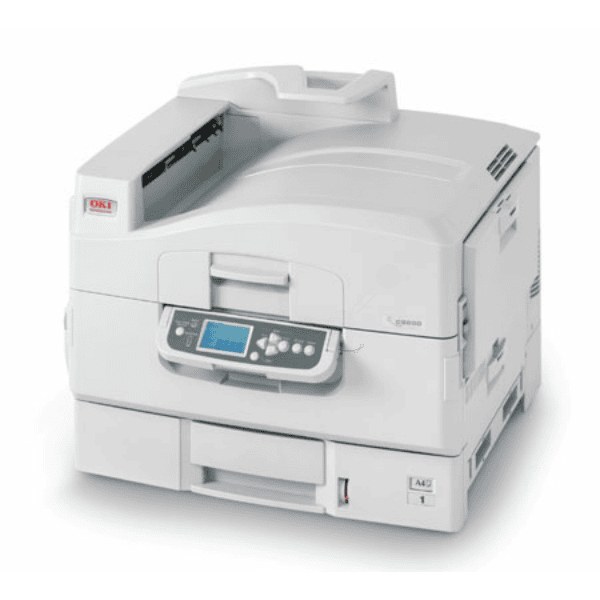
The Okidata C9800 is a high-volume workgroup color printer built around long-life consumables. It uses Type C7 toner — black 42918904, cyan 42918903, magenta 42918902 and yellow 42918901 — cartridges designed for extended runs between replacements in demanding office environments. On a machine like this, toner is not a monthly chore; it is an occasional event, and each cartridge is expected to earn its place over a long stretch of work.
The C9800's toner family reaches beyond this one model: the same four numbers serve the C9800N and members of the C9600 line such as the C9600N and C9600HN, and cartridges interchange across those models. For a workgroup running more than one of them, that means one shelf, one set of numbers and no per-machine stock to keep straight — a genuine operational simplification at this end of the range.
Toner Cartridges for C9800
| Cartridge | Color | Page Yield |
|---|---|---|
| 42918904 | Black | See product page |
| 42918903 | Cyan | See product page |
| 42918902 | Magenta | See product page |
| 42918901 | Yellow | See product page |
| 42918904, 42918903, 42918902, 42918901 — Type C7 4 Color Set | All four colors | See product page |
| C9800 — 4 Color Set | All four colors | See product page |
| C9800 Premium Quality — 4 Color Set | All four colors | See product page |
Which cartridge should you buy?
Replace positions individually as they empty. The four Type C7 cartridges deplete at different rates, and on a high-volume machine the difference between the busiest color and the quietest one can be months — swapping a full set early throws away a great deal of toner. The sets earn their place when a machine is being set up, or when several colors genuinely run down together; this page lists the Type C7 set alongside a standard and a premium-quality C9800 set, any of which covers all four positions in one order. Judge by the printer's own level readings rather than by the calendar, and keep one spare of whichever color your workgroup burns through fastest. Every compatible cartridge sold here has a 1-year warranty and 1-year returns behind it.
Chip, toner and everyday use
Large solid areas that come out mottled usually point to a color cartridge running low and struggling to lay down even toner, so check the color levels before suspecting anything mechanical. The C9800 expects all four cartridges seated to operate, which means an empty color slot can stop a black-only job — another reason to keep a spare color within reach. Install cartridges with the power on standby rather than forcing anything, seat each one until it clicks so the chip registers, and store spares sealed, flat and away from heat and direct light so the toner stays evenly distributed.
Frequently Asked Questions
What toner set fits the Oki C9800?
The C9800 uses yellow 42918901, magenta 42918902, cyan 42918903 and black 42918904 — the Type C7 family. The same family serves the C9800N, the C9600N and the C9600HN, and cartridges interchange across those models.
My C9800 prints large solid areas with a mottled look. Why?
Mottled solids often indicate a low color cartridge struggling to lay down even toner, so check the levels of the colors involved first. If the cartridges are full and the problem persists, the transfer belt may need cleaning.
Can I run the C9800 with only the black cartridge installed?
No — the printer expects all four cartridges seated to operate, so an empty color slot will block printing. Keep a spare color cartridge on hand to avoid an interruption at a bad moment.
Are the Type C7 listings on this page the same cartridges as the C9800 sets?
Yes. The singles are listed under the family's Type C7 name and the sets under the C9800 name, but the part numbers — 42918901 through 42918904 — are identical. Buy by the number that matches the position you are replacing.
More printers that use the same cartridges
The Type C7 family is shared across these workgroup models, including the C9600 line: C7, C9600, C9600HDN, C9600HN, C9600N, C9800GA, C9800GAMFP, C9800HDN, C9800HDTN, C9800HN, C9800N.