




MC873DNC
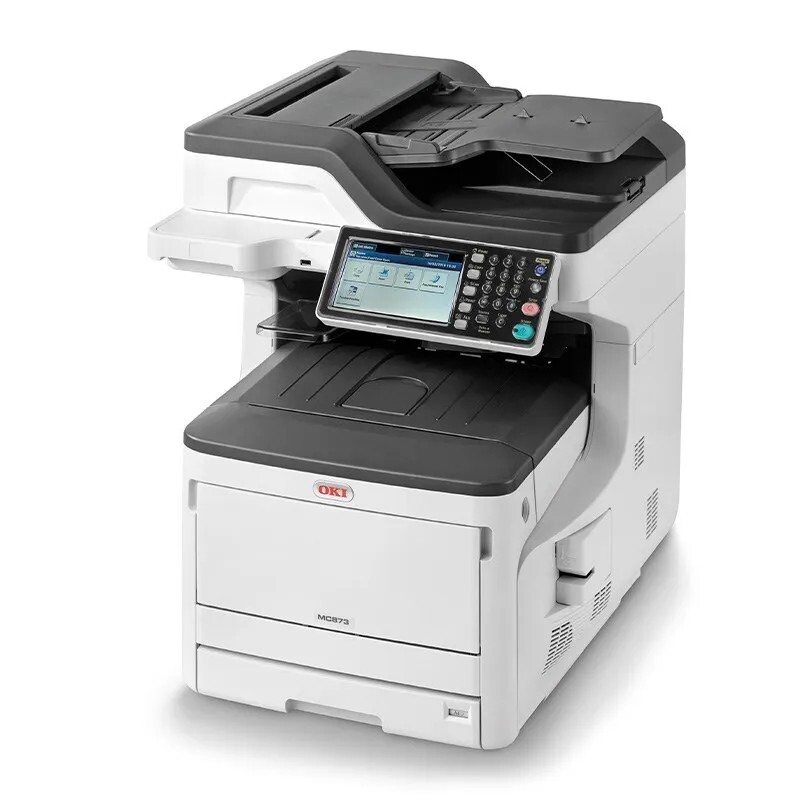
The Okidata MC873DNC is an A3 color multifunction printer — print, copy, scan and fax from one floor-standing machine — built for workgroups with serious color volume. It runs on four separate cartridges: black 44844512, cyan 44844511, magenta 44844510 and yellow 44844509. Each color is its own unit, so a single low color never forces you to replace the whole set.
This is the configuration departments buy when color output is a daily workload rather than an occasional extra: reports, presentations and customer documents all landing on the same device. Machines that work this hard burn through black on text long before the colors fade, and the running cost stays predictable only if the color-versus-mono split is watched — the printer's own reports show it plainly.
Toner Cartridges for MC873DNC
| Cartridge | Color | Page Yield |
|---|---|---|
| 44844512 | Black | See product page |
| 44844511 | Cyan | See product page |
| 44844510 | Magenta | See product page |
| 44844509 | Yellow | See product page |
Buying for a full refresh instead? This page also stocks the 448445-series 4 Color Set, the MC873DNC 4 Color Set and the MC873DNC Premium Quality 4 Color Set.
Which cartridge should you buy?
Start from what the machine is actually out of. On a document-heavy workgroup device the black cartridge nearly always empties first, so a single 44844512 is the routine order and the colors follow one at a time as each runs down. A four-color set earns its place when several colors are low together, or when a department wants one delivery that resets the whole machine. There is no standard-versus-high-yield split to weigh on this page — the choice is singles against sets. Every compatible cartridge sold here carries a 1-year warranty and 1-year returns, and keeping one spare black on the shelf is cheap insurance against a mid-run stoppage.
Chip, toner and everyday use
Each cartridge carries a chip the MC873DNC reads on installation; seat the unit firmly until it locks so the chip registers and the level shows correctly on the panel. When a color reports low but pages still look clean, pull that cartridge out and rock it gently from side to side — the remaining toner redistributes and often carries you to the end of the job. Store unopened spares flat in a cool, dry cabinet, and remember that quoted yields assume roughly 5% page coverage, so graphics-heavy departmental work will always finish a cartridge sooner than plain text would.
Frequently Asked Questions
Which toner does the Okidata MC873DNC use?
It uses four cartridges from the 448445 family: 44844512 in black, 44844511 in cyan, 44844510 in magenta and 44844509 in yellow. Printing, copying and fax output all draw from this same set, and each cartridge is replaced individually.
What does the C in MC873DNC stand for?
The C marks the cabinet or caster configuration bundled with the machine — a floor-standing base rather than a desktop unit. The print engine and the toner are identical to the other MC873 variants, so configuration letters never change which cartridges you order.
Are these the same cartridges the C831 printers take?
Yes. The C831 printer family runs on the same 448445 cartridges, which is why the family list below mixes MC873 and C831 models — one shelf of stock can serve both a workgroup MFP and the single-function printers around it.
How do I keep per-page costs predictable on this machine?
Check the printer's usage reports and compare the color count against the mono count; most offices are surprised how much color they actually print. Setting monochrome as the driver default and reserving color for final documents stretches the three color cartridges considerably.
More printers that use the same cartridges
The same four cartridges also fit these Okidata models:
MC837, MC837DN, MC837DNC, MC837DNX, MC873, MC873DN, MC873DNX, C831, C831CDTN, C831D, C831DN, C831N