




MC873DN
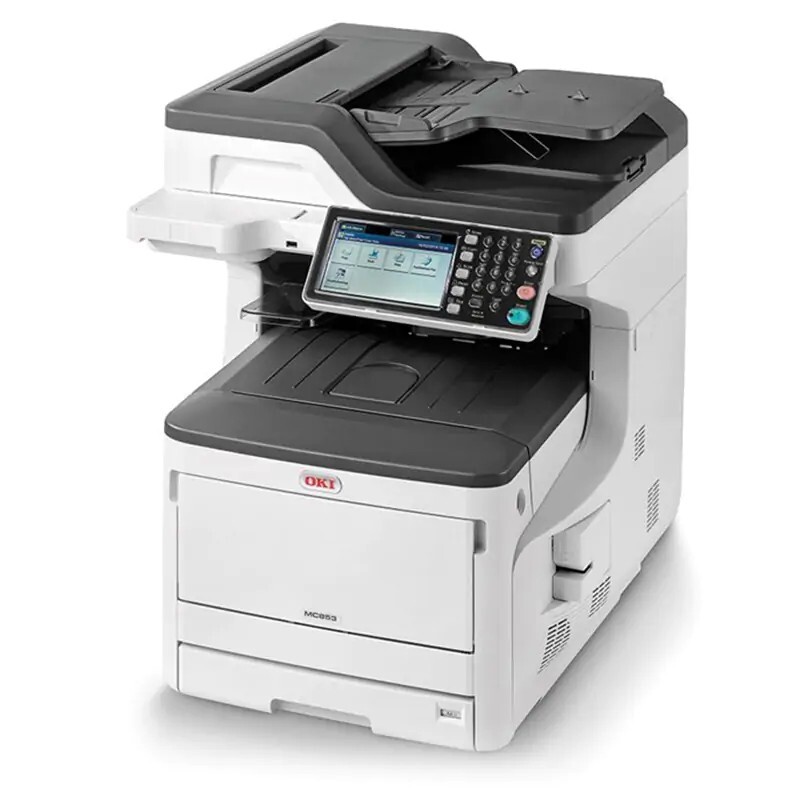
With duplex and network connectivity, the Okidata MC873DN is the fully connected color MFP of the C800 family, built for high-volume color output. Its toner is the same four-cartridge family it shares with the C831 printers: black 44844512, cyan 44844511, magenta 44844510 and yellow 44844509. Note the order — in this family the numbers run from yellow at the low end to black at the top, and each cartridge installs individually.
Sharing a toner family with the C831 printers is a deliberate convenience for offices that run both: one set of part numbers on the supply shelf feeds the MFP and the printers alike. On a machine aimed at high-volume color, that shared stock plus compatible pricing is what keeps per-page costs sane when the copy and print queues run all day.
Toner Cartridges for MC873DN
| Cartridge | Color | Page Yield |
|---|---|---|
| 44844512 | Black | See product page |
| 44844511 | Cyan | See product page |
| 44844510 | Magenta | See product page |
| 44844509 | Yellow | See product page |
| 4 Color Set | Black, cyan, magenta and yellow | See product page |
| MC873DN 4 Color Set | Black, cyan, magenta and yellow | See product page |
| MC873DN Premium Quality 4 Color Set | Black, cyan, magenta and yellow | See product page |
Which cartridge should you buy?
Reorder by slot and by exact number — with this family, reading the digits matters, because the color order is not the one most people guess: yellow is 44844509 and black is 44844512. Singles fit the normal pattern of an MFP, where one color fades ahead of the others under real workloads. The four-color set is the choice when several slots are low together or when you are stocking a new installation. If your copying is mostly text, protect the budget by defaulting the copy mode to black-and-white; the color cartridges then sit idle except for work that genuinely needs them.
Chip, toner and everyday use
These compatible cartridges are chipped for the MC873DN, so levels register per slot after installation and the machine reports remaining toner accurately. Press each cartridge in until it seats, then print a test page before releasing a long run. The duplex function halves paper on long documents; toner-save mode trims draft and internal copies. Keep spares sealed and flat, out of sunlight and away from heat, and rock a stored cartridge slowly from side to side before installing it so the first pages print evenly.
Frequently Asked Questions
What toner cartridges fit the Okidata MC873DN?
Black 44844512, cyan 44844511, magenta 44844510 and yellow 44844509 — four separate cartridges. The mapping runs opposite to most families, so check the number on the cartridge you remove before reordering.
Does the MC873DN copy and scan in color?
Yes, it is a full color multifunction, so copying and scanning capture color as well as black and white. Color copies consume the three color cartridges, which is why a black-and-white default copy mode saves real money in text-heavy offices.
How do I reduce toner costs on the MC873DN?
Default both the driver and the copy function to monochrome and reserve color for jobs that need it. Add duplex for long documents and toner-save for drafts, and the three color cartridges will last noticeably longer between changes.
Can the MC873DN share toner stock with a C831 printer?
Yes. The MC873DN and the C831 printers use the same 44844509–44844512 family, so one shelf of spares covers both machines — order by the same four numbers for either.
More printers that use the same cartridges
The same cartridge family serves the rest of the MC873 and MC837 line and the C831 printers below:
MC837, MC837DN, MC837DNC, MC837DNX, MC873, MC873DNC, MC873DNX, C831, C831CDTN, C831D, C831DN, C831N