




MB460
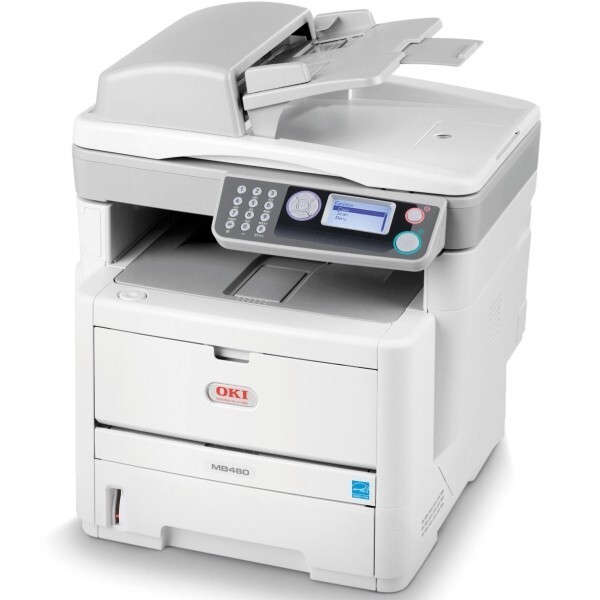
The MB460 folds four jobs into one compact monochrome MFP — printing, copying, scanning and fax — sized for a small-office desk rather than a print room. It feeds from a single black toner family: the standard 43979101, rated for about 3,500 pages, covers everyday volume, and the large-capacity 43979201 stretches a change to roughly 7,000 pages. Imaging is handled apart from the toner by the 43979001 drum unit, a longer-life part that is renewed on its own cycle, not at every cartridge swap.
In practice the MB460 lives within arm's reach of the people who use it most, and that shapes how it is run. There is no print queue manager and no supply closet down the hall: whoever sits nearest becomes the toner changer, so a cartridge that swaps in seconds from the front, and a spare that lives in the desk drawer, matter more than any specification. One machine doing four jobs for a small team earns its footprint every day it stays ready.
Toner Cartridges for MB460
| Cartridge | Color | Page Yield |
|---|---|---|
| 43979101 | Black | About 3,500 pages |
| 43979201 | High Yield Black | About 7,000 pages |
| MB460 | Black | See product page |
Drum unit, sold separately: 43979001 drum unit — the imaging partner to both cartridges above.
Multi-packs stocked on this page: 43979101 three-pack, 43979101 five-pack, 43979201 high-yield three-pack, 43979201 high-yield five-pack and the MB460 five-pack.
Which cartridge should you buy?
Match the cartridge to the month, not to the machine's best week. If the MB460 prints in bursts — a few letters and invoices most days, then a heavy run at month end — the standard 43979101 is the economical default and a three-pack keeps the drawer stocked. If the MFP is busy every single day, the 43979201 roughly halves how often anyone has to stop and change a cartridge, and its cost per page runs lower. Treat the drum as a separate decision entirely: it is judged by symptoms — repeating marks, background shading — not by the calendar, and it normally outlasts several toner cartridges in a row.
Chip, toner and everyday use
Before ordering anything, print the machine's status page: it reports the remaining life of the toner and of the drum separately, which settles most 'is it empty?' arguments in seconds. Page ratings assume about 5% coverage, so dense, dark pages drain a cartridge noticeably faster than memos do. When output first fades, lift the cartridge out and rock it gently side to side to level the toner inside — that usually restores even printing for a while. Keep the spare sealed in its bag, out of sunlight, until the day it goes in.
Frequently Asked Questions
Which toner does the MB460 use?
The MB460 uses black toner in two sizes: the standard 43979101 and the large-capacity 43979201. They fit the same slot, so you can change sizes at any swap. The image drum is a different part altogether — the 43979001 drum unit — and is replaced independently.
My MB460 scans look fine but copies are streaked. Why?
Clean scans clear the scanner, so the fault sits in the print engine. Check the toner level first, then the drum surface: streaks that appear on copies and prints but never on scans point at toner distribution or a worn drum, and replacing whichever is at fault cures them.
How do I know whether my MB460 needs toner or a new drum?
Fading and light patches mean the toner is running low. Marks that repeat down the page at fixed intervals mean the drum is worn. The status page reports the remaining life of each supply, so check it before deciding which one to order.
Can I switch between the 43979101 and the 43979201 whenever I like?
Yes. Both cartridges fit the same MB460 slot and the machine needs no adjustment — fit the standard size for a quiet spell or the large-capacity size before a heavy month, as you prefer.
More printers that use the same cartridges
The MB460 shares its cartridges with a wide bench of OKI monochrome machines: MB 470, MB 480 MFP, MB 480, MB460 MFP, MB470 MFP, MB470, MB480 MFP, MB480, B410, B410D, B410DN, B420, B420DN, B430, B430D, B430DN, B440