




MB470
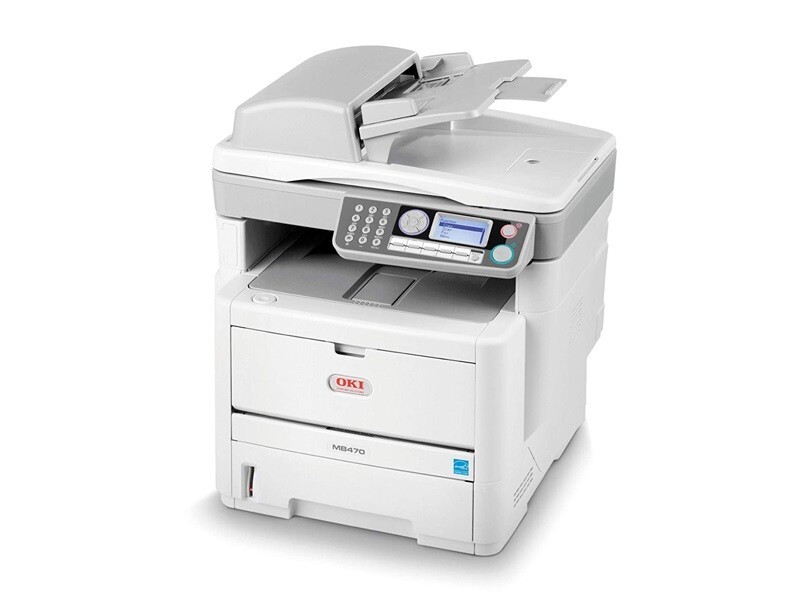
Busy offices that share one machine are the MB470's home ground: it brings black-and-white printing, copying, scanning and faxing to a workgroup in a single unit. It runs the Type B1 cartridge family — the 43979101 for ordinary volume and the higher-yield 43979201 when the queue never really empties. A second replaceable serves alongside the toner: the 43979001 drum unit, the imaging component that outlasts cartridge after cartridge.
A shared machine has no single owner, and the MB470 is specced for exactly that life. Five people's printing lands on one cartridge, the supply cabinet belongs to everyone and no one, and the person who discovers the empty cartridge is rarely the person who ordered the last one. The design answers with a front-loading swap anyone can do in seconds and a cartridge family shared across the office's other OKI machines, so one shelf of spares covers more than this single unit.
Toner Cartridges for MB470
| Cartridge | Color | Page Yield |
|---|---|---|
| 43979101 | Black | See product page |
| 43979201 | High Yield Black | See product page |
| MB470 | Black | See product page |
Sold separately, the 43979001 drum unit handles imaging and is changed on its own long cycle.
Shared machines eat spares, so this page lists multi-packs too: 43979101 three-pack, 43979101 five-pack, 43979201 high-yield three-pack, 43979201 high-yield five-pack and MB470 five-pack.
Which cartridge should you buy?
Do the shared-machine arithmetic before choosing. One person's light use becomes serious volume when a whole team prints through the same MB470, which is why the high-yield 43979201 is the sensible default here: fewer changes, fewer interruptions, lower cost per page. Keep the standard 43979101 for a genuinely quiet machine. Note the two black listings on this page — the coded cartridge and the MB470-named one — are the same standard cartridge sold under two names; either listing restocks the machine. Whatever you choose, hold one spare in the cabinet: on a shared printer, the warning always arrives mid-job.
Chip, toner and everyday use
The MB470 is built for clean, tool-free changes: open the front cover, pull the spent cartridge out by its handle and slide the new one in until it seats. The machine reports which supply is exhausted, so nobody has to guess whether a pale page means toner or drum. Keep the removed cartridge upright until it goes for recycling, and store its replacement somewhere the whole office can find it — a spare that only one person knows about is barely a spare at all.
Frequently Asked Questions
What cartridge fits the MB470?
The MB470 uses the 43979101 standard cartridge and the higher-yield 43979201. Both are black, both fit the same front slot, and you can move between them at any replacement.
Does the MB470 toner cartridge include the drum?
No — they are separate parts. The MB470 pairs its toner cartridge with the 43979001 image drum, which lives far longer. When prints fade, change the toner first; drums typically outlast several cartridges before they need attention.
How do I replace the toner cartridge in the MB470?
Open the front cover, grip the empty cartridge by its handle and pull it out, then slide the fresh one in until it seats. It is a tool-free swap designed to take seconds, even for whoever in the office happens to be standing nearest when the warning appears.
More printers that use the same cartridges
Same shelf, more nameplates — these models take the identical Type B1 cartridges: MB 470, MB 480 MFP, MB 480, MB460 MFP, MB460, MB470 MFP, MB480 MFP, MB480, B410, B410D, B410DN, B420, B420DN, B430, B430D, B430DN, B440