




X748DTE
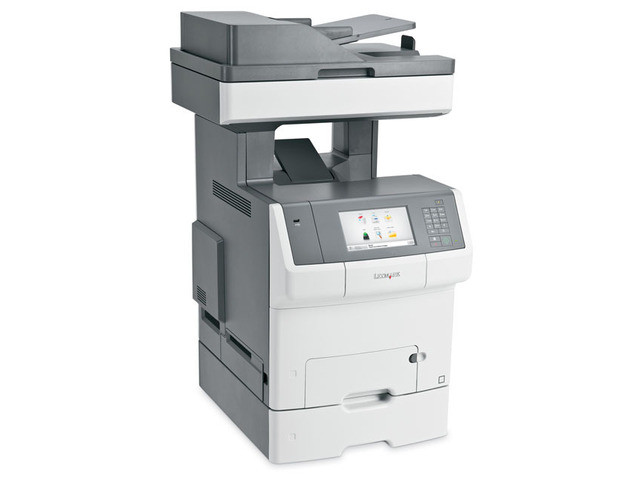
At the top of the X74x multifunction ladder sits the Lexmark X748dte: dual paper trays, duplexing, Ethernet and full print, copy, scan and fax in a single color laser unit. Output at that level needs long-legged cartridges, and this machine uses the same high-yield set as the rest of its generation — black C746H2KG at roughly 12,000 pages, and cyan (C748H1CG), magenta (C748H1MG) and yellow (C748H1YG) at about 10,000 pages apiece.
Two trays change how an office works: two different paper stocks sit loaded and ready at once, so nobody hand-feeds the good paper for a client packet and then swaps it back. A machine trusted with that role tends to run all day, printing in color constantly and copying stacks in between. Its supply question is therefore never which cartridge — the whole family shares one set — but how many to keep on hand, because a printer this central does not get to wait for a delivery.
Toner Cartridges for X748DTE
Which cartridge should you buy?
This is the highest-throughput page in the family, so plan the shelf accordingly. The 4-pack of black is the sensible default: it cuts the number of orders per year and guarantees a cartridge is in the building when a big copy run lands. Keep one full color set in reserve as well, then replace each color singly as the machine calls for it — that combination means no single empty cartridge can idle the office. All four cartridges are high-yield by design, with black rated near 12,000 pages and each color near 10,000, so the range you get per install matches the volume this machine was bought for.
Chip, toner and everyday use
On a machine that swaps cartridges this often, routine is everything. Change one cartridge at a time so the printer registers each new chip cleanly, and keep the old cartridge until the new one is accepted and printing evenly. Near the end of a cartridge’s life, lifting it out and rocking it gently end to end spreads the last toner and buys extra pages before the warning becomes a stop. Spares store flat, sealed and away from heat — a supply cabinet next to the printer, not a windowsill above it.
Frequently Asked Questions
Which toner does the Lexmark X748dte use?
The high-yield set shared with the C746 and C748 generation: black C746H2KG (about 12,000 pages) and cyan (C748H1CG), magenta (C748H1MG) and yellow (C748H1YG), each at about 10,000 pages. This page stocks the black in single, 2-pack and 4-pack listings.
Why do the listings carry other model names, like C746DN?
Because the cartridge is a family part. The black sold here fits nine models across the C746, C748 and X74x lines, and each listing is named for one of them; the cartridge in the box is the same C746H2KG whichever name the listing carries.
Why is the black rated higher than the colors?
Black is rated at roughly 12,000 pages against about 10,000 for each color. In practice the gap matters less than coverage: a page of dense color graphics uses far more toner than a page of black text, whatever the ratings say.
What warranty covers these compatible cartridges?
The compatibles sold here carry a 1-year warranty and 1-year returns, so a cartridge that misbehaves is replaced rather than argued over — worth knowing before you stock four at a time.
More printers that use the same cartridges
The C748 generation leads the list, since those are this machine’s nearest kin, followed by the X748de, the X746de and the C746 printers:
C748DE, C748DTE, C748E, X748DE, X746DE, C746DN, C746DTN, C746N