




C748E
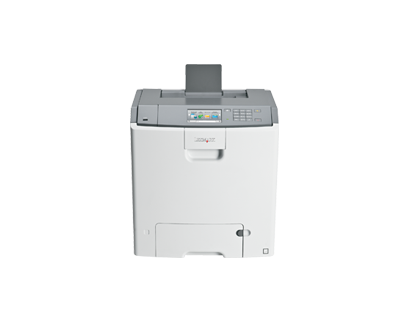
Ethernet-ready out of the box, the Lexmark C748e slots into an office network as a shared color laser with minimal fuss — and its supply list is just as undemanding. It uses the platform's high-yield black, C746H (C746H2KG), rated at roughly 12,000 pages, alongside C748 cyan, magenta and yellow cartridges of about 10,000 pages each. Because the black is shared across the C746, C748 and X74x fleet, one cartridge stock serves every machine on the floor; the compatible black listings above are that stock.
The C748e is the fleet citizen of its family — the model an IT department deploys in multiples, precisely because nothing about it is idiosyncratic. Shared networking, shared supplies, predictable behavior. Its toner plan inherits that character: a single black cartridge type for the whole floor, colors that change one at a time, and compatible pricing that makes standardizing on the platform cheaper every year it stays in service.
Toner Cartridges for C748E
The table lists the shared black cartridge in its pack sizes. The C748e's own colors are C748H1CG (cyan), C748H1MG (magenta) and C748H1YG (yellow), each rated at approximately 10,000 pages — note the split: C746 colors fit the C746 sub-series, C748 colors fit this one, and the black fits both.
Which cartridge should you buy?
Fleet logic applies. If this C748e is one of several platform printers, buy the black centrally: the 4 pack of C746H2KG keeps every machine on the floor supplied from a single order, and the 2 pack covers a lone printer with a spare in reserve. A single cartridge is right only for the lightest-duty installation. Colors stay local to the model — C748 colors for this printer, replaced individually as each runs out, at around 10,000 pages apiece.
Chip, toner and everyday use
The compatible black cartridge's chip is read by the C748e on installation, so toner levels keep reporting across the network fleet exactly as they do with originals. Yield figures rest on about 5% coverage; offices printing mostly text will land near the rating, while color-dense pages finish cartridges sooner. Store fleet spares sealed, flat and away from sunlight, and keep at least one black per site so a depleted printer never waits on a delivery.
Frequently Asked Questions
Which toner does the Lexmark C748e use?
The shared high-yield black C746H2KG (roughly 12,000 pages) and the C748 color set — cyan, magenta and yellow at about 10,000 pages each.
We run C746 and C748 printers together — what can we standardize?
The black cartridge. One C746H2KG stock feeds both sub-series and the X74x MFPs; only the color cartridges must be stocked per sub-series.
What do the page-yield numbers assume?
About 5% page coverage under ISO/IEC 19798 testing. Text documents track the rating closely; full-page color graphics use toner much faster and lower the total.
Will compatible cartridges work across our whole fleet?
Yes — the compatible C746H2KG listings here fit every model in the family list below, and each cartridge is backed by a 1-year warranty with 1-year returns.
More printers that use the same cartridges
One black cartridge stock serves this entire platform, including: C746DN, C746DTN, C746N, C748DE, C748DTE, X746DE, X748DE, X748DTE.