




C746N
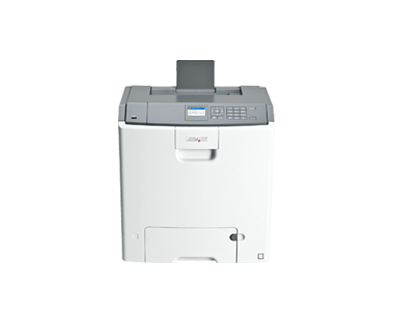
For an office already wired for a shared printer, the Lexmark C746n is the straightforward member of its family: network-ready color laser printing without the extra tray or the duplex unit. It drinks from the same C746H high-yield set as its bigger siblings — black C746H (C746H2KG) at roughly 12,000 pages, and cyan, magenta and yellow at about 10,000 pages each — so fleets that mix C746 models still stock a single cartridge line. This page carries the compatible black in single, 2 pack and 4 pack form.
The appeal of the C746n is focus. It does one job — shared color printing on a network — without charging for finishing features a small team may never touch, and its upkeep is equally plain: four cartridges, changed one at a time, with the black doing most of the work. Compatible cartridges keep that upkeep inexpensive, which suits a model bought in the first place for its restraint.
Toner Cartridges for C746N
The table covers the black listings for the family. For the C746n, the companion high-yield colors are C746H1CG (cyan), C746H1MG (magenta) and C746H1YG (yellow), rated around 10,000 pages each — a different set from the C748 colors, even though both sub-series share the same black cartridge.
Which cartridge should you buy?
Because the C746n shares its black cartridge with the rest of the platform, buying is simple even in a mixed fleet: one C746H2KG stock serves every C746 and C748 in the building. A single cartridge fits a light workload; most shared printers are better served by the 2 pack, which cuts the unit cost and leaves a spare in the cabinet; the 4 pack is for offices standardizing the whole fleet on one order. Colors are a separate, slower purchase — replace each one only when it empties, at roughly 10,000 pages per cartridge.
Chip, toner and everyday use
Installation is a one-for-one swap: the compatible cartridge's chip is recognized by the printer, and toner reporting continues as before. Yields are measured at about 5% page coverage, so a month of color presentations will move the gauge faster than a month of memos. If a nearly empty cartridge starts printing lightly, rocking it gently side to side levels the remaining toner and usually buys time until the replacement is in hand. Keep spares sealed until needed and store them flat, away from heat and sunlight.
Frequently Asked Questions
Which toner does the Lexmark C746n use?
The C746H high-yield family: black C746H2KG (about 12,000 pages) and cyan, magenta and yellow cartridges of roughly 10,000 pages each. The black is stocked above in three pack sizes.
I run a C746n next to a C748 — do they share toner?
The black, yes: both take the C746H2KG. The colors, no — the C746n uses C746 color cartridges while the C748 uses its own C748 set.
Does the C746n need a separate drum unit?
Not as part of its routine cartridge changes. The supply cycle on this page is the toner cartridges themselves; swap the color that runs out and keep printing.
Are these cartridges covered by a warranty?
Yes — the compatible cartridges here carry a 1-year warranty with 1-year returns, and fitting one does not void the printer's own warranty.
More printers that use the same cartridges
Thanks to the shared black cartridge, these models draw from the same supply shelf as the C746n: C746DN, C746DTN, C748DE, C748DTE, C748E, X746DE, X748DE, X748DTE.