




C746DN
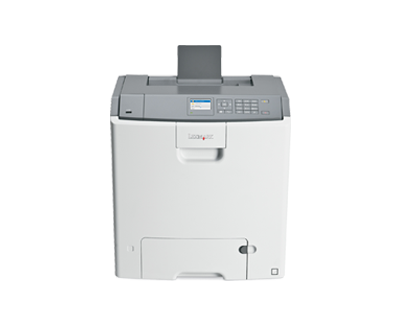
Ethernet networking and automatic two-sided printing come built into the Lexmark C746dn, the connected workhorse of the C746 color laser family. It prints from the high-yield C746H cartridge set: the black is ordered as C746H (C746H2KG) and rated at roughly 12,000 pages, while the cyan, magenta and yellow cartridges are each rated near 10,000 pages. Everything stocked on this page centers on that black cartridge — compatible singles and value packs of the one supply this printer consumes fastest.
Color laser printers in this class earn their place in offices that send out heavy color documents daily — reports, proposals, client-facing material — and cannot afford a machine that hesitates. The C746dn was specced for exactly that rhythm, and its running cost is where compatible cartridges change the math: the same page yields as the original set, at a fraction of the original price, so high color volume stops being a budget conversation.
Toner Cartridges for C746DN
The shelf above lists the black cartridge listings for this family. The matching high-yield colors for the C746dn are C746H1CG (cyan), C746H1MG (magenta) and C746H1YG (yellow), each rated at roughly 10,000 pages — note that C746 colors and C748 colors are different cartridges, even though the two sub-series share the same black.
Which cartridge should you buy?
Black is the cartridge this printer burns through first, and it is the one to plan around. A single C746H2KG covers about 12,000 pages, which suits a moderate color workload; the 2 pack lowers the per-cartridge cost and keeps a spare ready, and the 4 pack is the storeroom option for teams that never want to think about toner. Colors are replaced individually as they run out — there is no need to swap a full set because one color finished first — and each color cartridge is rated around 10,000 pages, so a color that your documents rarely use may outlast several black cartridges.
Chip, toner and everyday use
Each compatible cartridge carries the chip the C746dn expects, so it is recognized on installation and the printer reports its level normally. Page yields are quoted at about 5% coverage under ISO/IEC 19798; full-page color graphics spend toner far faster than text documents, so treat the ratings as a planning figure rather than a promise. When one color starts to fade, a gentle rock of that cartridge from side to side redistributes the toner inside and often restores even output until the replacement arrives.
Frequently Asked Questions
Which toner does the Lexmark C746dn use?
The C746H high-yield set: black C746H2KG at about 12,000 pages, plus cyan, magenta and yellow cartridges rated near 10,000 pages each. The black is the cartridge stocked in the listings on this page.
Is the black cartridge really shared with the C748 models?
Yes. The C746H2KG black serves the C746, C748 and X74x models alike. Only the color cartridges split by sub-series — C746 colors for C746 machines, C748 colors for C748 machines.
Do I have to replace all four cartridges together?
No. Each cartridge is independent; replace only the color that has run out and leave the rest in place until they are spent.
Are the cartridges here original Lexmark products?
They are premium compatibles built to the original specifications for this family, covered by a 1-year warranty with 1-year returns — using them does not void the printer warranty.
More printers that use the same cartridges
The black C746H2KG cartridge is shared across the whole C746, C748 and X74x platform, so the same supply also feeds: C746DTN, C746N, C748DE, C748DTE, C748E, X746DE, X748DE, X748DTE.