




LaserJet P1505
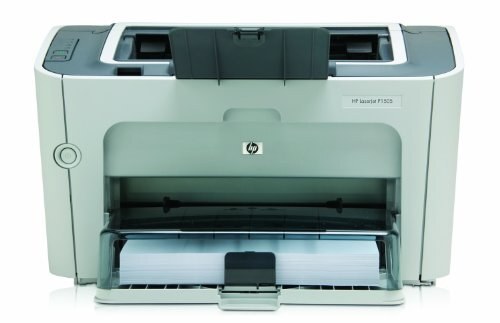
Built in the late 2000s for everyday office document printing, the LaserJet P1505 is a mono single-function printer that has outlasted most of its contemporaries. It runs on the CB436A — the HP 36A — a cartridge it shares with ten other HP models, and owners who print in volume can move up to the CB436X (HP 36X), a compatible build with a deeper fill that outlasts the standard cartridge.
Longevity defines this model: a plain, single-function machine that does one job and has kept doing it while more complicated printers came and went. The shared cartridge helps that longevity along, because a P1505 never depends on a rare supply — its 36A family also feeds the M1120 and M1522 machines, so the code stays common, stocked and easy to reorder years after the printer itself left the catalog.
Toner Cartridges for LaserJet P1505
| Cartridge | Color | Page Yield |
|---|---|---|
| CB436A (HP 36A) | Black | See product page |
| CB436X (HP 36X) | Black, high yield | See product page |
| CB436A MICR | Black | See product page |
| CB436A 2 Pack | Black | See product page |
| CB436A 3 Pack | Black | See product page |
| CB436A 5 Pack | Black | See product page |
| CB436A Premium 5 Pack | Black | See product page |
| CB436A 10 Pack | Black | See product page |
| CB436A (M1522NF listing) | Black | See product page |
Which cartridge should you buy?
The standard CB436A covers the everyday office printing this printer was built for, and a 2 Pack of it is the sensible default: one cartridge working, one waiting. Step up to the CB436X if the P1505's output is heavy enough that standard cartridges feel short-lived — the deeper fill simply stretches the same routine further between swaps. Offices that also run M1120 or M1522 machines should think of the 5 and 10 Packs as shared stock, since one pool of 36A cartridges serves every model in the family. The premium five-pack is the top-grade build in bulk. Keep the MICR version for check printing only. Compatible cartridges on this page carry a 1-year warranty and 1-year returns.
Chip, toner and everyday use
The P1505 may show a message noting that a non-HP cartridge is installed; that is the printer reporting what it detects, and compatible cartridges ordinarily print normally once the notice is acknowledged. Store spare CB436A cartridges sealed in their original packaging, flat in a cool, dry spot away from direct sunlight, and do not open a new cartridge until you are ready to install it — toner keeps its condition far better inside intact packaging, and heat and humidity are what age it fastest.
Frequently Asked Questions
Which cartridge codes fit the LaserJet P1505?
The P1505 fits the CB436A, and the high-yield CB436X is built for the same slot. The code printed on the box is what matters; matching it exactly is how you avoid returns.
Why does my P1505 show a non-HP cartridge message?
The printer displays that message when it detects a cartridge it did not manufacture. Compatible cartridges usually print normally once you acknowledge the notice; if the printer ever refuses, reseating the cartridge and following the on-screen instructions clears most cases.
How should I store spare toner for this printer?
Keep spares sealed in their original packaging until the P1505 needs them, stored flat somewhere cool, dry and out of direct sunlight. An unopened cartridge waits patiently; an opened one ages quickly.
What is the M1522NF listing doing on this page?
It is the same CB436A cartridge sold under a listing named for the M1522NF, one of the multifunction models that shares this cartridge family. The cartridge itself is the standard 36A fit, so it serves the P1505 exactly as the other listings do.
More printers that use the same cartridges
The 36A cartridge is shared across the P1505, M1120 and M1522 families: HP CB436A, LaserJet M1120, LaserJet M1120 MFP, LaserJet M1120N, LaserJet M1120N MFP, LaserJet M1522, LaserJet M1522 MFP, LaserJet M1522N, LaserJet M1522NF, LaserJet M1522NFMFP, LaserJet P1505N, Laserjet M1120.