




LaserJet M1522NFMFP
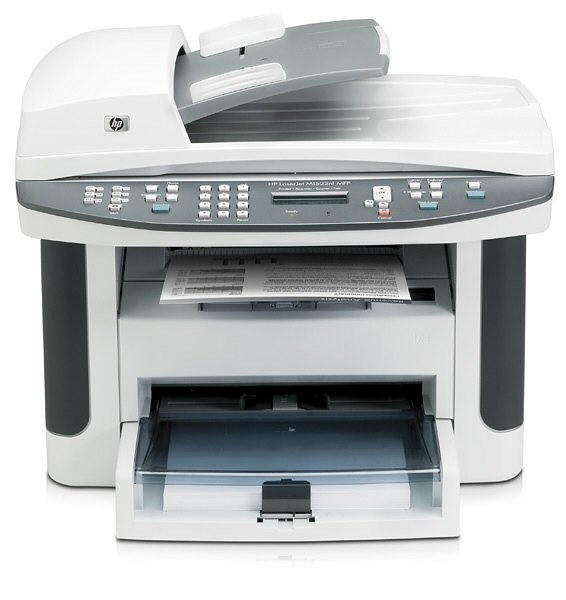
A late-2000s mono single-function printer, the LaserJet M1522NFMFP reflects an era when printers were bought for durability first and features second. Day in and day out, the LaserJet M1522NFMFP proves itself at everyday office document printing — the kind of reliability that made LaserJet a fixture in offices.
The LaserJet M1522NFMFP shares its HP 36A cartridges — including the CB436A — with 10 other HP models, keeping replacement options plentiful. Choose genuine OEM CB436A cartridges for the LaserJet M1522NFMFP or save with our compatible HP 36A alternatives — both keep the LaserJet M1522NFMFP printing cleanly. The LaserJet M1522NFMFP can run the CB436X too, a high-yield compatible member of this cartridge family for fewer, farther-apart swaps.
Toner Cartridges for LaserJet M1522NFMFP
This printer works with the following toner cartridges:
- HP CB436A
More HP Printers
- LaserJet M1120
- LaserJet M1120 MFP
- LaserJet M1120N
- LaserJet M1120N MFP
- LaserJet M1522
- LaserJet M1522 MFP
- LaserJet M1522N
- LaserJet M1522NF
- LaserJet P1505
- LaserJet P1505N
Frequently Asked Questions
What toner cartridges does the LaserJet M1522NFMFP use?
The LaserJet M1522NFMFP uses CB436A. Order by these exact codes — cartridges made for other HP families won't fit or won't be recognized.
When should I replace the toner in my LaserJet M1522NFMFP?
Swap the CB436A when prints from the LaserJet M1522NFMFP fade, streak, or the printer reports the cartridge as empty. "Toner low" warnings arrive earlier and still leave room to print, so keep a spare CB436A ready. Change it when quality visibly drops, not at the first warning.
What does the toner-low message on my LaserJet M1522NFMFP mean?
The LaserJet M1522NFMFP estimates toner from page counts rather than weighing the cartridge, so "low" means it's getting close — not that it's empty. Keep a spare CB436A on hand and swap it when print quality visibly fades. The warning usually clears on its own once the new cartridge is recognized.