




LaserJet M1522
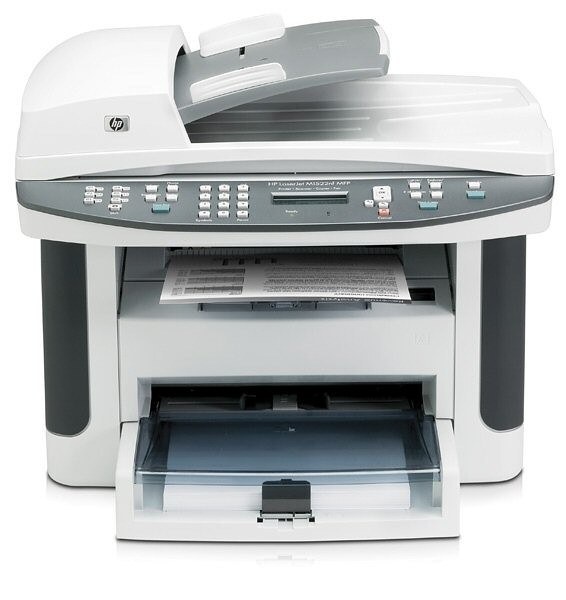
Dating from the late-2000s, the HP LaserJet M1522 is a mono single-function printer built around one idea: everyday office document printing without drama. The LaserJet M1522 doesn't try to be everything; it focuses on everyday office document printing, which explains its loyal installed base.
For the LaserJet M1522, toner means the HP 36A family: the CB436A cartridge, common to 10 models in the lineup. The LaserJet M1522 runs reliably on our compatible HP 36A cartridges as well as on genuine OEM CB436A — pick the one that fits your budget. Where a standard cartridge turns over too fast, the LaserJet M1522 takes the CB436X, a bigger compatible fill built on the same 36A cartridge.
Toner Cartridges for LaserJet M1522
This printer works with the following toner cartridges:
- HP CB436A
More HP Printers
- LaserJet M1120
- LaserJet M1120 MFP
- LaserJet M1120N
- LaserJet M1120N MFP
- LaserJet M1522 MFP
- LaserJet M1522N
- LaserJet M1522NF
- LaserJet M1522NFMFP
- LaserJet P1505
- LaserJet P1505N
Frequently Asked Questions
Which cartridge codes fit the LaserJet M1522?
The LaserJet M1522 fits CB436A. The code printed on the box is what matters; matching it exactly is how you avoid returns.
How should I store spare toner for the LaserJet M1522?
Keep spare CB436A cartridges sealed in their original packaging until the LaserJet M1522 needs them — toner breaks down faster in heat and humidity. Store them flat in a cool, dry spot away from direct sunlight. Don't open a new cartridge until you're ready to install it.
Why does my LaserJet M1522 show a non-HP cartridge message?
The LaserJet M1522 shows that message when it detects a cartridge not manufactured by HP. Compatible cartridges usually print normally once you acknowledge the notice. If the printer refuses to print, read the on-screen instructions and contact your cartridge supplier.