




LaserJet M1522N
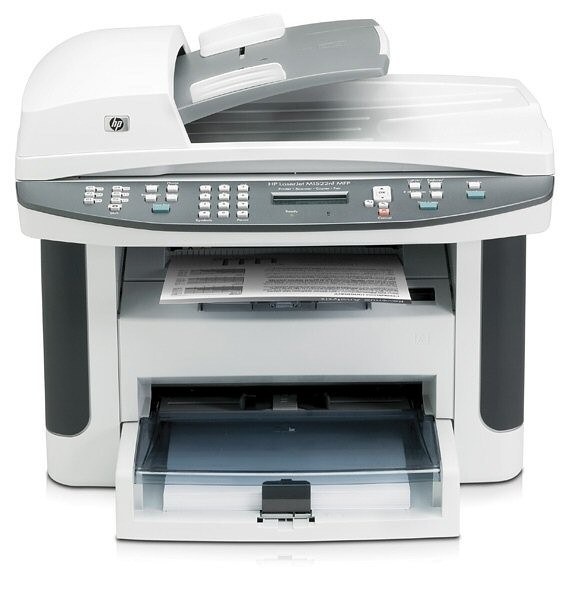
The LaserJet M1522N arrived on the scene in the late-2000s as HP's mono single-function printer for everyday office document printing, and its staying power says the formula worked. Where the LaserJet M1522N earns its keep is everyday office document printing — steady, legible pages day after day. The N in the LaserJet M1522N name signals built-in networking, making the LaserJet M1522N an easy shared printer for a small office.
HP built the LaserJet M1522N around the HP 36A cartridge family, so the CB436A you need is the same one 10 sibling models use. From the standard CB436A upward, our HP 36A selection keeps the LaserJet M1522N supplied — in genuine OEM or quality-compatible form. Above the standard fill sits the CB436X for the LaserJet M1522N, a high-yield compatible cartridge aimed at busier networked printers.
Toner Cartridges for LaserJet M1522N
This printer works with the following toner cartridges:
- HP CB436A
More HP Printers
- LaserJet M1120
- LaserJet M1120 MFP
- LaserJet M1120N
- LaserJet M1120N MFP
- LaserJet M1522
- LaserJet M1522 MFP
- LaserJet M1522NF
- LaserJet M1522NFMFP
- LaserJet P1505
- LaserJet P1505N
Frequently Asked Questions
What toner cartridges does the LaserJet M1522N use?
The LaserJet M1522N uses CB436A. Order by these exact codes — cartridges made for other HP families won't fit or won't be recognized.
How do I install a new toner cartridge in my LaserJet M1522N?
Open the cartridge door on the LaserJet M1522N and slide the old CB436A out by its handle — set it aside for recycling. Unpack the new CB436A, pull off its protective seal, and slide it straight in until it clicks. Close the door and print a test page from the LaserJet M1522N to confirm.
Why is my LaserJet M1522N printing blank or very light pages?
Blank or very light pages from the LaserJet M1522N usually mean the sealing tape was left on the new cartridge or the CB436A is completely empty. Pull the cartridge, confirm the tape is removed, and reseat it. If the cartridge is new and seated properly, check the LaserJet M1522N's toner gauge.