




LaserJet M1522 MFP
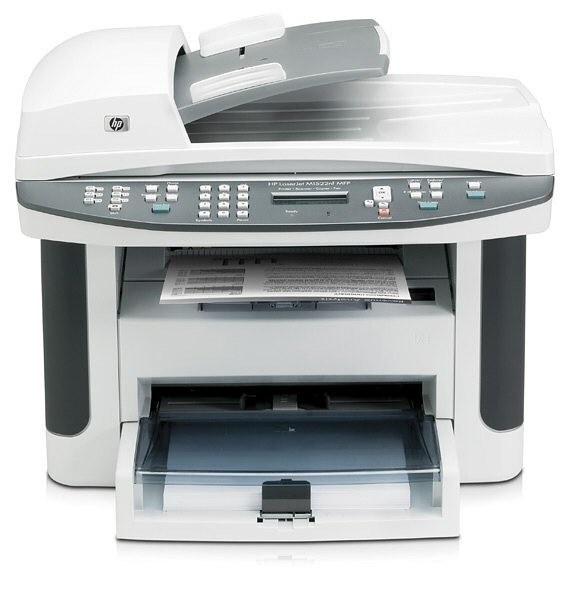
The LaserJet M1522 MFP arrived on the scene in the late-2000s as HP's mono multifunction printer for everyday office document printing, and its staying power says the formula worked. Offices that still run a LaserJet M1522 MFP usually do so for one reason: it keeps handling everyday office document printing without complaint. As an MFP, the LaserJet M1522 MFP folds scanning and copying into the same box — one machine doing the work of two.
One practical upside of the LaserJet M1522 MFP: its HP 36A cartridges (CB436A) are shared with 10 other models, so you're never hunting for something obscure. Whether you want the OEM CB436A or a compatible HP 36A cartridge for the LaserJet M1522 MFP, both are made to deliver the crisp output this printer is known for.
Toner Cartridges for LaserJet M1522 MFP
This printer works with the following toner cartridges:
- HP CB436A
More HP Printers
- LaserJet M1120
- LaserJet M1120 MFP
- LaserJet M1120N
- LaserJet M1120N MFP
- LaserJet M1522
- LaserJet M1522N
- LaserJet M1522NF
- LaserJet M1522NFMFP
- LaserJet P1505
- LaserJet P1505N
Frequently Asked Questions
How do I know I'm buying the right toner for my LaserJet M1522 MFP?
Compare the code on the box with the LaserJet M1522 MFP's list: CB436A. HP makes look-alike cartridges for different printer families, so a code match is your guarantee.
How should I store spare toner for the LaserJet M1522 MFP?
A spare CB436A lasts longest in its sealed box, lying flat in a cool, dry room away from sunlight and heat. Don't unwrap it until the LaserJet M1522 MFP actually needs it — opened toner degrades faster, especially in humidity.
What does the toner-low message on my LaserJet M1522 MFP mean?
The LaserJet M1522 MFP estimates toner from page counts rather than weighing the cartridge, so "low" means it's getting close — not that it's empty. Keep a spare CB436A on hand and swap it when print quality visibly fades. The warning usually clears on its own once the new cartridge is recognized.