




LaserJet M1522NF
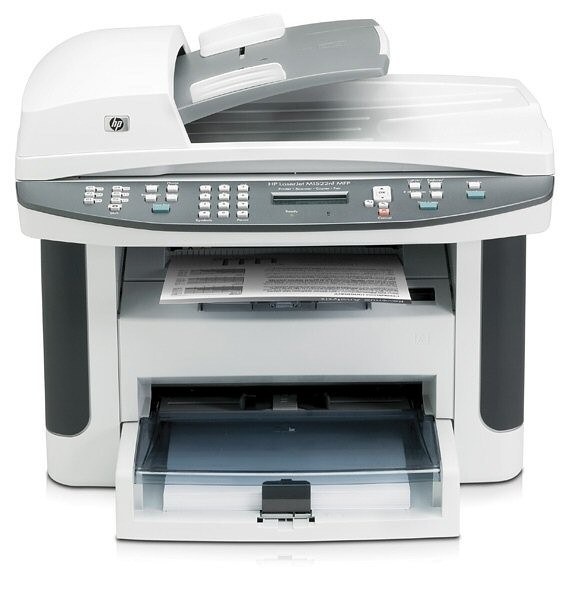
The HP LaserJet M1522NF is a late-2000s mono single-function printer, from the generation of LaserJets that offices bought by the dozen and ran for a decade. What keeps the LaserJet M1522NF relevant is everyday office document printing: unglamorous, essential, and exactly what offices need.
One practical upside of the LaserJet M1522NF: its HP 36A cartridges (CB436A) are shared with 10 other models, so you're never hunting for something obscure. Keep the LaserJet M1522NF printing with genuine HP CB436A cartridges or our compatible HP 36A versions; either way, the LaserJet M1522NF gets the toner it was designed for. High-volume LaserJet M1522NF users can choose the CB436X — a high-yield compatible alternative that goes longer between changes.
Toner Cartridges for LaserJet M1522NF
This printer works with the following toner cartridges:
- HP CB436A
More HP Printers
- LaserJet M1120
- LaserJet M1120 MFP
- LaserJet M1120N
- LaserJet M1120N MFP
- LaserJet M1522
- LaserJet M1522 MFP
- LaserJet M1522N
- LaserJet M1522NFMFP
- LaserJet P1505
- LaserJet P1505N
Frequently Asked Questions
Can I use any HP toner cartridge in the LaserJet M1522NF?
No — the LaserJet M1522NF only accepts CB436A. Toner cartridges are keyed to specific printer families, so one made for another HP model generally won't fit or be recognized. Stick to the codes listed for your LaserJet M1522NF.
How should I store spare toner for the LaserJet M1522NF?
Keep spare CB436A cartridges sealed in their original packaging until the LaserJet M1522NF needs them — toner breaks down faster in heat and humidity. Store them flat in a cool, dry spot away from direct sunlight. Don't open a new cartridge until you're ready to install it.
Why is my LaserJet M1522NF printing blank or very light pages?
Blank or very light pages from the LaserJet M1522NF usually mean the sealing tape was left on the new cartridge or the CB436A is completely empty. Pull the cartridge, confirm the tape is removed, and reseat it. If the cartridge is new and seated properly, check the LaserJet M1522NF's toner gauge.