




LaserJet M1120
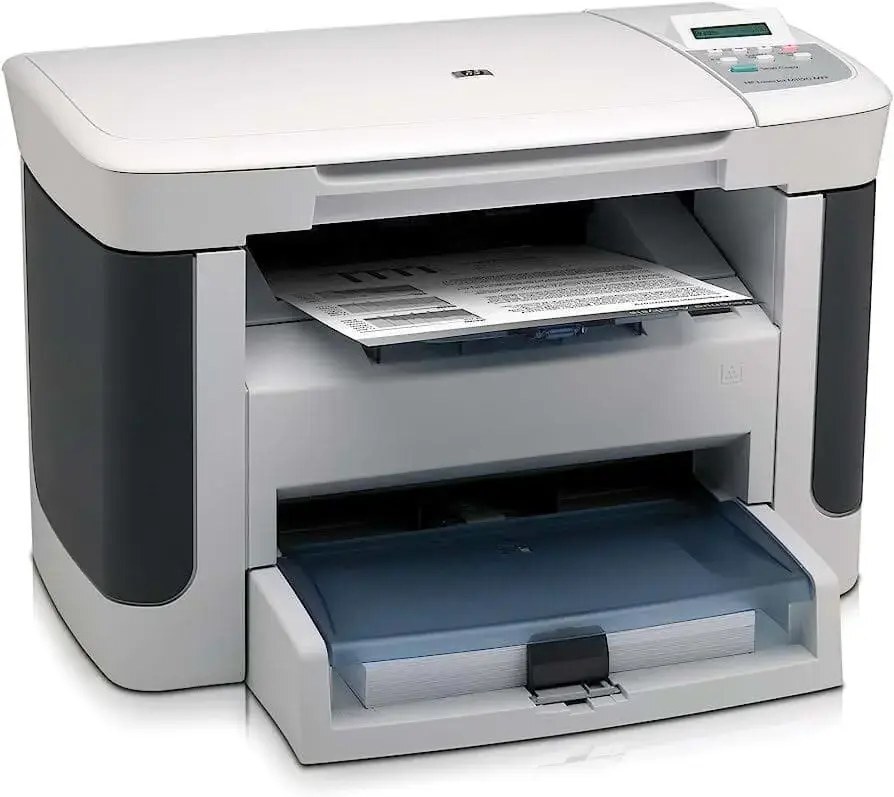
Built in the late 2000s for everyday office document printing, the LaserJet M1120 is a mono single-function printer that has outlasted most of its contemporaries — ask around and the story is always years of service with minimal fuss. Its cartridge is the CB436A, the standard-bearer of the family most offices know as the 36A. Heavier print runs can step up to the CB436X, the high-yield build of the same cartridge, also answering to the short code 36X.
Nothing about the M1120 chases novelty; it is the desk-side printer a small office buys once and then forgets, in the good way. That longevity cuts both ways for supplies — a machine this durable will consume a lot of cartridges over its life, so the depth of the shelf below, from singles to a 10-pack and a MICR build, is worth more here than on a printer replaced every few years.
Toner Cartridges for LaserJet M1120
| Cartridge | Color | Page Yield |
|---|---|---|
| CB436A | Black | See product page |
| CB436A 2 Pack | Black | See product page |
| CB436A 3 Pack | Black | See product page |
| CB436A 5 Pack | Black | See product page |
| CB436A 10 Pack | Black | See product page |
| CB436A MICR | Black — MICR | See product page |
| CB436A Premium Quality 5 Pack | Black | See product page |
| CB436X High Yield | Black — high yield | See product page |
Which cartridge should you buy?
For ordinary duty, the standard CB436A single is the economical default. Busier desks should price the high-yield CB436X honestly: one deeper cartridge usually beats two standard ones on both cost per page and interruptions. The 2, 3, 5 and 10-pack builds of the standard cartridge suit offices that stock ahead, the premium-quality 5-pack covers buyers who prefer the upgraded compatible build, and the MICR version is the one to use for check printing. All compatible cartridges on this page carry a 1-year warranty and 1-year returns.
Chip, toner and everyday use
A cartridge swap on the M1120 takes a minute: open the top, lift the old unit out by its handle, rock the new one slowly side to side so the toner bed levels, pull the seal, and slide it home. If the printer balks at a new cartridge, reseat it and power-cycle before suspecting the cartridge itself. Yield figures assume standard 5% coverage — letterhead with heavy logos and shaded forms will finish a fill sooner. Keep the spare cartridge sealed, stored flat and out of direct light so it is ready the day the low-toner light appears.
Frequently Asked Questions
Which cartridge does the LaserJet M1120 use?
The M1120 takes the CB436A — the 36A. A high-yield version of the same fit, the CB436X (36X), is also stocked for heavier print runs.
Are the 36A and CB436A the same cartridge?
Yes. 36A is the family shorthand; CB436A is the full cartridge code printed on the box and the cartridge itself. Either name leads to the same fit on this page.
Is there a high-yield option for the M1120?
Yes — the CB436X packs a deeper fill than the standard cartridge, lowering cost per page for offices that print every day. It installs exactly like the standard build.
Can I print checks on the M1120?
With the CB436A MICR listing, yes. Its magnetic toner is the formulation check readers require; save the standard cartridge for everyday documents.
More printers that use the same cartridges
The 36A cartridge is shared across this compact family of models:
HP CB436A, LaserJet M1120 MFP, LaserJet M1120N, LaserJet M1120N MFP, LaserJet M1522, LaserJet M1522 MFP, LaserJet M1522N, LaserJet M1522NF, LaserJet M1522NFMFP, LaserJet P1505, LaserJet P1505N, Laserjet M1120