




LaserJet Enterprise MFP M632fht
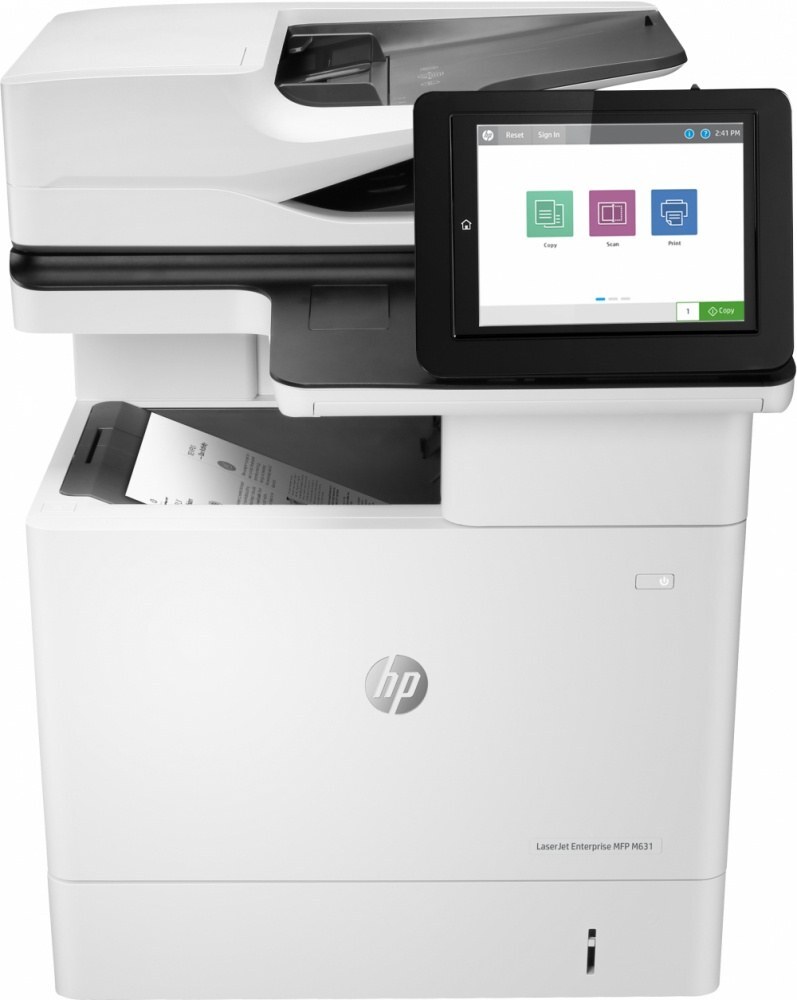
A late-2010s mono multifunction printer, the LaserJet Enterprise MFP M632fht reflects an era when printers were bought for durability first and features second — and if your workload is everyday office documents, it is the kind of machine that just keeps showing up. As an MFP it scans and copies as well as prints, and its toner comes from the HP 37A line: the cartridge stocked on this page is the high-yield 37X (CF237X), in single, two-pack and four-pack listings plus a matching Jumbo line. CF237A and CF237Y are the family's other members and fit this model too, though neither appears on this page's shelf.
Durability-first buying has a supply-side reward: because these cartridges are shared across the wider Enterprise family, you are never hunting for something obscure or waiting on a niche part. The M632fht's owners tend to standardize — one cartridge code to stock, one reorder habit — and the printer rewards that plainness by treating heavy document weeks as routine rather than as events.
Toner Cartridges for LaserJet Enterprise MFP M632fht
| Cartridge | Color | Page Yield |
|---|---|---|
| CF237X Jumbo Yield single | Black | See product page |
| CF237X Jumbo Yield 2 Pack | Black | See product page |
| CF237X Jumbo Yield 4 Pack | Black | See product page |
| CF237X standard listing, one cartridge | Black | See product page |
| CF237X standard listing, two cartridges | Black | See product page |
| CF237X standard listing, four cartridges | Black | See product page |
Which cartridge should you buy?
Everything stocked here is the high-yield code, so weigh pack size against how the machine is used. A workgroup that prints in daily waves will feel the difference between a single and a four-pack mostly in ordering frequency; a quieter office can run on singles and a reorder reminder. The Jumbo listings duplicate the standard line's sizes under the same CF237X code — treat them as alternate listings of the family's high-yield cartridge and compare their product pages directly. The standard-yield CF237A is the family's entry option and fits the M632fht, but if your volumes justify this printer, the high-yield shelf on this page is the sensible default.
Chip, toner and everyday use
Installation is deliberately plain: open the cartridge door, slide the spent unit out by its handle and set it aside for recycling, then unpack the replacement, pull its protective seal clear, and slide it straight in until it clicks. Close the door and print a test page from the machine to confirm the chip has been read and the first output is even. Keep the next cartridge sealed and stored flat nearby — on a machine bought for durability, the supply routine should be the least dramatic part of its week.
Frequently Asked Questions
Can I use any HP toner cartridge in the LaserJet Enterprise MFP M632fht?
No — this model only accepts the 37A family: CF237A, CF237X and CF237Y. Toner cartridges are keyed to specific printer families, so a cartridge made for another HP model generally will not fit or will not be recognized. Stick to the codes listed for the M632fht.
How do I install a new cartridge in the M632fht?
Open the door, remove the old cartridge by its handle, unpack the new one and remove its seal, then slide it in until it clicks and print a test page. The whole exchange takes minutes and requires no tools.
Why is this page's shelf all one code?
Because the store lists the family's high-yield cartridge for this model here: CF237X in standard and Jumbo lines, in one-, two- and four-cartridge packs. The standard CF237A and the CF237Y fit the printer as well; they are simply not part of this page's listings.
What should I do when a fresh cartridge still prints light?
Confirm the seal came fully off and the cartridge is seated, then check the toner gauge in case the unit is genuinely low. A gentle side-to-side rock redistributes toner for a few more pages, but persistent light output with a full, seated cartridge points to the printer rather than the supply.
More printers that use the same cartridges
These Enterprise models share the M632fht's cartridges — the first half of the family: LaserJet Enterprise M608dn, LaserJet Enterprise M608n, LaserJet Enterprise M608x, LaserJet Enterprise M609 x, LaserJet Enterprise M609dh, LaserJet Enterprise M609dn, LaserJet Enterprise M609x MFP, LaserJet Enterprise M631 dn,
LaserJet Enterprise MFP M631 h, LaserJet Enterprise MFP M631dn, LaserJet Enterprise MFP M631z, LaserJet Enterprise MFP M632h, LaserJet Enterprise MFP M633 fh, LaserJet Enterprise MFP M633 z, LaserJet Enterprise flow MFP M632z.