




LaserJet Enterprise MFP M631dn
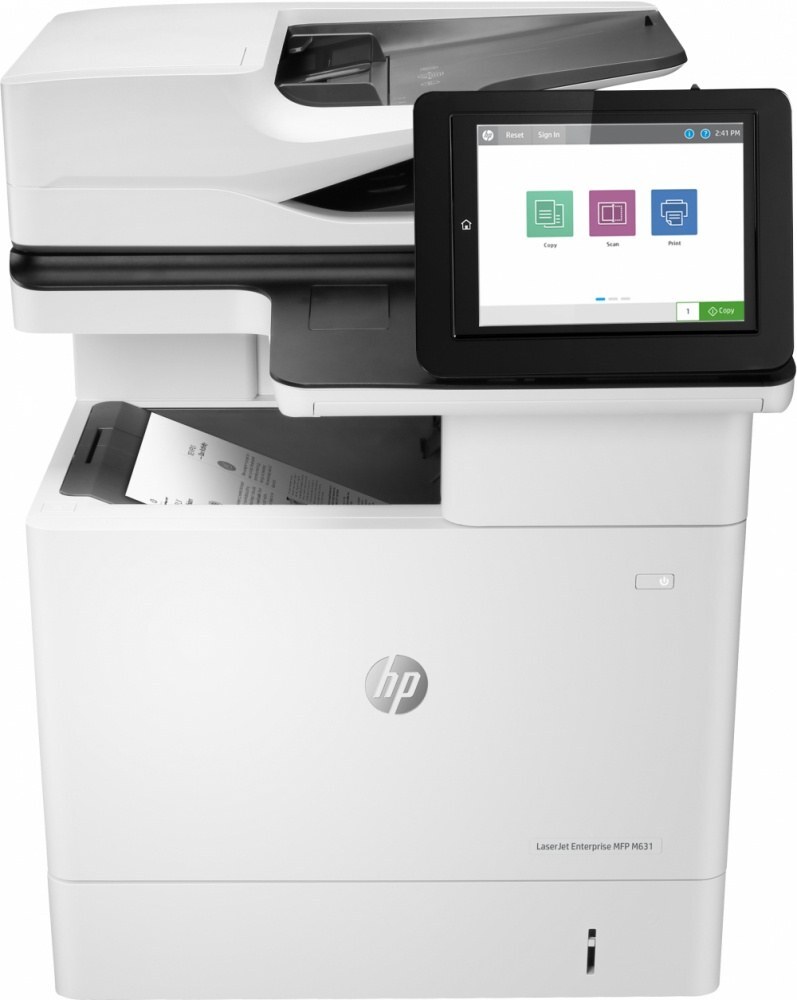
The LaserJet Enterprise MFP M631dn is a late-2010s mono multifunction printer, and its suffix tells its story: on this model, duplex printing and networking come standard, so two-sided output on a shared office printer is the default rather than an upgrade. Toner comes from the HP 37A family, and the cartridge this page stocks for it is the high-yield 37X (CF237X), sold here as a single, in two- and four-packs, and in a Jumbo line that mirrors those same sizes. The standard-yield CF237A and the family's CF237Y fit the M631dn as well; they simply are not among this page's listings.
A networked MFP with automatic two-sided printing changes office habits in quiet ways. Reports arrive already duplexed, paper use drops without anyone being asked to conserve, and because the machine serves the whole team from one spot on the network, its toner supply becomes a team concern too — one cartridge code to remember, one shelf to keep stocked, no per-desk hunting when the low-toner warning appears.
Toner Cartridges for LaserJet Enterprise MFP M631dn
| Cartridge | Color | Page Yield |
|---|---|---|
| CF237X — pack of four | Black | See product page |
| CF237X Jumbo — pack of four | Black | See product page |
| CF237X — pack of two | Black | See product page |
| CF237X Jumbo — pack of two | Black | See product page |
| CF237X — single | Black | See product page |
| CF237X Jumbo — single | Black | See product page |
Which cartridge should you buy?
Every listing here is the same high-yield code, so the decision is about quantity and line, not about compatibility. Singles fit offices that print in bursts and reorder as needed; two-packs suit the steady shared-printer rhythm, since a networked machine should never wait on a delivery; four-packs are the bulk answer for teams that run the M631dn hard. The Jumbo listings are a second line carrying the identical CF237X code in the same three sizes. Owners whose usage is genuinely light should know the standard CF237A exists in this family and fits this printer, even though this page's shelf is given over to the high-yield cartridge.
Chip, toner and everyday use
Keep spares sealed in their original packaging, stored flat in a cool, dry place out of direct sunlight, and do not open a cartridge until the morning it goes in — toner keeps best undisturbed. When the change comes, work with the printer on, remove the seal completely, and seat the cartridge until it clicks. For internal drafts, the driver's toner-save setting stretches a cartridge noticeably, and leaving duplex as the default saves the paper budget rather than the toner one. A test page after each swap confirms the chip was read and the output is clean.
Frequently Asked Questions
Which cartridge codes fit the LaserJet Enterprise MFP M631dn?
Three codes from the HP 37A family: CF237A, CF237X and CF237Y. The code printed on the box is what matters — match it exactly and the cartridge will fit; near-miss codes from other HP lines will not.
How should I store spare toner for the M631dn?
Flat, sealed and cool is the whole rule: original packaging, a dry shelf away from radiators and sunny windows, and no unboxing until installation day. Heat and humidity age toner faster than time does, so a supply cabinet inside the office beats a garage or a boiler room.
How do I get more pages out of each cartridge in the M631dn?
You are already holding the family's high-yield cartridge on this page, which is the biggest lever. Beyond that, toner-save mode for drafts, printing only the pages you need rather than whole documents, and letting a low cartridge run until output actually fades — the warning arrives early — all add pages without costing quality where it counts.
Does duplex printing change which cartridge I should buy?
No. Two-sided printing works with every cartridge in the 37A family, and the M631dn takes the same CF237X whether a job is single- or double-sided. Duplexing cuts paper consumption; the cartridge choice stays a question of how much your team prints.
More printers that use the same cartridges
One cartridge family serves the whole Enterprise generation below; each of these models runs on the same toner as the M631dn: LaserJet Enterprise flow MFP M632z, LaserJet Enterprise MFP M633 z, LaserJet Enterprise MFP M633 fh, LaserJet Enterprise MFP M632h, LaserJet Enterprise MFP M632fht, LaserJet Enterprise MFP M631z, LaserJet Enterprise MFP M631 h, LaserJet Enterprise M631 dn, LaserJet Enterprise M609x MFP, LaserJet Enterprise M609dn, LaserJet Enterprise M609dh, LaserJet Enterprise M609 x, LaserJet Enterprise M608x, LaserJet Enterprise M608n, LaserJet Enterprise M608dn.