




LaserJet Enterprise M609 x
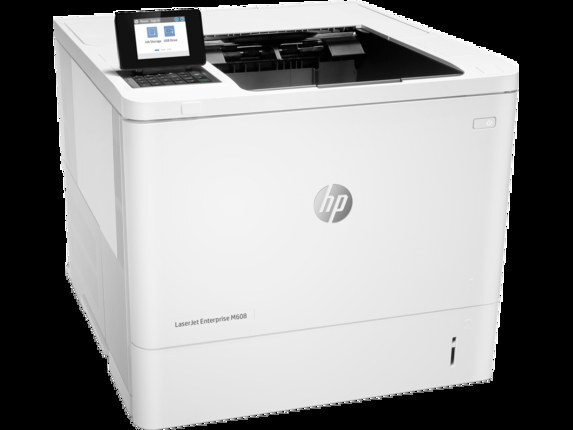
HP introduced the LaserJet Enterprise M609 x in the late 2010s as a purpose-built monochrome printer for everyday office documents, and plenty of them are still on the job, working with unhurried confidence. Its toner shelf here is narrow by design: every listing carries the high-yield CF237X, beginning with the Compatible HP 37X (CF237X) Toner Cartridge Black single. Behind it, the documented family rounds out with CF237A as the standard cartridge and CF237Y as an additional high-yield code; this page does not stock those two.
There is a particular kind of office that keeps a printer like this: the workload is steady, the documents are unglamorous — invoices, pick lists, internal reports — and the machine is expected to simply be ready every morning. The M609 x fits that expectation because nothing about it asks for ceremony. Its toner story is the same: one high-yield code, bought in the quantity that matches the office's appetite, changed in minutes when the old one finally fades.
Toner Cartridges for LaserJet Enterprise M609 x
The first three rows are the primary listings; the final three are alternate listings of the same sizes.
| Cartridge | Color | Page Yield |
|---|---|---|
| Compatible HP 37X (CF237X) Toner Cartridge Black | Black | See product page |
| Compatible HP 37X (CF237X) Toner Cartridge 2 Black | Black | See product page |
| Compatible HP 37X (CF237X) Toner Cartridge 4 Black | Black | See product page |
| Compatible HP 37X (CF237X) Toner Cartridge Black (alternate listing) | Black | See product page |
| Compatible HP 37X (CF237X) Toner Cartridge 2 Black (alternate listing) | Black | See product page |
| Compatible HP 37X (CF237X) Toner Cartridge 4 Black (alternate listing) | Black | See product page |
Which cartridge should you buy?
Quantity is the only real question on this page. A single cartridge keeps a lightly used unit supplied without tying up shelf space. The two-pack is the balanced choice for a printer in daily service, because the second cartridge removes the urgency from every low-toner warning. The four-pack is for offices that have watched their usage for a few cycles and know the machine will consume them steadily. All rows carry the same high-yield code, so a high page count per cartridge is already built into whichever box you pick.
Chip, toner and everyday use
The printer estimates remaining toner from page counts rather than by weighing the cartridge, so treat its low message as a forecast, not a verdict. A gentle rock of the cartridge from side to side can even out the last of the powder and buy time while a spare is located. When you do swap, remove the seal in one clean pull and keep the old cartridge aside until the first prints from the new one check out. Sealed spares belong in a cool, dry cupboard, stored flat and out of direct sun.
Frequently Asked Questions
Can any HP cartridge work in this printer?
No. Cartridges are keyed to their printer families, so a unit built for another HP model generally will not fit or will not be recognized here. Order by the exact code for this model — the one carried by every listing on this page — and the fit is assured.
What does the toner-low message actually mean?
It means the printer's page-count estimate says the cartridge is getting close to empty, not that it has stopped. Many pages usually remain. Keep printing while quality holds, keep a spare within reach, and swap when fading becomes visible on real documents.
Should I change the cartridge at the first warning?
Not necessarily. Change it when output quality drops — visible fading or streaking — or when the panel reports empty. Swapping at the first warning throws away the tail of every cartridge, which adds up across a year of office printing.
How are compatible cartridges covered on this page?
With a 1-year warranty and 1-year returns. Keep the packaging until a few ordinary jobs have printed cleanly, and store any spare from a multi-pack sealed so it stays ready for its turn.
More printers that use the same cartridges
Sibling enterprise models that take this same family follow, listed alphabetically to make a specific unit easy to find.
LaserJet Enterprise flow MFP M632z, LaserJet Enterprise M608dn, LaserJet Enterprise M608n, LaserJet Enterprise M608x, LaserJet Enterprise M609dh, LaserJet Enterprise M609dn, LaserJet Enterprise M609x MFP, LaserJet Enterprise M631 dn, LaserJet Enterprise MFP M631 h, LaserJet Enterprise MFP M631dn, LaserJet Enterprise MFP M631z, LaserJet Enterprise MFP M632fht, LaserJet Enterprise MFP M632h, LaserJet Enterprise MFP M633 fh, LaserJet Enterprise MFP M633 z.