




LaserJet Enterprise M608dn
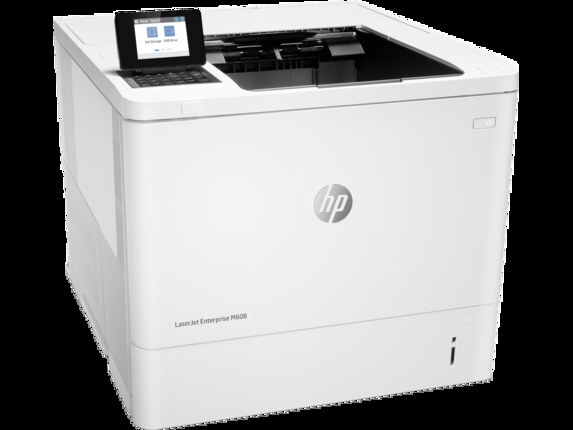
A late-2010s mono single-function printer, the LaserJet Enterprise M608dn reflects an era when printers were bought for durability first and features second. The LaserJet Enterprise M608dn doesn't try to be everything; it focuses on everyday office document printing, which explains its loyal installed base. The DN suffix on the LaserJet Enterprise M608dn means duplex printing and networking come standard — two-sided output on a shared office printer.
The LaserJet Enterprise M608dn runs on the HP 37A family — the CF237A cartridge — shared with 39 other HP models, so supplies stay easy to find. From the standard CF237A upward, our HP 37A selection keeps the LaserJet Enterprise M608dn supplied — in genuine OEM or quality-compatible form.
Toner Cartridges for LaserJet Enterprise M608dn
This printer works with the following toner cartridges:
- HP CF237A
- HP CF237X
- HP CF237Y
More HP Printers
- LaserJet Enterprise Flow MFP M630z
- LaserJet Enterprise M607
- LaserJet Enterprise M608n
- LaserJet Enterprise M608x
- LaserJet Enterprise M609 x
- LaserJet Enterprise M609dh
- LaserJet Enterprise M609dn
- LaserJet Enterprise M609x MFP
- LaserJet Enterprise M631 dn
- LaserJet Enterprise MFP M630f
- LaserJet Enterprise MFP M631 h
- LaserJet Enterprise MFP M631dn
- LaserJet Enterprise MFP M631z
- LaserJet Enterprise MFP M632fht
- LaserJet Enterprise MFP M632h
- LaserJet Enterprise MFP M633 fh
- LaserJet Enterprise MFP M633 z
- LaserJet M607dn
- LaserJet M608
- LaserJet M608 n
- LaserJet M608dn
- LaserJet M608x
- LaserJet M609
- LaserJet M609 dh
- LaserJet M609 dn
- LaserJet M609 x
- LaserJet M609x MFP
- LaserJet M631
- LaserJet M631 dn MFP
- LaserJet M631 h MFP
- LaserJet M631dn MFP
- LaserJet M631z MFP
- LaserJet M632
- LaserJet M632 fht MFP
- LaserJet M632 h MFP
- LaserJet M632z MFP
- LaserJet M633
- LaserJet M633 fh MFP
- LaserJet M633 z
Frequently Asked Questions
What toner cartridges does the LaserJet Enterprise M608dn use?
The LaserJet Enterprise M608dn uses CF237A, CF237X, CF237Y. For heavier printing, the CF237X high-yield version of CF237A fits the same LaserJet Enterprise M608dn. Order by these exact codes — cartridges made for other HP families won't fit or won't be recognized.
How do I install a new toner cartridge in my LaserJet Enterprise M608dn?
Open the cartridge door on the LaserJet Enterprise M608dn and slide the old CF237A out by its handle — set it aside for recycling. Unpack the new CF237A, pull off its protective seal, and slide it straight in until it clicks. Close the door and print a test page from the LaserJet Enterprise M608dn to confirm.
How do I clear a paper jam in the LaserJet Enterprise M608dn?
Power off the LaserJet Enterprise M608dn, open its doors, and pull the jammed paper out slowly in the direction of the paper path — never against it. Check that the tray guides sit snug against the paper stack, since loose guides cause repeat jams. Fan the paper and avoid overfilling the tray.