




LaserJet Enterprise M608x
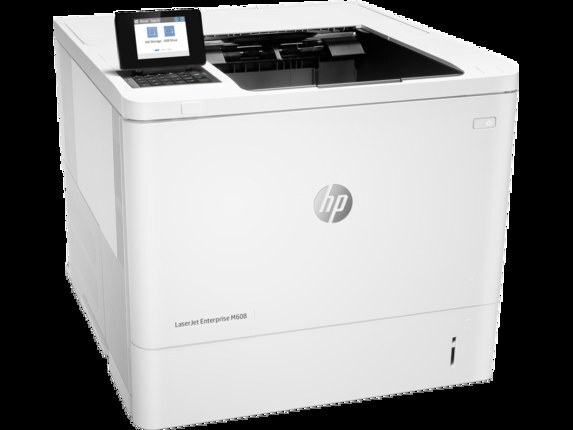
The HP LaserJet Enterprise M608x is a late-2010s mono single-function printer, from the generation of LaserJets that offices bought by the dozen and ran for a decade. For everyday office document printing, the LaserJet Enterprise M608x remains a sensible pick — simple mechanics and consistently clean output.
Like 39 other models in its family, the LaserJet Enterprise M608x takes the HP 37A cartridge line — look for the CF237A. For the LaserJet Enterprise M608x, we carry genuine HP CF237A cartridges alongside compatible HP 37A options that cost less to run.
Toner Cartridges for LaserJet Enterprise M608x
This printer works with the following toner cartridges:
- HP CF237A
- HP CF237X
- HP CF237Y
More HP Printers
- LaserJet Enterprise Flow MFP M630z
- LaserJet Enterprise M607
- LaserJet Enterprise M608dn
- LaserJet Enterprise M608n
- LaserJet Enterprise M609 x
- LaserJet Enterprise M609dh
- LaserJet Enterprise M609dn
- LaserJet Enterprise M609x MFP
- LaserJet Enterprise M631 dn
- LaserJet Enterprise MFP M630f
- LaserJet Enterprise MFP M631 h
- LaserJet Enterprise MFP M631dn
- LaserJet Enterprise MFP M631z
- LaserJet Enterprise MFP M632fht
- LaserJet Enterprise MFP M632h
- LaserJet Enterprise MFP M633 fh
- LaserJet Enterprise MFP M633 z
- LaserJet M607dn
- LaserJet M608
- LaserJet M608 n
- LaserJet M608dn
- LaserJet M608x
- LaserJet M609
- LaserJet M609 dh
- LaserJet M609 dn
- LaserJet M609 x
- LaserJet M609x MFP
- LaserJet M631
- LaserJet M631 dn MFP
- LaserJet M631 h MFP
- LaserJet M631dn MFP
- LaserJet M631z MFP
- LaserJet M632
- LaserJet M632 fht MFP
- LaserJet M632 h MFP
- LaserJet M632z MFP
- LaserJet M633
- LaserJet M633 fh MFP
- LaserJet M633 z
Frequently Asked Questions
How do I know I'm buying the right toner for my LaserJet Enterprise M608x?
Compare the code on the box with the LaserJet Enterprise M608x's list: CF237A, CF237X, CF237Y. HP makes look-alike cartridges for different printer families, so a code match is your guarantee.
How do I install a new toner cartridge in my LaserJet Enterprise M608x?
Open the cartridge door on the LaserJet Enterprise M608x and slide the old CF237A out by its handle — set it aside for recycling. Unpack the new CF237A, pull off its protective seal, and slide it straight in until it clicks. Close the door and print a test page from the LaserJet Enterprise M608x to confirm.
Where do I get drivers and firmware for the LaserJet Enterprise M608x?
Download them from HP's official support site — search for the LaserJet Enterprise M608x and choose your operating system. Current drivers fix printing, scanning, and connectivity problems, so keep them updated. Skip third-party driver sites, which often bundle unwanted software.