




LaserJet Pro 400 Color M475
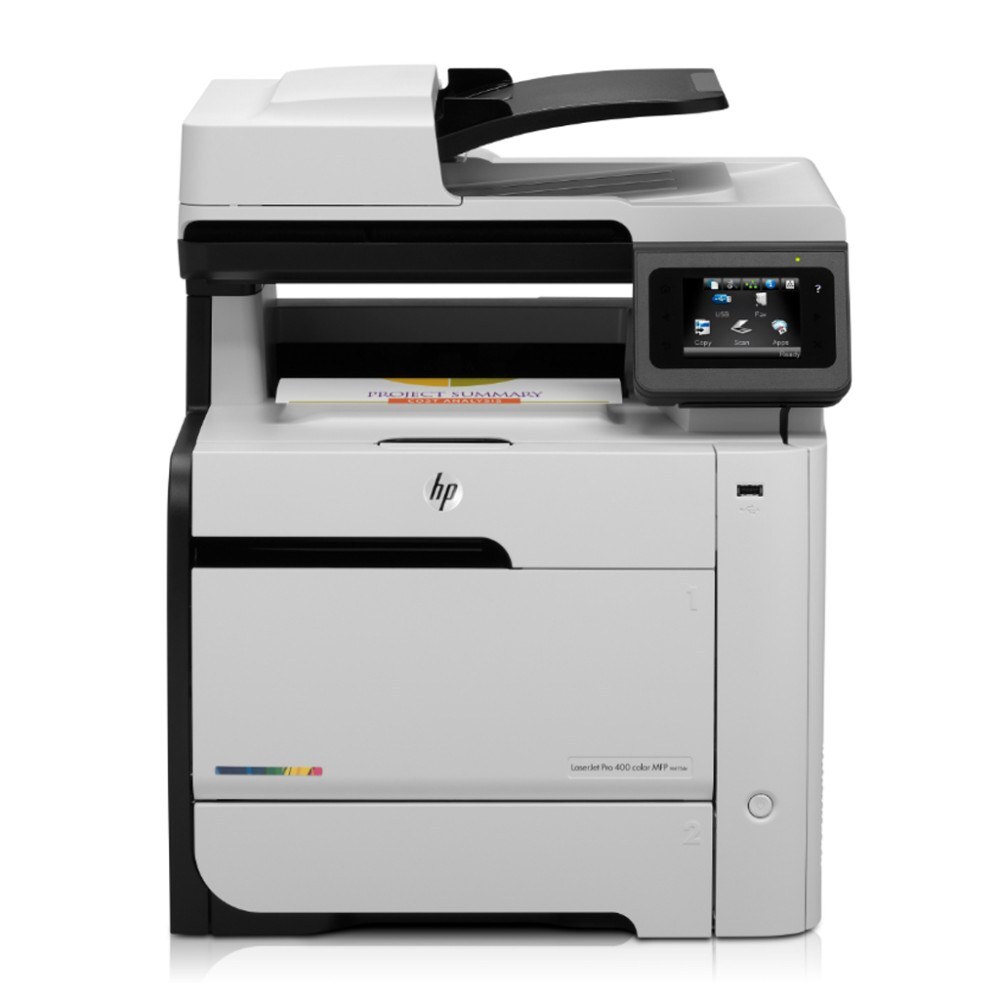
The LaserJet Pro 400 Color M475 is the all-in-one of the 2012-era Pro 400 line — color print, scan, copy and fax for small businesses that need every function in one machine. Everything it puts on paper draws from a single four-cartridge bay: CE410A black (HP 305A), the CE410X high-yield black (HP 305X) for heavier black work, and CE411A cyan, CE412A yellow, CE413A magenta.
An MFP spends its toner less predictably than a plain printer. Copies walk up at random, a received fax prints whether anyone asked it to or not, and the day's documents land on top of both. That is the quiet virtue of this model's supply design: one cartridge family covers the whole machine, so there are no separate supplies to track per function — just four slots and their levels.
Toner Cartridges for LaserJet Pro 400 Color M475
| Cartridge | Color | Page Yield |
|---|---|---|
| CE413A | Magenta | See product page |
| CE412A | Yellow | See product page |
| CE411A | Cyan | See product page |
| CE410X | Black — High Yield | See product page |
| CE410A | Black | See product page |
For a complete change in one order, the shelf holds the 305A 4 Color Set, the 4 Color Set with the high-yield CE410X black and the Premium Quality 4 Color Set.
The rest of the shelf for this family
Alternate singles, black multi-packs and larger sets round out the family. In address order, the remaining listings are:
- 4 Color Set — 305A CE410A CE411A CE412A CE413A (305A)
- 4 Color Set — 305A CE410A CE411A CE412A CE413A (305A) — alternate listing
- 4 Color Set — 305A CE410A CE411A CE412A CE413A (305A) — second alternate listing
- 5 Color Set — 305A CE410A CE411A CE412A CE413A (305A)
- 8 Color Set — 305A CE410A CE411A CE412A CE413A (305A)
- 2 Black — 305A CE410A (305A)
- 5 Black — 305A CE410A (305A)
- Black — 305A CE410A (305A)
- Black — 305A CE410A (305A) — alternate listing
- Black — 305A CE410A (305A) — second alternate listing
- 3 Color Set — 305A CE411A CE412A CE413A (305A)
- 3 Color Set — 305A CE411A CE412A CE413A (305A) — alternate listing
- 3 Color Set — 305A CE411A CE412A CE413A (305A) — second alternate listing
- 3 Color Set — 305A CE411A CE412A CE413A (305A) — third alternate listing
- Cyan — 305A CE411A (305A)
- Cyan — 305A CE411A (305A) — alternate listing
- Cyan — 305A CE411A (305A) — second alternate listing
- Yellow — 305A CE412A (305A)
- Yellow — 305A CE412A (305A) — alternate listing
- Yellow — 305A CE412A (305A) — second alternate listing
- Yellow — 305A CE412A (305A) — third alternate listing
- Magenta — 305A CE413A (305A)
- Magenta — 305A CE413A (305A) — alternate listing
- Magenta — 305A CE413A (305A) — second alternate listing
- 3 Black — CE410A (M475)
- 4 Color Set — CE410A CE411A CE412A CE413A (M475)
- 4 Color Set — CE410A CE411A CE412A CE413A (M475) — alternate listing
- 5 Color Set — CE410A CE411A CE412A CE413A (M475)
- Magenta — CE413A (M475)
- 4 Color Set — CE410A CE411A CE412A CE413A (M475) — second alternate listing
- 4 Color Set — (M475)
Which cartridge should you buy?
Judge black by your copy-and-print volume, not by the machine's feature list. The CE410A standard black serves an MFP whose output is a few pages at a time; the CE410X high-yield black is the calmer choice when copying and fax printing keep the black slot working daily — compare the rated yields on the product pages. Colors follow the usual rule: one at a time, as each is flagged, since color copying is sporadic in most small offices. A four-color set makes sense after a heavy season when several slots report low together. Every listing here is a compatible cartridge covered by a 1-year warranty with 1-year returns.
Chip, toner and everyday use
Color accuracy on an MFP is a maintenance habit: when colors look wrong or washed out, run the calibration or cleaning routine from the machine's menu before blaming a cartridge, and confirm all four cartridges are seated. Use plain, laser-rated office paper for everyday work and heavier laser stock for presentations — inkjet-only paper should never go through a laser engine. A new cartridge is read as it installs, so seat it fully and let the machine finish registering it before you judge the first copy off the glass.
Frequently Asked Questions
Which toner cartridges work with the LaserJet Pro 400 Color M475?
This model uses CE410A, CE410X, CE411A, CE412A and CE413A. Match the code on your current cartridge before ordering so you get the right fit.
What type of paper should I use in the M475?
Plain laser-compatible office paper covers everyday jobs, and heavier laser-rated stock suits presentations. Inkjet-only paper should not go through a laser printer at all.
How do I fix wrong or washed-out colors on the M475?
Run the color calibration or cleaning routine from the menu and make sure all four cartridges are seated. If a single color is missing from prints, that cartridge has run out or lost its seat — replace or reseat it.
Does the scanning side of the M475 use toner?
No. Scanning a document to a file uses no toner at all. Copies are different — a copy is a print, so copying draws on the same four cartridges as everything else the machine produces.
More printers that use the same cartridges
This cartridge family is shared with the following HP models: Color LaserJet M351, Color LaserJet M351A, Color LaserJet M375 MFP, Color LaserJet M375NW MFP, Color LaserJet M451, Color LaserJet M451DN, Color LaserJet M451DW, Color LaserJet M451NW, Color LaserJet M475, Color LaserJet M475DN, Color LaserJet M475DW, HP 305A, LaserJet Pro 300 Color M375NW, LaserJet Pro 300 Color MFP M375, LaserJet Pro 300 Color MFP M375NW, LaserJet Pro 300 Color Printer M351, LaserJet Pro 300 Color Printer M351A, LaserJet Pro 400 Color M451, LaserJet Pro 400 Color M451DN, LaserJet Pro 400 Color M451DW, LaserJet Pro 400 Color M451NW, LaserJet Pro 400 Color M475DW, LaserJet Pro 400 Color MFP M475, LaserJet Pro 400 Color MFP M475DN, LaserJet Pro 400 color MFP M475DW, LaserJet Pro 400 Color Printer M451, LaserJet Pro 400 Color Printer M451DN, LaserJet Pro 400 Color Printer M451DW, LaserJet Pro 400 color Printer M451NW.