






 See Compatible Printers
 Read more about our ink!
Hewlett Packard
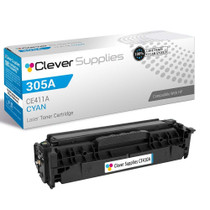
Compatible HP 305A (CE411A) Toner Cartridge Cyan
- Page Yield:
- Color: 2600
- Availability:
- In Stock
- Shipping:
- Calculated at Checkout

Amazon Price:

- Page Yield:
- Color: 2600
- Availability:
- In Stock
- Shipping:
- Calculated at Checkout
- Compatible Printers
- LaserJet 300 Color MFP M375nw
- LaserJet 400 Color M451dn
- LaserJet 400 Color M451dw
- LaserJet 400 Color MFP M451nw
- LaserJet 400 Color MFP M475dn
- LaserJet 400 Color MFP M475dw
- LaserJet Pro 300 Color MFP M375nw
- LaserJet Pro 400 Color M451dn
- LaserJet Pro 400 Color M451dw
- LaserJet Pro 400 Color MFP M451nw
- LaserJet Pro 400 Color MFP M475dn
- LaserJet Pro 400 Color MFP M475dwi>
- Specifications
- SKU:
- 8H-FCQ8-CRSS
- Printer Brand:
- Hewlett Packard
- OEM Number:
- CE411A
- Ink Color:
- Cyan
- Page Yield:
- Color: 2600
- Printer Type:
- Laser Cartridge
- Condition:
- New Compatible
- Description
- Reviews

The HP 305A LaserJet Series comprises a range of high-performance printers designed to meet the demands of professional color printing. From the Pro 300 Color M375NW to the Pro 400 Color M451 series, each model offers exceptional quality and reliability. The Pro 400 Color M451DN, M451DW, and M451NW are renowned for their speed and precision, while the Pro 400 Color M475 and M475DW excel in multifunctionality. Compatible with these printers are the HP 305A toner cartridges, including the CE410A Black, CE411A Cyan, CE413A Magenta, and CE412A Yellow. These cartridges ensure vibrant colors and crisp text for all your printing needs. Whether you're producing documents, presentations, or marketing materials, the HP 305A cartridges deliver consistent results. For multifunction printers like the Pro 300 Color MFP M375 and M375NW, as well as the Pro 400 Color MFP M475, these cartridges maintain efficiency across printing, scanning, copying, and faxing tasks. The M375NW MFP and M475DN offer added convenience with their duplex printing capabilities, saving both time and resources. In the realm of color laser printing, the M375 MFP stands out for its professional-grade output and versatile functionality. With the HP 305A toner cartridge series, users can achieve sharp, vivid images and text, enhancing the impact of their printed materials. Whether it's business reports, brochures, or photographs, these printers and cartridges deliver impressive results. Overall, the HP 305A LaserJet Series, coupled with the HP 305A toner cartridges, caters to the diverse needs of businesses and individuals alike. With their reliability, speed, and quality output, these printers and cartridges ensure optimal performance for all your printing tasks.
Frequently Asked Questions
What are the earliest signs that the cyan cartridge is nearly empty?
Blues lose their punch first — a company logo that should print a clean mid-blue comes out violet, and photographs of water or sky turn flat and greyish. The printer also posts a low-toner warning for the cyan slot specifically, and the supplies status page prints a gauge for it, so the evidence is there before quality really suffers.
Is there a way to check the cyan level without printing anything?
Yes. On printers with a screen, the supplies menu shows each cartridge as its own bar. From a computer on the same network you can open the printer's embedded web page and read the same gauges there. Either route tells you whether cyan is the cartridge to order, rather than guessing from one bad print.
What does the 2,600-page rating on this cartridge rest on?
It is the manufacturer's standard test figure for the CE411A at 5 percent coverage per page. A page of email-style text with a small chart lands near that assumption; a page that is mostly photograph does not. Treat 2,600 as the yardstick for comparing cartridges, and expect your real count to follow your own mix of work.
The printer says cyan is low but my prints still look fine. Keep going?
You can. The low warning arrives with a margin built in, and many offices run a cartridge to genuine empty before swapping. The risk is only inconvenience: when cyan does finish, color output shifts suddenly mid-run. At $34.02, keeping the replacement on the shelf removes the gamble without costing a cartridge's remaining life.
Does this cartridge handle the whole 305A cyan job by itself?
It does — this listing is the single cyan unit of the 305A family, one cartridge for the C slot. Nothing else needs to be bought alongside it, and the other colors in the machine carry on untouched at their own levels when this one goes in.
How should a spare sit in a cupboard until it is needed?
Flat, in its sealed bag, out of direct light and away from radiators or damp. Toner does not dry out the way ink does, so a sealed spare waits patiently; just rotate stock so the oldest box is the one that gets opened first.
About This 305A Cyan Cartridge (CE411A)
Built for the generation of HP color lasers anchored by machines like the LaserJet Pro 300 Color MFP M375nw, this CE411A is the cyan member of the 305A set, sold singly at $34.02 and rated at 2,600 pages. It suits offices that would rather replace one color at a time — the usual pattern, since real-world printing almost never empties four cartridges on the same day.
If you need a hand at any point, our team is reachable Monday–Friday, 9 AM–5 PM CST. Orders leave from IL, PA, GA or CA, whichever warehouse is nearest, and the cartridge is backed by a 1-year warranty and 1-year free returns. Delivery details are spelled out on the shipping & returns page, and everything else we stock for this printer generation is gathered under HP.
Related Items


Hewlett Packard
Compatible HP 305A (CE411A) Toner Cartridge Cyan



Hewlett Packard
Compatible HP 305A (CE411A) Toner Cartridge Cyan

Hewlett Packard
CS Compatible Replacement for HP CE411A Toner Cartridge Cyan/ HP 305A Toner
/>

Hewlett Packard
Compatible HP M451DW (CE411A) Toner Cartridge Cyan