




LaserJet Pro 400 Color M451DN
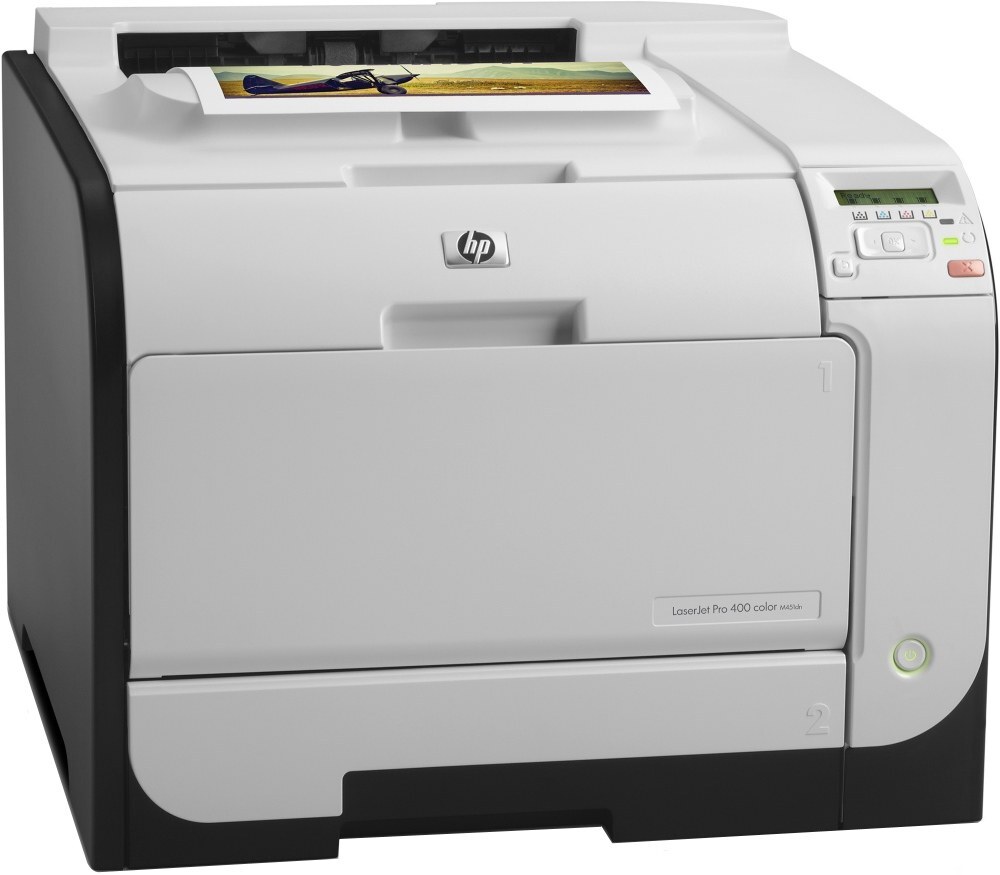
Small businesses bought the LaserJet Pro 400 Color M451DN for a simple reason: it is a 2012-era color laser with a reputation for simply working, and the DN build adds automatic duplexing and built-in networking for a shared office. Its toner bay holds four cartridges: CE410A black (HP 305A) for everyday black printing, the CE410X high-yield black (HP 305X) for heavier black volume, and three colors — CE411A in cyan, CE412A in yellow and CE413A in magenta.
That shared-office role shapes the supply pattern. Duplexing trims paper use on two-sided reports, the network port lets one machine serve the whole team's color work, and black drains fastest because documents, not color pieces, are what most small offices actually print. One cartridge family covers the machine, with black stocked in two capacities to match that reality.
Toner Cartridges for LaserJet Pro 400 Color M451DN
| Cartridge | Color | Page Yield |
|---|---|---|
| CE410A | Black | See product page |
| CE410X | Black — High Yield | See product page |
| CE411A | Cyan | See product page |
| CE412A | Yellow | See product page |
| CE413A | Magenta | See product page |
Full-color restocks sit alongside the singles: the 305A 4 Color Set, the 4 Color Set with the high-yield CE410X black, the Premium Quality 4 Color Set and the set listed under this model's own name, the Pro 400 Color M451DN 4 Color Set.
Every other listing stocked for this family
The same four codes are sold under several further listings — alternate singles, multi-black packs and larger color sets among them. Each one below is a live listing for this cartridge family:
- 305A (305A CE413A) Magenta
- 305A (305A CE411A) Cyan
- 305A (305A CE410A CE411A CE412A CE413A) 4 Color Set
- 305A (305A CE410A) Black
- 305A (305A CE411A) Cyan — alternate listing
- 305A (305A CE412A) Yellow
- 305A (305A CE412A) Yellow — alternate listing
- 305A (305A CE413A) Magenta — alternate listing
- 305A (305A CE410A CE411A CE412A CE413A) 4 Color Set — alternate listing
- 305A (305A CE410A) 2 Black
- 305A (305A CE411A CE412A CE413A) 3 Color Set
- 305A (305A CE411A CE412A CE413A) 3 Color Set — alternate listing
- 305A (305A CE411A CE412A CE413A) 3 Color Set — second alternate listing
- 305A (305A CE410A) 5 Black
- 305A (305A CE410A CE411A CE412A CE413A) 8 Color Set
- M451Dn (CE411A CE412A CE413A) 3 Color Set
- M451Dn (CE410A CE411A CE412A CE413A) 4 Color Set
- M451Dn (CE410A CE411A CE412A CE413A) 4 Color Set — alternate listing
- M451Dn (CE410A CE411A CE412A CE413A) 5 Color Set
- M451Dn (CE410A CE411A CE412A CE413A) 8 Color Set
- M451Dn (CE411A) Cyan
- M451Dn (CE411A CE412A CE413A) 3 Color Set — alternate listing
- M451Dn (CE410A CE411A CE412A CE413A) 4 Color Set — second alternate listing
- M451Dn (CE410A CE411A CE412A CE413A) 5 Color Set — alternate listing
- M451Dn (CE411A CE412A CE413A) 6 Color Set
- M451Dn (CE410A CE411A CE412A CE413A) 8 Color Set — alternate listing
- M451Dn (CE410A) 2 Black
- M451Dn (CE410A) 3 Black
- M451Dn (CE410A) 5 Black
- M451Dn (CE411A CE412A CE413A) 6 Color Set — alternate listing
- M451Dn (CE410A) 3 Black — alternate listing
- M451Dn (CE410A CE411A CE412A CE413A) 5 Color Set — second alternate listing
- M451Dn (CE411A CE412A CE413A) 6 Color Set — second alternate listing
- M451Dn (CE410A) Black
- M451Dn (CE413A) Magenta
- M451Dn (CE412A) Yellow
- M451Dn (CE410A) 3 Black — second alternate listing
- 305A (305A CE410A) Black — alternate listing
- 305A (305A CE411A) Cyan — second alternate listing
- 305A (305A CE412A) Yellow — second alternate listing
- 305A (305A CE413A) Magenta — second alternate listing
- M451Dn (CE410A) 5 Black — alternate listing
- M451Dn (CE411A) Cyan — alternate listing
- 305A (305A CE411A CE412A CE413A) 3 Color Set — third alternate listing
- 305A (305A CE410A CE411A CE412A CE413A) 5 Color Set
- 305A (305A CE410A) Black — second alternate listing
- 305A (305A CE410A CE411A CE412A CE413A) 4 Color Set — second alternate listing
- 305A (305A CE412A) Yellow — third alternate listing
Which cartridge should you buy?
Start with black, because that is the slot this printer empties first. The standard CE410A suits light, mixed use; the CE410X high-yield black is the better buy when the M451DN runs document volume all week, since it is built to go longer between swaps — check the product page for the rated yields before deciding. Colors are simpler: replace each one singly as it flags low, rather than retiring healthy cartridges early. When three or four slots run down together, or when you are stocking a supply shelf, the four-color sets close the job in one order, and the wider shelf below includes 3, 5, 6 and 8-piece combinations for offices that standardize on this family. These compatible cartridges carry a 1-year warranty and 1-year returns.
Chip, toner and everyday use
The M451DN reads each new cartridge as it seats, so slide a replacement in firmly until it sits flush; most recognition complaints trace back to a unit that stopped a fraction short. Firmware updates belong in a deliberate moment, not mid-run — install them only from HP's official support page, and be aware that an update can change how the printer responds to cartridges. Remember that any rated yield is an estimate built on standard test pages, so a cartridge feeding text-dense reports will land short of the headline figure. Keep a spare black on the shelf; on a shared office printer it is the slot that never warns at a convenient time.
Frequently Asked Questions
Which toner cartridges work with the LaserJet Pro 400 Color M451DN?
CE410A, CE410X, CE411A, CE412A and CE413A are the cartridge codes for this printer. Checking the label on the old cartridge as you remove it is the fastest way to confirm you are ordering the right code.
What is the difference between the CE410A and the CE410X?
Both are black cartridges for the same printer. The CE410A is the standard-capacity unit, while the CE410X is the high-yield version, made for offices that print enough black volume to feel every swap. They fit the same slot and can be chosen purely on how much you print.
Why are prints from my M451DN coming out faded?
Check that all four cartridges are seated and that none is empty, then run the printer's cleaning cycle from the menu. If only one color looks washed out, the cartridge for that color is the likely culprit — reseat it, and replace it if the fade survives a cleaning page.
Should I update the firmware on my M451DN?
Firmware from HP's official support page can fix bugs and improve reliability, so it is worth having — but install it at a quiet moment, never in the middle of an urgent print run, and only from HP's own page.
More printers that use the same cartridges
The same cartridge family also serves these related HP models: Color LaserJet M351, Color LaserJet M351A, Color LaserJet M375 MFP, Color LaserJet M375NW MFP, Color LaserJet M451, Color LaserJet M451DN, Color LaserJet M451DW, Color LaserJet M451NW, Color LaserJet M475, Color LaserJet M475DN, Color LaserJet M475DW, HP 305A, LaserJet Pro 300 Color M375NW, LaserJet Pro 300 Color MFP M375, LaserJet Pro 300 Color MFP M375NW, LaserJet Pro 300 Color Printer M351, LaserJet Pro 300 Color Printer M351A, LaserJet Pro 400 Color M451, LaserJet Pro 400 Color M451DW, LaserJet Pro 400 Color M451NW, LaserJet Pro 400 Color M475, LaserJet Pro 400 Color M475DW, LaserJet Pro 400 Color MFP M475, LaserJet Pro 400 Color MFP M475DN, LaserJet Pro 400 Color Printer M451, LaserJet Pro 400 Color Printer M451DN, LaserJet Pro 400 Color Printer M451DW, LaserJet Pro 400 color MFP M475DW, LaserJet Pro 400 color Printer M451NW.