




LaserJet Pro 400 Color M451NW
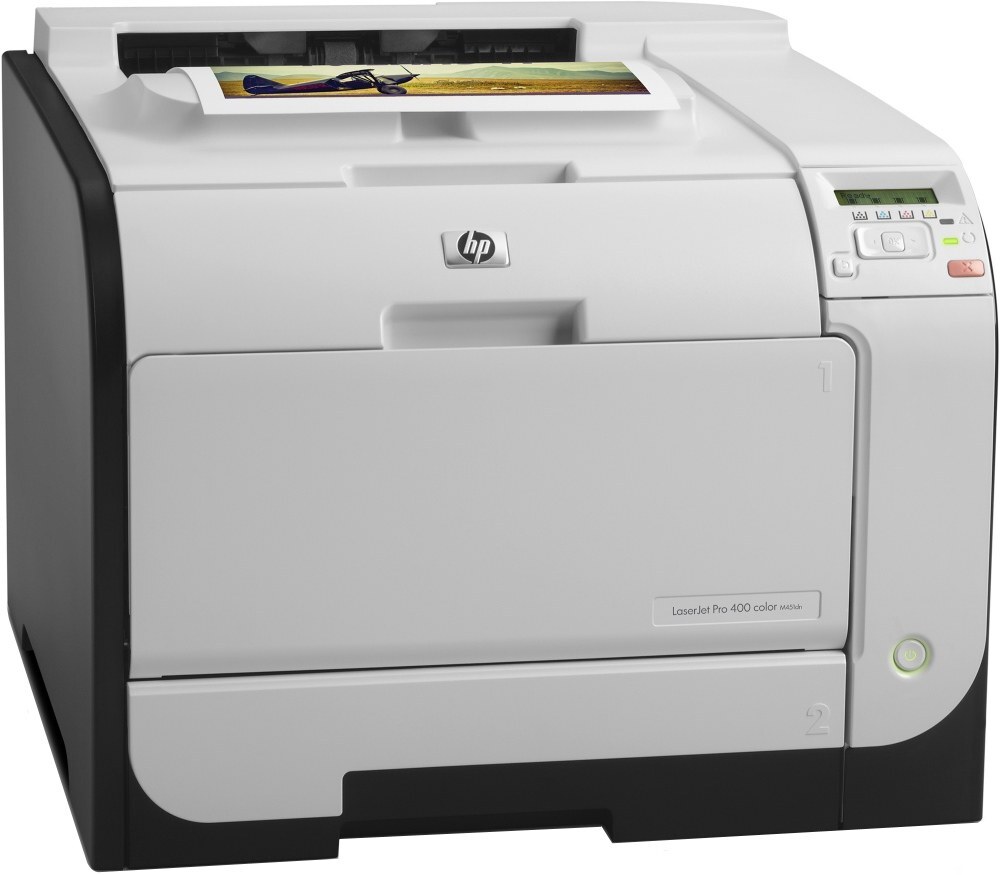
Wired and wireless sharing is the whole point of the LaserJet Pro 400 Color M451NW — the networked Pro 400 color printer built for small teams that all print to one machine. Its consumable line is a single four-code family: CE410A black (HP 305A), its high-yield sibling the CE410X high-yield black (HP 305X), and the color trio of CE411A cyan, CE412A yellow and CE413A magenta.
Shared printing, same cartridge line: that is the deal this model offers. A team machine lives or dies on predictability — everyone sends to the same queue, so the supply shelf standardizes on one family and the only real variable is how fast black disappears under the team's document load. The color slots, by contrast, drain slowly and unevenly, one presentation at a time.
Toner Cartridges for LaserJet Pro 400 Color M451NW
| Cartridge | Color | Page Yield |
|---|---|---|
| CE411A | Cyan | See product page |
| CE412A | Yellow | See product page |
| CE413A | Magenta | See product page |
| CE410A | Black | See product page |
| CE410X | Black — High Yield | See product page |
When the whole bay needs refreshing at once, the stocked sets are the 305A 4 Color Set, the 4 Color Set with the high-yield black and the Premium Quality 4 Color Set.
Further listings in the same family
The family is also sold under these further listings — singles and black packs first, then the multi-color sets: 305A (305A CE413A) Magenta, 305A (305A CE411A) Cyan, 305A (305A CE410A) Black, 305A (305A CE411A) Cyan — alternate listing, 305A (305A CE412A) Yellow, 305A (305A CE412A) Yellow — alternate listing, 305A (305A CE413A) Magenta — alternate listing, M451Nw (CE410A) Black, M451Nw (CE411A) Cyan, 305A (305A CE410A) Black — alternate listing, 305A (305A CE411A) Cyan — second alternate listing, 305A (305A CE412A) Yellow — second alternate listing, 305A (305A CE413A) Magenta — second alternate listing, 305A (305A CE410A) Black — second alternate listing, 305A (305A CE412A) Yellow — third alternate listing, 305A (305A CE410A) 2 Black, 305A (305A CE410A) 5 Black, 305A (305A CE411A CE412A CE413A) 3 Color Set, 305A (305A CE411A CE412A CE413A) 3 Color Set — alternate listing, 305A (305A CE411A CE412A CE413A) 3 Color Set — second alternate listing, 305A (305A CE411A CE412A CE413A) 3 Color Set — third alternate listing, M451Nw () 4 Color Set, 305A (305A CE410A CE411A CE412A CE413A) 4 Color Set, 305A (305A CE410A CE411A CE412A CE413A) 4 Color Set — alternate listing, 305A (305A CE410A CE411A CE412A CE413A) 4 Color Set — second alternate listing, 305A (305A CE410A CE411A CE412A CE413A) 5 Color Set, 305A (305A CE410A CE411A CE412A CE413A) 8 Color Set.
Which cartridge should you buy?
On a team printer, black capacity is the recurring decision. The standard CE410A fits a machine whose queue is mostly short jobs; the CE410X high-yield black earns its premium when the M451NW is the office default and swaps keep interrupting someone. Read the rated yields on the product pages and pick by your monthly black volume. The three colors need no bulk thinking — buy each as a single when its warning appears, because team color use is too irregular to predict. Keep one four-color set as the emergency shelf option and the question answers itself for a year at a time. All listings are compatible cartridges backed by a 1-year warranty and 1-year returns.
Chip, toner and everyday use
Draft settings are this model's quiet money-saver: choosing draft quality or EconoMode for everyday documents stretches each cartridge noticeably, and final-quality mode is one click away when a document matters. When a fresh cartridge goes in, the M451NW normally clears its toner alert on its own once the new unit is detected; if a message lingers, open and close the toner door or restart the printer to refresh the sensor. That small ritual beats replacing a cartridge twice. Store the team's spare set sealed and flat, and rotate stock so the oldest spare is used first.
Frequently Asked Questions
Does the LaserJet Pro 400 Color M451NW have a toner-saving draft mode?
Yes — in the print dialog, choose draft quality or EconoMode for everyday documents to stretch each cartridge further. Turn it off when you need sharp, final-quality output.
Why does my M451NW still show a toner alert after I installed a new cartridge?
The printer normally clears the alert by itself once the new cartridge is detected. If the message persists, open and close the toner door or restart the printer so the sensor reading refreshes.
Which toner cartridges work with the LaserJet Pro 400 Color M451NW?
CE410A, CE410X, CE411A, CE412A and CE413A. Checking the label on the old cartridge before ordering is the fastest way to confirm the code.
Is the high-yield black worth it for a shared printer?
Usually, yes. Shared machines print more black than their owners estimate, and the CE410X simply reduces how often anyone has to stop and swap a cartridge. The fit is identical; only the capacity changes.
More printers that use the same cartridges
The same cartridges also fit these related models:
- LaserJet Pro 400 color Printer M451NW
- LaserJet Pro 400 color MFP M475DW
- LaserJet Pro 400 Color Printer M451DW
- LaserJet Pro 400 Color Printer M451DN
- LaserJet Pro 400 Color Printer M451
- LaserJet Pro 400 Color MFP M475DN
- LaserJet Pro 400 Color MFP M475
- LaserJet Pro 400 Color M475DW
- LaserJet Pro 400 Color M475
- LaserJet Pro 400 Color M451DW
- LaserJet Pro 400 Color M451DN
- LaserJet Pro 400 Color M451
- LaserJet Pro 300 Color Printer M351A
- LaserJet Pro 300 Color Printer M351
- LaserJet Pro 300 Color MFP M375NW
- LaserJet Pro 300 Color MFP M375
- LaserJet Pro 300 Color M375NW
- HP 305A
- Color LaserJet M475DW
- Color LaserJet M475DN
- Color LaserJet M475
- Color LaserJet M451NW
- Color LaserJet M451DW
- Color LaserJet M451DN
- Color LaserJet M451
- Color LaserJet M375NW MFP
- Color LaserJet M375 MFP
- Color LaserJet M351A
- Color LaserJet M351