




Color LaserJet M351A
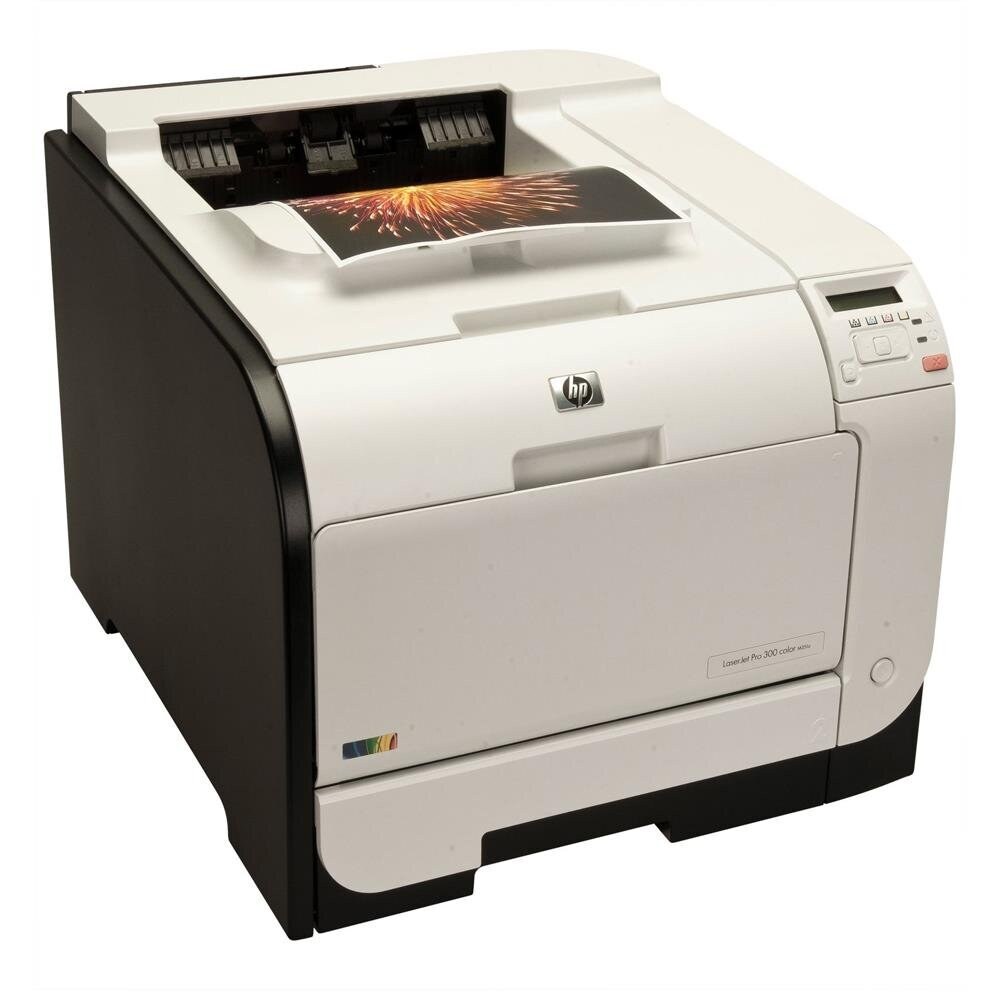
One desk, one print queue, no sharing: the Color LaserJet M351A is the single-desk sibling of the M351, built for the one workstation in the office that prints in volume. Its cartridge set is the familiar five-code 305 lineup — standard black CE410A (305A), high-yield black CE410X (305X), plus CE411A cyan, CE412A yellow and CE413A magenta. Everything sold on this page is a compatible version of one of those codes.
Where a shared printer serves a whole team, the M351A answers to a single user, and that changes what matters: nobody else's jobs jump the queue, the cartridge in the machine is the one its owner chose, and a low-toner warning lands on the desk of the person who can act on it. HP kept the model simple and dependable for daily use, and its running gear is identical to its better-known sibling, so its toner shelf is the same deep one.
Toner Cartridges for Color LaserJet M351A
The core range, one cartridge per slot:
- CE410A — black, standard yield
- CE410X — black, high yield
- CE411A — cyan
- CE412A — yellow
- CE413A — magenta
- 305A 4 Color Set — all four slots in one box
- M351A 4 Color Set — set listed under this model
Further listings of the same cartridges, in reverse shelf order: 4 Color Set, alternate listing, CE412A yellow, third listing, CE410A black, third listing, 5 Color Set, 3 Color Set, third listing, CE413A magenta, alternate listing, CE412A yellow, alternate listing, CE411A cyan, alternate listing, CE410A black, alternate listing, 8 Color Set, CE410A 5 Black, 3 Color Set, alternate listing, 3 Color Set (CE411A, CE412A, CE413A), CE410A 2 Black, CE412A yellow — Compatible label, CE410A black — Compatible label, CE411A cyan — Compatible label, CE413A magenta — Compatible label, 305A 4 Color Set — Compatible label, 305A Premium 4 Color Set, 305X & 305A 4 Color Set with high-yield black.
Which cartridge should you buy?
On a single desk, the real cost of a cartridge is the swap, not just the sticker. If your workstation prints every day, the high-yield CE410X black earns its place quickly: fewer interruptions, lower cost per page, and the same slot as the standard CE410A. Colors follow your documents — a desk that prints mostly text with the odd color logo may go a year on one set of CE411A, CE412A and CE413A, so buy colors as singles, one at a time, as each runs out. A full 4 color set makes sense when the machine is new to you or several cartridges fade together; otherwise it ties up money in toner that will sit in a drawer.
Chip, toner and everyday use
Blank pages right after a cartridge change almost always trace back to the seal: if the tape strip was not pulled, no toner can leave the cartridge no matter what the chip reports. Reseat the cartridge, confirm the seal is out, and check the paper is loaded properly before suspecting the machine. For storage, keep spares sealed in their packaging in a cool, dry spot away from sunlight — a desk drawer is fine — and only break the seal when you are ready to install. The level readings are estimates, and yields assume about 5% page coverage, so photo-heavy color work will move the gauge faster than memos do.
Frequently Asked Questions
What toner does the Color LaserJet M351A take?
The five 305 codes: CE410A and CE410X for black, CE411A for cyan, CE412A for yellow and CE413A for magenta. Match the code on the cartridge you remove and you cannot go wrong.
Why is my M351A printing blank pages?
Usually one of three things: a seal left on the cartridge, a cartridge that is truly empty, or a setting that has gone sideways. Check the seal first, reseat the cartridge, and the problem typically clears without parts or service.
When should I replace a cartridge in the M351A?
When print quality drops — fading, streaks or a color going missing — or when the printer reports the cartridge as depleted. The early low warning alone is not the deadline; a spare within reach keeps the downtime to a minute.
Can I run the high-yield black alongside standard colors?
Yes. The black slot accepts either the standard CE410A or the high-yield CE410X, and the choice does not affect the three color cartridges, which stay the standard CE411A, CE412A and CE413A.
More printers that use the same cartridges
Every model below runs on these same cartridges: LaserJet Pro 400 color Printer M451NW, LaserJet Pro 400 color MFP M475DW, LaserJet Pro 400 Color Printer M451DW, LaserJet Pro 400 Color Printer M451DN, LaserJet Pro 400 Color Printer M451, LaserJet Pro 400 Color MFP M475DN, LaserJet Pro 400 Color MFP M475, LaserJet Pro 400 Color M475DW, LaserJet Pro 400 Color M475, LaserJet Pro 400 Color M451NW, LaserJet Pro 400 Color M451DW, LaserJet Pro 400 Color M451DN, LaserJet Pro 400 Color M451, LaserJet Pro 300 Color Printer M351A, LaserJet Pro 300 Color Printer M351, LaserJet Pro 300 Color MFP M375NW, LaserJet Pro 300 Color MFP M375, LaserJet Pro 300 Color M375NW, HP 305A, Color LaserJet M475DW, Color LaserJet M475DN, Color LaserJet M475, Color LaserJet M451NW, Color LaserJet M451DW, Color LaserJet M451DN, Color LaserJet M451, Color LaserJet M375NW MFP, Color LaserJet M375 MFP, Color LaserJet M351.