




Color LaserJet M375 MFP
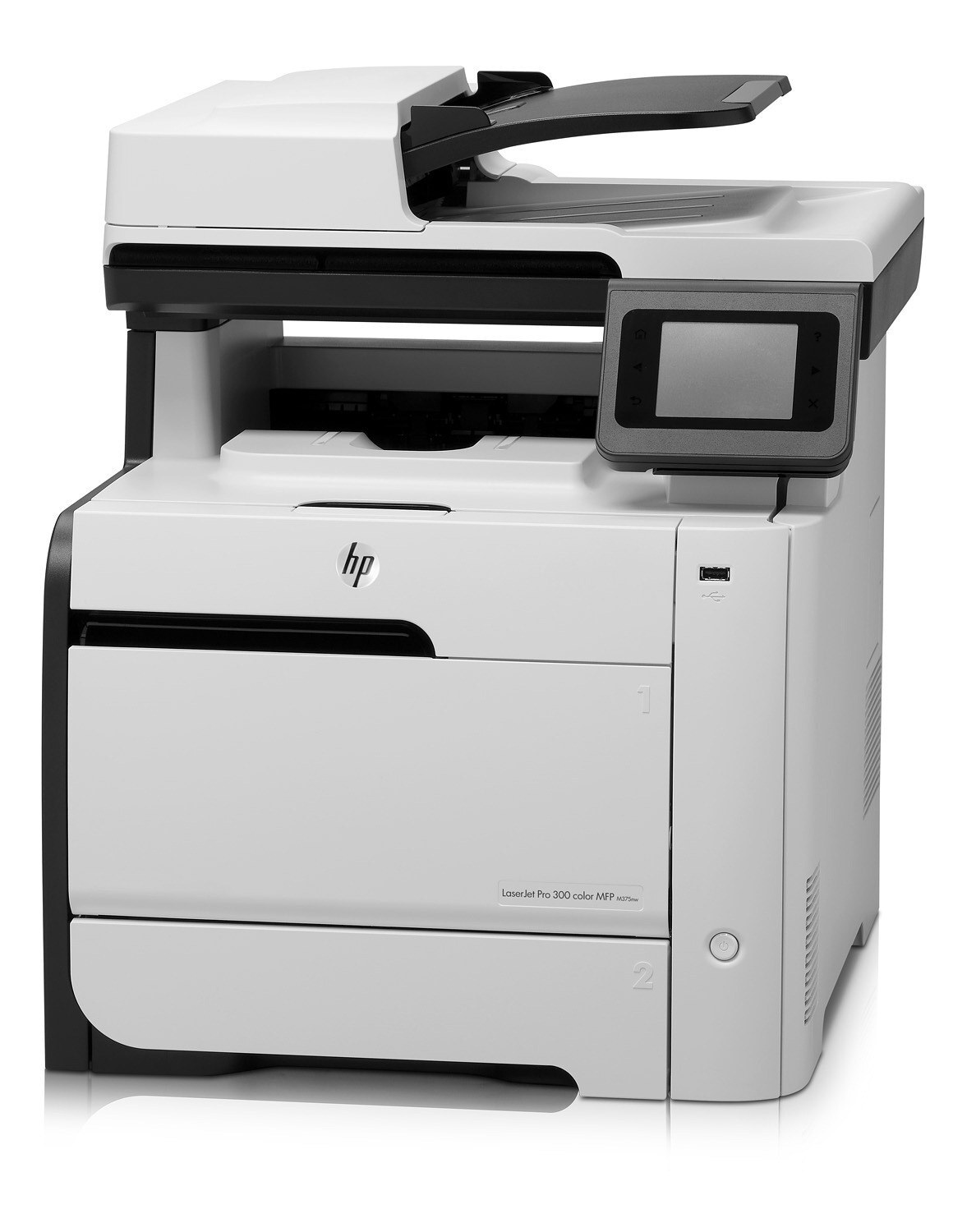
The M375 MFP is the 2012-era color all-in-one for small businesses — print, scan and copy from one compact machine, sitting on a desk or a small cabinet rather than in a dedicated print room. Second-hand units still circulate because the consumable market never dried up. It takes HP toner from one family: black is the CE410A (305A), the high-yield black is the CE410X (305X), and the colors are the cyan CE411A, yellow CE412A and magenta CE413A.
An all-in-one changes what a small business asks of its toner. This machine is the office's scanner, its copier and its color printer in a single footprint, so the cartridge set inside it has to serve three jobs at once — and the color cartridges tend to drain faster than on a print-only unit, because every copied handout and scanned form with color in it draws on the same four slots. That is the practical context for the shelves below: plenty of ways to buy, from singles to eight-piece stock-up sets.
Toner Cartridges for Color LaserJet M375 MFP
| Cartridge | Color | Page Yield |
|---|---|---|
| CE410A (305A) | Black | See product page |
| CE410X (305X) | Black, high yield | See product page |
| CE411A | Cyan | See product page |
| CE412A | Yellow | See product page |
| CE413A | Magenta | See product page |
| 305A Cyan (CE411A) | Cyan | See product page |
| 305A Yellow (CE412A) | Yellow | See product page |
| 305A Magenta (CE413A) | Magenta | See product page |
| M375 MFP Black (CE410A) | Black | See product page |
| M375 MFP Yellow (CE412A) | Yellow | See product page |
| M375 MFP 4 Color Set | Four-color set | See product page |
Remaining listings for this model, grouped by type:
Four-color and larger sets
- 305X & 305A Toner Cartridges Color Laserjet 4 Color Set (CE410X CE411A CE412A CE413A)
- 305A Toner Cartridge Color Laserjet 4 Color Set (CE410A CE411A CE412A CE413A)
- 305A Premium Quality Toner Cartridge 4 Color Set (CE410A CE411A CE412A CE413A)
- 305A (CE410A CE411A CE412A CE413A) Toner Cartridge 4 Color Set
- 305A (CE410A CE411A CE412A CE413A) Toner Cartridge 4 Color Set
- 305A (CE410A CE411A CE412A CE413A) Toner Cartridge 8 Color Set
- M375 MFP (CE410A CE411A CE412A CE413A) Toner Cartridge 4 Color Set
- PRO 300 COLOR MFP M375 (CE410A CE411A CE412A CE413A) Toner Cartridge 4 Color Set
- PRO 300 COLOR MFP M375 (CE410A CE411A CE412A CE413A) Toner Cartridge 4 Color Set
- PRO 400 COLOR MFP M475 (CE410A CE411A CE412A CE413A) Toner Cartridge 4 Color Set
- PRO 400 COLOR MFP M475DN (CE410A CE411A CE412A CE413A) Toner Cartridge 4 Color Set
- PRO 400 COLOR MFP M475DW (CE410A CE411A CE412A CE413A) Toner Cartridge 4 Color Set
- 305A (CE410A CE411A CE412A CE413A) Toner Cartridge 5 Color Set
- 305A (CE410A CE411A CE412A CE413A) Toner Cartridge 4 Color Set
Black multi-packs
- 305A (CE410A) Toner Cartridge 2 Black
- 305A (CE410A) Toner Cartridge 5 Black
- PRO 400 COLOR MFP M475DN (CE410A) Toner Cartridge 2 Black
Three-color sets
- 305A (CE411A CE412A CE413A) Toner Cartridge 3 Color Set
- 305A (CE411A CE412A CE413A) Toner Cartridge 3 Color Set
- 305A (CE411A CE412A CE413A) Toner Cartridge 3 Color Set
- M375 MFP (CE411A CE412A CE413A) Toner Cartridge 3 Color Set
- PRO 300 COLOR MFP M375 (CE411A CE412A CE413A) Toner Cartridge 3 Color Set
- 305A (CE411A CE412A CE413A) Toner Cartridge 3 Color Set
More listings
- CE410A Toner Cartridge Black HP 305A Toner
- 305A (CE410A) Toner Cartridge Black
- 305A (CE411A) Toner Cartridge Cyan
- 305A (CE412A) Toner Cartridge Yellow
- 305A (CE413A) Toner Cartridge Magenta
- PRO 300 COLOR MFP M375 (CE411A CE412A CE413A) Toner Cartridge 6 Color Set
- 305A (CE410A) Toner Cartridge Black
- 305A (CE411A) Toner Cartridge Cyan
- 305A (CE412A) Toner Cartridge Yellow
- 305A (CE413A) Toner Cartridge Magenta
- 305A (CE410A) Toner Cartridge Black
- 305A (CE412A) Toner Cartridge Yellow
Which cartridge should you buy?
On an all-in-one, start by watching which slot empties fastest — on this model it is often a color, not black, because copying and scanning lean on the colors more than straight printing does. Replace colors one at a time; the black slot is the only one where a tier choice really matters, and the high-yield CE410X earns its place as soon as the machine is printing every day. When several slots run low together, the four-color sets reset the machine in one order, and the larger five and eight-piece sets are simply the same refresh with extra black or extra color pieces for the months ahead. Singles and the smaller two-and three-piece packs suit light users better. All compatible cartridges on this page carry a 1-year warranty and 1-year returns.
Chip, toner and everyday use
The M375 MFP reads the chip on each cartridge when it is seated, so toner levels show on the control panel and in the status readouts without any reset step. A cartridge that is not recognized after a change almost always needs reseating — lift it out, set it back in squarely, close the door and let the machine finish its calibration. Quoted page yields are estimates at five percent coverage; copies of dense color originals drain the colors faster than the rating implies. Store spares sealed and flat, away from heat and light, and keep at least one spare black in the cabinet — on an all-in-one, an empty black cartridge blocks copying and scanning, not just printing.
Frequently Asked Questions
Does the M375 MFP need all four cartridges to copy?
Yes, in the usual sense: the machine tracks each of the four slots and will stop a color copy when any color is empty. Black-only copying continues while the black slot has toner, but a full color copy needs all four installed and recognized.
Why are there so many listings for one machine?
Because this cartridge family is shared across a whole range of HP color lasers, the same codes are sold as singles, as black multi-packs, and as color sets in sizes from three to eight pieces. The code on your empty cartridge is what matters — the pack size is your choice.
Is the high-yield CE410X worth it on a small machine?
Usually yes if the machine is used daily. It fits the same slot as the standard CE410A and means fewer swaps; for very light use the standard cartridge is the economical pick because it is replaced before it ever ages out.
Are these original HP cartridges?
No — the listings on this page are Clever Supplies compatible cartridges, built and chipped for the 305A codes. They are covered by a 1-year warranty and 1-year returns.
More printers that use the same cartridges
The complete 305A family, in shelf order:
Color LaserJet M351, Color LaserJet M351A, Color LaserJet M375NW MFP, Color LaserJet M451, Color LaserJet M451DN, Color LaserJet M451DW, Color LaserJet M451NW, Color LaserJet M475, Color LaserJet M475DN, Color LaserJet M475DW, HP 305A, LaserJet Pro 300 Color M375NW, LaserJet Pro 300 Color MFP M375, LaserJet Pro 300 Color MFP M375NW, LaserJet Pro 300 Color Printer M351, LaserJet Pro 300 Color Printer M351A, LaserJet Pro 400 Color M451, LaserJet Pro 400 Color M451DN, LaserJet Pro 400 Color M451DW, LaserJet Pro 400 Color M451NW, LaserJet Pro 400 Color M475, LaserJet Pro 400 Color M475DW, LaserJet Pro 400 Color MFP M475, LaserJet Pro 400 Color MFP M475DN, LaserJet Pro 400 Color Printer M451, LaserJet Pro 400 Color Printer M451DN, LaserJet Pro 400 Color Printer M451DW, LaserJet Pro 400 color MFP M475DW, LaserJet Pro 400 color Printer M451NW