




Color LaserJet 2605DN
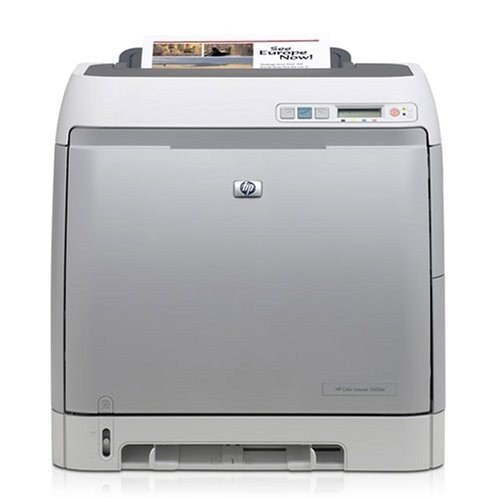
Two-sided printing on a shared office printer: the Color LaserJet 2605DN combines automatic duplex with built-in Ethernet — the workgroup configuration of the 2605 line.
Duplex saves paper, not toner: the 2605DN still uses HP 124A cartridges (Q6000A black, Q6001A–Q6003A color). Compatible sets stretch the budget; genuine OEM is the factory-original pick.
Toner Cartridges for Color LaserJet 2605DN
This printer works with the following toner cartridges:
- HP Q6000A
- HP Q6001A
- HP Q6002A
- HP Q6003A
More HP Printers
- Color LaserJet 1600
- Color LaserJet 2600
- Color LaserJet 2600DN
- Color LaserJet 2600N
- Color LaserJet 2605
- Color LaserJet 2605DTN
- Color LaserJet CM1015
- Color LaserJet CM1015MFP
- Color LaserJet CM1017
- Color LaserJet CM1017MFP
Frequently Asked Questions
Does the Color LaserJet 2605DN accept only genuine HP cartridges, or do compatibles work too?
The Color LaserJet 2605DN takes HP 124A cartridges (Q6000A, Q6001A, Q6002A, Q6003A), and both genuine HP and quality-compatible versions fit the same way. Match the number printed on your current cartridge to Q6000A, Q6001A, Q6002A, Q6003A before ordering.
Is it safe for the Color LaserJet 2605DN to run compatible toner long term?
No — using a compatible cartridge doesn't void the Color LaserJet 2605DN's hardware warranty on its own. If a cartridge ever caused damage, that would be on the cartridge, but normal compatible HP 124A cartridges are designed to the same fit as OEM.
Can the Color LaserJet 2605DN print on both sides of the page by itself?
The Color LaserJet 2605DN handles two-sided printing automatically; just select double-sided in your print settings. You'll save paper and keep the Color LaserJet 2605DN's output looking professional.