






 See Compatible Printers
 Read more about our ink!
Hewlett Packard
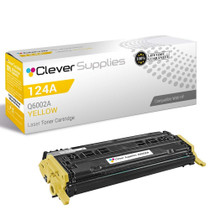
Compatible HP CM1017mfp (Q6002A) Toner Cartridge Yellow

Amazon Price:

- Page Yield:
- Color: 2,000
- Availability:
- In Stock
- Shipping:
- Calculated at Checkout
- Compatible Printers
- Specifications
- SKU:
- CLS-HP-CM1017mfp-Y
- Printer Brand:
- Hewlett Packard
- OEM Number:
- Q6002A
- Ink Color:
- Yellow
- Page Yield:
- Color: 2,000
- Printer Type:
- Laser Cartridge
- Condition:
- New Compatible
- Description
- Reviews



Discover the versatile and reliable printing capabilities of the HP 124A Color LaserJet Series, encompassing a range of printers and multifunction devices to meet various printing needs. The Color LaserJet 1600, 2600, 2600N, 2605, and 2605DN models offer vibrant color printing, while the 2605DTN and CM1015MFP deliver multifunction capabilities for added versatility. Experience seamless printing with the CM1017MFP and CM1017 models, offering efficient printing, scanning, and copying functionalities. The LaserJet 2600DN and CM1015 printers ensure consistent and reliable performance for all your printing tasks. Enhance your printing experience with the Q6000A Black, Q6001A Cyan, Q6003A Magenta, and Q6002A Yellow toner cartridges, compatible with the HP 124A toner cartridge and toner cartridge options. These cartridges guarantee exceptional print quality for both everyday documents and professional projects. Invest in a printing solution that meets your business needs with the HP 124A Color LaserJet Series, known for its reliability, versatility, and professional-grade results. Whether it's the Color LaserJet 1600, 2600 series, or CM1015 and CM1017 models, these printers deliver superior performance and exceptional print quality.
Frequently Asked Questions
Which part number belongs in this machine's yellow position?
Q6002A. That is the yellow cartridge of the 124A family for the Color LaserJet CM1017mfp, and it is the designation to match against the cartridge you remove. This compatible replacement is made to it for $53.89.
Do copies spend this cartridge the way prints do?
Identically. A color copy is printed output, so every color copy draws yellow from the Q6002A exactly as a printed page does. Only scanning is free — the scanner reads pages without touching any cartridge.
How does low yellow show itself on an MFP?
Copies and prints drift cold: foliage goes blue-green, highlighted passages print weakly, and warm graphics lose their glow while black text stays perfectly sharp. When the words are fine but the colors feel wintry, yellow is the spent cartridge.
What yield should I plan on?
About 2,000 pages at standard coverage. A multifunction splitting its life between copies and prints spends it at whatever pace its color work demands, so use the rating as a yardstick rather than a schedule.
Is the changeover a bench job or a desk job?
A desk job, start to finish. Front door open, yellow cartridge lifted out, seal pulled from the new Q6002A, a gentle rock, and it slides home. Our compatibles in the HP range are shaped to the original, so the fit is the one your hands already know.
What if the cartridge gives me trouble?
It carries a 1-year warranty and 1-year free returns, with support Monday–Friday, 9 AM–5 PM CST and shipping from our Illinois, Pennsylvania, Georgia or California warehouses. Full details are on the shipping & returns page.
What sort of work drains this yellow cartridge fastest on a multifunction?
Color copying of warm originals, above all. Every color copy spends the Q6002A exactly as a print does, and originals like photographs, artwork and warm-toned documents carry heavy yellow in almost every area. Add printed work with the same character — golden graphics, foliage, warm backgrounds — and the cartridge's 2,000-page rating shrinks quickly. A CM1017mfp whose life is mostly black text and the odd color page will, by contrast, take a very long time to trouble this cartridge.
Why keep a yellow spare specifically for a machine that also copies?
Because the copier cannot be told to wait. Print jobs can queue while a cartridge is ordered, but a person standing at the glass with an original in hand needs the copy now — and on this machine, faded yellow means that copy comes out cold and wrong. A sealed Q6002A within reach keeps walk-up copying at full quality, and the swap itself is short enough that the machine is back before a queue of users forms behind it.
What should I look at on the first copy after fitting the new cartridge?
Make a copy of something with colors you can judge by eye — a photograph or a page with foliage and warm tones are ideal. The greens should read green rather than blue-green, highlighted areas should carry their warmth, and nothing should keep the wintry cast that identified the fault. Using the copy function for the proof matters on a multifunction: it confirms the Q6002A is serving the glass as well as the print queue, which are the two halves of this machine's working life.
How is the spent yellow cartridge best handled?
Out of the machine and out of ambiguity. Put it straight into the packaging the new Q6002A came in, or mark it clearly as spent, and store it apart from any sealed stock until it leaves through your cartridge recycling or disposal route. Multifunctions tend to be used by people who did not do the swap, so an unmarked empty left nearby invites someone else to refit it later and report a fault that is really just an empty cartridge coming back for a second turn.
About This CM1017mfp Yellow Cartridge
A multifunction's yellow cartridge serves the copier as faithfully as the print queue, and its fading quietly cools every color the machine makes. This Q6002A restores it for $53.89 — the correct number for the CM1017mfp, a 2,000-page rating, and the warmth back in everything from copied charts to printed photographs.
Check the badge on your machine against the complete list: the Color LaserJet 1600, the Color LaserJet 2600n, the Color LaserJet 2605dn, the Color LaserJet 2605dtn, the Color LaserJet CM1015mfp and the Color LaserJet CM1017mfp. The other members of the family — the Q6000A black cartridge, the Q6001A cyan cartridge, the Q6003A magenta cartridge and the 124A four-color set — are listed individually.
Related Items


Hewlett Packard
Compatible HP 2605 (Q6002A) Toner Cartridge Yellow



Hewlett Packard
Compatible HP 2600DN (Q6002A) Toner Cartridge Yellow

Hewlett Packard
Compatible HP 2600N (Q6002A) Toner Cartridge Yellow


Hewlett Packard
Compatible HP CM1017mfp (Q6000A, Q6001A, Q6002A, Q6003A) Toner Cartridge 4 Color Set