






 See Compatible Printers
 Read more about our ink!
Hewlett Packard
Compatible HP 2605 (Q6002A) Toner Cartridge Yellow
- Page Yield:
- Color: 2,000
- Availability:
- In Stock
- Shipping:
- Calculated at Checkout

Amazon Price:

- Page Yield:
- Color: 2,000
- Availability:
- In Stock
- Shipping:
- Calculated at Checkout
- Compatible Printers
- Specifications
- SKU:
- CS-HP-2605-Y
- Printer Brand:
- Hewlett Packard
- OEM Number:
- Q6002A
- Ink Color:
- Yellow
- Page Yield:
- Color: 2,000
- Printer Type:
- Laser Cartridge
- Condition:
- New Compatible
- Description
- Reviews

Discover the versatile and reliable printing capabilities of the HP 124A Color LaserJet Series, encompassing a range of printers and multifunction devices to meet various printing needs. The Color LaserJet 1600, 2600, 2600N, 2605, and 2605DN models offer vibrant color printing, while the 2605DTN and CM1015MFP deliver multifunction capabilities for added versatility. Experience seamless printing with the CM1017MFP and CM1017 models, offering efficient printing, scanning, and copying functionalities. The LaserJet 2600DN and CM1015 printers ensure consistent and reliable performance for all your printing tasks. Enhance your printing experience with the Q6000A Black, Q6001A Cyan, Q6003A Magenta, and Q6002A Yellow toner cartridges, compatible with the HP 124A toner cartridge and toner cartridge options. These cartridges guarantee exceptional print quality for both everyday documents and professional projects. Invest in a printing solution that meets your business needs with the HP 124A Color LaserJet Series, known for its reliability, versatility, and professional-grade results. Whether it's the Color LaserJet 1600, 2600 series, or CM1015 and CM1017 models, these printers deliver superior performance and exceptional print quality.
Frequently Asked Questions
Which yellow cartridge fits the Color LaserJet 2605?
The Q6002A, yellow member of the 124A family. Check the label on the cartridge you are removing — that is the number it will show — and this compatible replacement matches it for $53.89.
Why do my 2605's prints look like the color is turned down?
When yellow runs out, the machine does not stop printing color — it prints wrong color. Greens flatten toward blue, golds go muddy, and bright warm graphics lose their punch while everything still looks superficially colorful. Faded yellow is the usual cause of that washed, muted look.
How many pages does one cartridge give?
About 2,000 pages at standard test coverage. Pages that merely carry a color logo spend very little of it; pages printed edge-to-edge in warm tones spend it at full rate. Most 2605 owners find the cartridge lasts far longer than they first expect.
Is fitting it a job I can do myself?
Entirely. The 2605 uses the same front-access arrangement as the Color LaserJet 1600 family: door open, spent cartridge out by its handle, seal off the new Q6002A, rock gently, slide it in. No tools, no settings to change, no technician required.
Can I swap yellow on its own, mid-life of the other cartridges?
Yes — the family is designed for exactly that. Cartridges empty at different rates because colors are spent unevenly, so each is replaced on its own evidence. Leave the healthy ones seated; disturbing them gains nothing.
What backing does my purchase have?
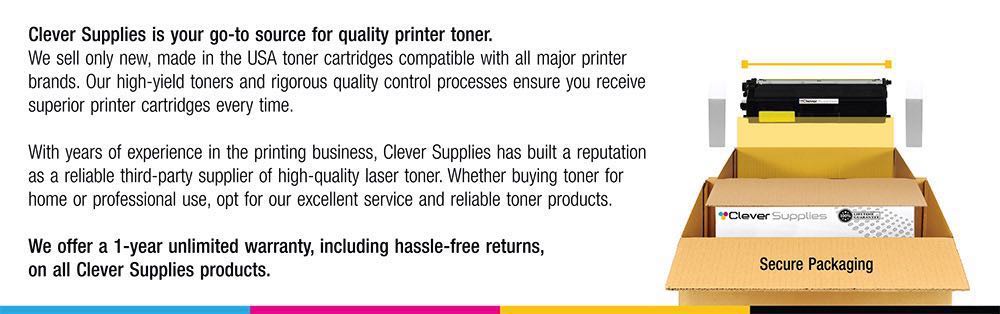
A 1-year warranty and 1-year free returns, support Monday–Friday, 9 AM–5 PM CST, and dispatch from our Illinois, Pennsylvania, Georgia or California warehouses, the same cover our whole HP range carries. Terms are set out on the shipping & returns page.
About This 2605 Yellow Cartridge
The 2605's color only looks like itself when all four of its cartridges are healthy, and yellow is the one whose failure disguises itself as a style change. This Q6002A corrects it directly — $53.89, the correct part number for the machine, and full-strength warm color back in minutes.
Related Items


Hewlett Packard
Compatible HP 2600DN (Q6002A) Toner Cartridge Yellow



Hewlett Packard
Compatible HP 2600N (Q6002A) Toner Cartridge Yellow

Hewlett Packard
CS Compatible Replacement for HP Q6002A Toner/ HP 124A Toner Cartridge Yellow
/>

Hewlett Packard
Compatible HP 2600N (Q6001A Q6002A Q6003A) Toner Cartridge 6 Color Set