





 See Compatible Printers
 Read more about our ink!
Canon
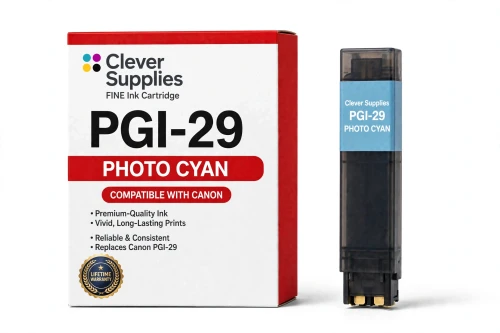
Compatible Canon PGI-29 Photo Cyan Ink Cartridge
- Shipping:
- Calculated at Checkout

Amazon Price:

- Shipping:
- Calculated at Checkout
- Compatible Printers
- Specifications
- SKU:
- CS-CN-29-PC
- Condition:
- New (compatible)
- OEM Part #:
- PGI-29
- Color:
- Photo Cyan
- Ink Type:
- Pigment
- Chip:
- Yes — new compatible chip
- Warranty:
- Lifetime Warranty
- Returns:
- 1 Year
- Description
- Reviews
The Clever Supplies compatible Canon PGI-29 Photo Cyan ink cartridge replaces the Canon PGI-29 and fits the PIXMA PRO-1 — the only printer in this family. Our cartridge is filled to the same specification with pigment ink and carries a new compatible chip that reports ink levels to the printer.
A new compatible chip is fitted, so the printer reads ink levels normally and no "non-genuine" workaround is needed for everyday printing. Canon firmware updates can occasionally change cartridge recognition — if that ever happens after an update, the lifetime warranty covers the cartridge and we will put it right.
Shop the PGI-29 family: PGI-29 Cyan, PGI-29 Chroma Optimizer, PGI-29 Dark Gray, PGI-29 Gray, PGI-29 Photo Gray, PGI-29 Magenta, PGI-29 Matte Black, PGI-29 Photo Black, PGI-29 Photo Magenta, PGI-29 Red, PGI-29 Yellow.
Printer series: PIXMA printers — every model in the Compatible Printers list below takes this cartridge.


CLEVER SUPPLIES · CANON PGI-29 INK
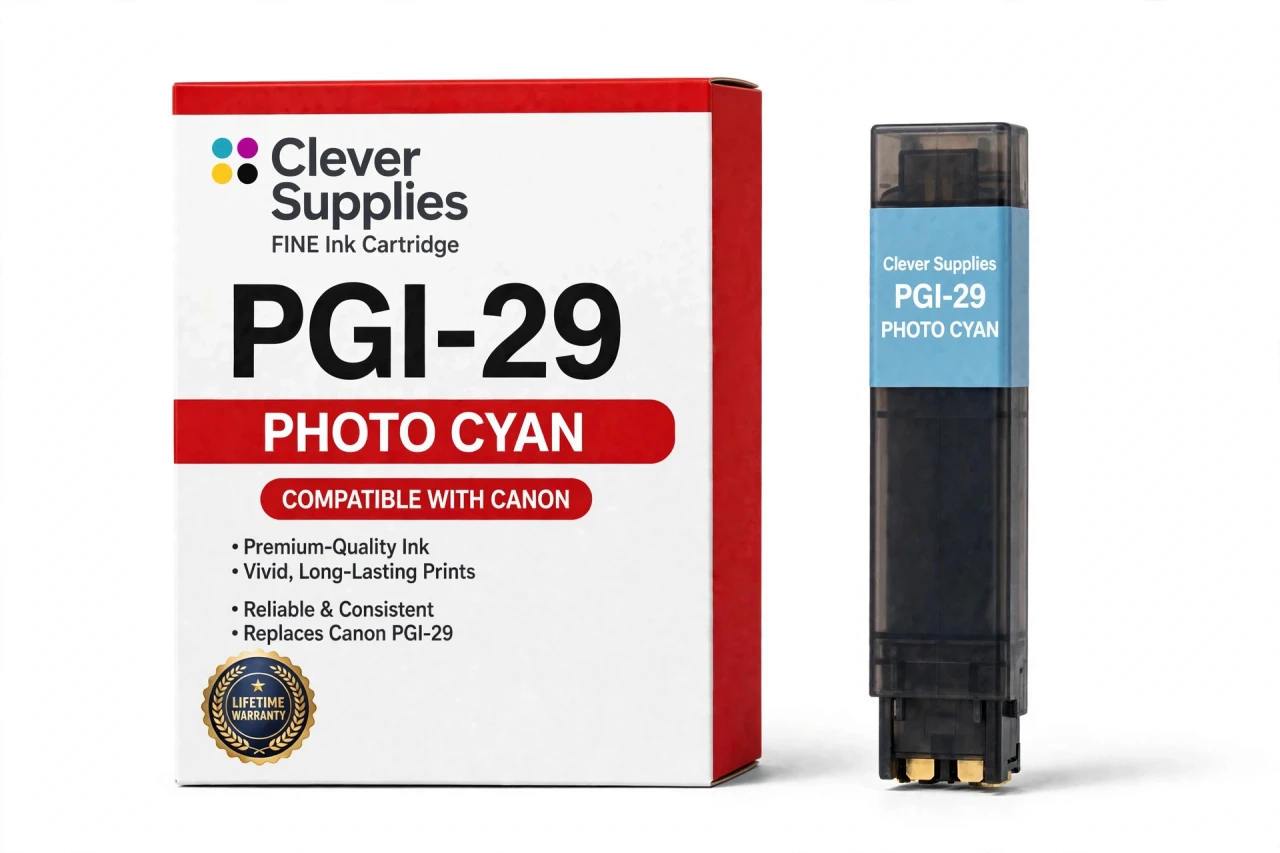
Compatible Canon PGI-29 Photo Cyan Ink Cartridge
Replaces Canon PGI-29
LUCIA pigment ink · PIXMA PRO-1 12-tank system · New compatible chip
Fits: PIXMA PRO-1
Covered by the Clever Supplies Lifetime Warranty
Frequently Asked Questions
What does Photo Cyan do that regular cyan leaves undone?
PGI-29 Photo Cyan is a light version of cyan for the Canon PIXMA PRO-1. It prints the palest blues — morning sky, soft water, light blue tints in skin highlights — with fine, widely spaced dots. Full PGI-29 Cyan would look grainy at that lightness, so pale blue work goes to this tank.
Where in an image will I notice Photo Cyan working hardest?
In gradients that fade toward white: a sky melting from blue to almost nothing, a pale reflection on water, soft studio backgrounds. Healthy Photo Cyan makes those fades seamless. When it fades, the same areas turn speckled or banded.
Which printer is this Photo Cyan cartridge for?
The Canon PIXMA PRO-1, and only that printer. It is the sole model on the compatibility list for this tank and the whole twelve-color PGI-29 family. Smaller PIXMA photo printers have no photo cyan slot of this type.
My pale skies look speckled while deep blues stay clean — is this the tank to check?
Yes, that split symptom is the classic Photo Cyan sign. Deep blue lives in the regular cyan tank, so it can look flawless while the light tank struggles. Check the reported level, run a nozzle check, and print a small gradient test.
Is a page yield available for Photo Cyan?
No. No page yield is published for the PGI-29 family, so we assign none to Photo Cyan. Sky-heavy landscapes use it steadily; studio portraits barely touch it, making any single figure unreliable. This cartridge is filled to the original specification. Watch the printer's level report and reorder ahead of big landscape projects.
Does this compatible tank carry a chip the PRO-1 will accept?
Yes, a new compatible chip is fitted, so the printer recognizes the tank and reports its level with the other eleven. If a firmware update ever triggers a recognition warning, reseat the cartridge and restart the printer first. A tank that still will not print is covered.
Can Photo Cyan be swapped on its own?
Yes. It is an independent tank, replaced alone when its level runs low, with no need to change PGI-29 Cyan or its light partner PGI-29 Photo Magenta. Match the slot label carefully — the two cyan tanks are the pair most easily confused during a hurried swap.
Is this cartridge made by Canon or by Clever Supplies?
It is a Clever Supplies compatible cartridge, built to the same PGI-29 specification as Canon's original Photo Cyan tank, with pigment ink for the LUCIA system. A covered compatible option keeps this specialty tank affordable to replace on time.
How do I store a spare Photo Cyan tank safely?
Keep it sealed, upright, at room temperature, and out of direct light and heat, with the seal unopened until installation. Store the two cyan tanks in clearly labeled spots; they look similar and are easy to swap by mistake.
What warranty and return terms protect this purchase?
The tank carries a Lifetime Warranty with 1 Year returns. If it leaks, is not recognized, or prints poorly, contact us for a replacement or refund, chip faults included. For gradient problems, keep the first bad print; it helps confirm the fault.
Related Items
Canon
Compatible Canon PGI-29 Cyan Ink Cartridge
The Clever Supplies compatible Canon PGI-29 Cyan ink cartridge replaces the Canon PGI-29 and fits the PIXMA PRO-1 — the only printer in this family. Our cartridge is filled to the same specification...


Canon
Compatible Canon PGI-9 Photo Cyan Ink Cartridge
The Clever Supplies compatible Canon PGI-9 Photo Cyan ink cartridge replaces the Canon PGI-9 and fits 4 verified printers — the PIXMA iX7000 and the rest of the list under Compatible Printers below...
Canon
Compatible Canon PGI-72 Photo Cyan Ink Cartridge
The Clever Supplies compatible Canon PGI-72 Photo Cyan ink cartridge replaces the Canon PGI-72 and fits the PIXMA PRO-10 — the only printer in this family. It is rated at about 525 pages; our...
Canon
Compatible Canon PGI-29 Photo Gray Ink Cartridge
The Clever Supplies compatible Canon PGI-29 Photo Gray ink cartridge replaces the Canon PGI-29 and fits the PIXMA PRO-1 — the only printer in this family. Our cartridge is filled to the same...