





 See Compatible Printers
 Read more about our ink!
Canon
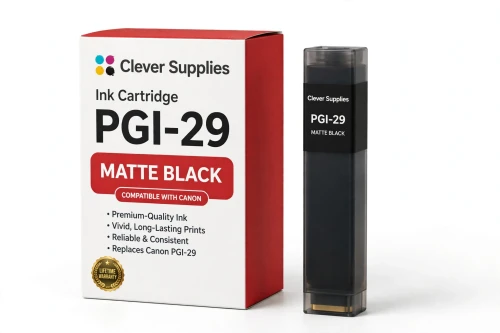
Compatible Canon PGI-29 Matte Black Ink Cartridge
- Shipping:
- Calculated at Checkout

Amazon Price:

- Shipping:
- Calculated at Checkout
- Compatible Printers
- Specifications
- SKU:
- CS-CN-29-MBK
- Condition:
- New (compatible)
- OEM Part #:
- PGI-29
- Color:
- Matte Black
- Ink Type:
- Pigment
- Chip:
- Yes — new compatible chip
- Warranty:
- Lifetime Warranty
- Returns:
- 1 Year
- Description
- Reviews
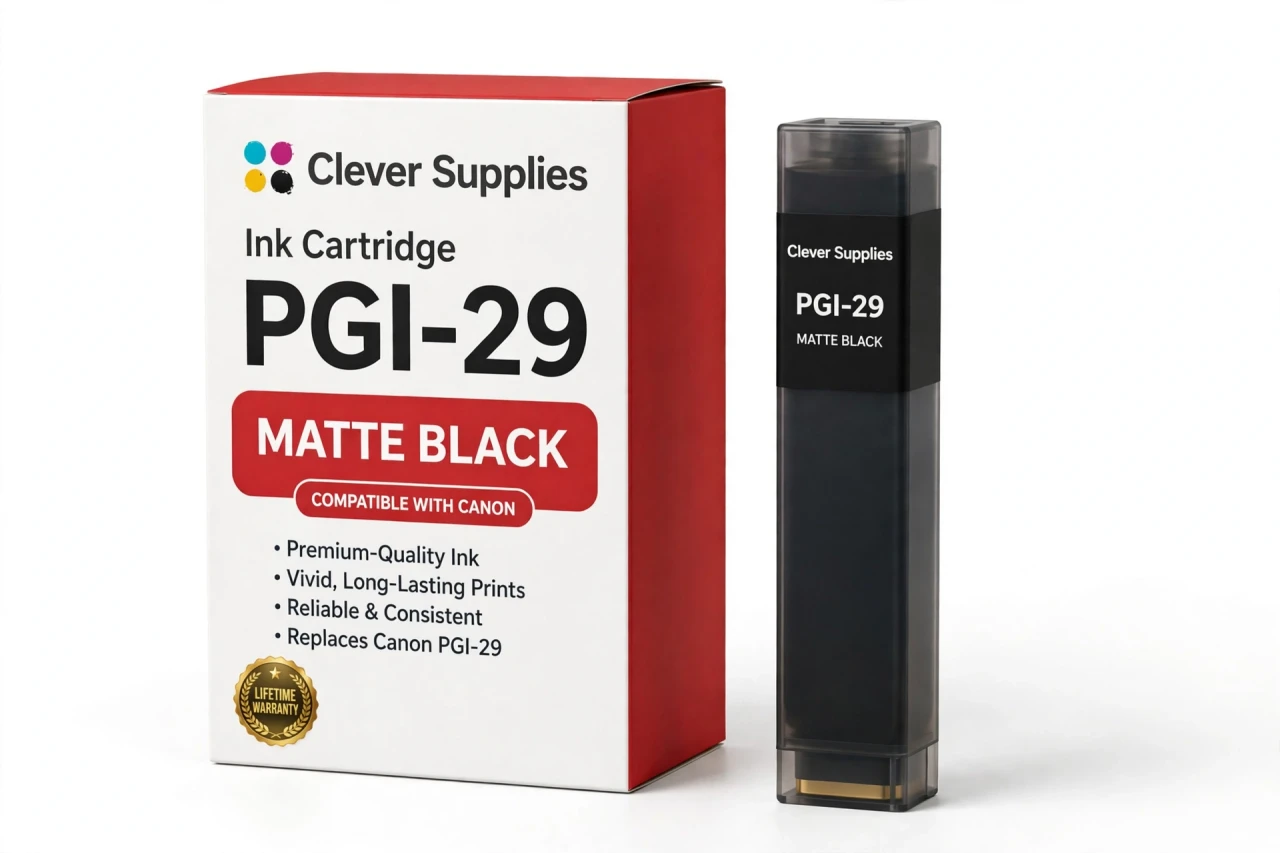
The Clever Supplies compatible Canon PGI-29 Matte Black ink cartridge replaces the Canon PGI-29 and fits the PIXMA PRO-1 — the only printer in this family. Our cartridge is filled to the same specification with pigment ink and carries a new compatible chip that reports ink levels to the printer.
A new compatible chip is fitted, so the printer reads ink levels normally and no "non-genuine" workaround is needed for everyday printing. Canon firmware updates can occasionally change cartridge recognition — if that ever happens after an update, the lifetime warranty covers the cartridge and we will put it right.
Shop the PGI-29 family: PGI-29 Cyan, PGI-29 Chroma Optimizer, PGI-29 Dark Gray, PGI-29 Gray, PGI-29 Photo Gray, PGI-29 Magenta, PGI-29 Photo Black, PGI-29 Photo Cyan, PGI-29 Photo Magenta, PGI-29 Red, PGI-29 Yellow.
Printer series: PIXMA printers — every model in the Compatible Printers list below takes this cartridge.


CLEVER SUPPLIES · CANON PGI-29 INK
Compatible Canon PGI-29 Matte Black Ink Cartridge
Replaces Canon PGI-29
LUCIA pigment ink · PIXMA PRO-1 12-tank system · New compatible chip
Fits: PIXMA PRO-1
Covered by the Clever Supplies Lifetime Warranty
Frequently Asked Questions
Why does the PRO-1 keep a matte black separate from photo black?
PGI-29 Matte Black is formulated for matte and fine art papers, where it delivers deep, rich black with no shine. On the Canon PIXMA PRO-1, glossy work uses PGI-29 Photo Black instead. The right black for the paper gives matte prints their velvety depth instead of a washed, charcoal look.
What goes wrong on matte paper when this tank runs low?
Blacks turn weak and patchy first. Dark areas lose density, shadow detail flattens, and monochrome prints on fine art paper look gray rather than truly black. Check this tank's level before any matte edition and run a small dark test print.
Which printer uses the PGI-29 Matte Black cartridge?
The Canon PIXMA PRO-1 is the only printer that takes it. The entire PGI-29 set was designed around that one twelve-tank machine. Do not substitute a photo black tank for this slot; the printer assigns each black to different paper types.
Does the printer choose matte black automatically, or do I select it?
The paper setting decides. Choose a matte or fine art media type and the PRO-1 draws on Matte Black; glossy settings draw on Photo Black. A wrong media setting can make a healthy tank look faulty, so if matte prints look weak, confirm the setting matches the loaded paper before replacing anything.
How many prints will one matte black tank produce?
No page yield is published for any PGI-29 cartridge, so there is no honest page figure for Matte Black. A dark matte portfolio and a light, airy one use it at opposite rates. This tank is filled to the original specification. Let the printer's level report guide reordering.
Will this compatible matte black cartridge be recognized right away?
Yes. It is fitted with a new compatible chip, so the printer identifies it and tracks its level normally. If a Canon firmware update ever raises a recognition warning, reseat the tank and restart the printer; most false alarms clear at once. A cartridge that still refuses to print after that is covered.
Can matte black be replaced while photo black stays in place?
Yes, always. The two blacks are separate tanks with separate levels and jobs, each replaced only when it runs low. Matte specialists may rarely touch PGI-29 Photo Black. For shadow support on matte work, also watch PGI-29 Dark Gray.
Is this an original Canon matte black cartridge?
No, this is a Clever Supplies compatible cartridge built to the same PGI-29 specification as the original Canon Matte Black tank, with pigment ink for the LUCIA system. Fine art paper is costly, so the saving on a covered compatible black matters.
How should I store a spare matte black tank?
Store it sealed, upright, and at steady room temperature, away from sunlight, heat, and freezing conditions, with the seal intact until installation day. Mark both black boxes clearly; the pair is easy to mix up in a hurry.
What cover applies if this tank fails?
It comes with a Lifetime Warranty and 1 Year returns. Leaking, a recognition failure, or poor print quality from a faulty tank means a replacement or refund when you contact us. Tell us the paper type; for a density problem, the media setting is a first check.
Related Items
Canon
Compatible Canon PGI-29 Photo Black Ink Cartridge
The Clever Supplies compatible Canon PGI-29 Photo Black ink cartridge replaces the Canon PGI-29 and fits the PIXMA PRO-1 — the only printer in this family. Our cartridge is filled to the same...

Canon
Compatible Canon PGI-29 Red Ink Cartridge
The Clever Supplies compatible Canon PGI-29 Red ink cartridge replaces the Canon PGI-29 and fits the PIXMA PRO-1 — the only printer in this family. Our cartridge is filled to the same specification...
Canon
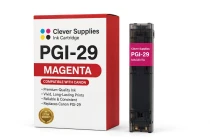
Compatible Canon PGI-29 Magenta Ink Cartridge
The Clever Supplies compatible Canon PGI-29 Magenta ink cartridge replaces the Canon PGI-29 and fits the PIXMA PRO-1 — the only printer in this family. Our cartridge is filled to the same...
Canon
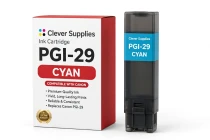
Compatible Canon PGI-29 Cyan Ink Cartridge
The Clever Supplies compatible Canon PGI-29 Cyan ink cartridge replaces the Canon PGI-29 and fits the PIXMA PRO-1 — the only printer in this family. Our cartridge is filled to the same specification...