






 See Compatible Printers
 Read more about our ink!
Canon
Compatible Canon PGI-29 Yellow Ink Cartridge
- Shipping:
- Calculated at Checkout

Amazon Price:

- Shipping:
- Calculated at Checkout
- Compatible Printers
- Specifications
- SKU:
- CS-CN-29-Y
- Condition:
- New (compatible)
- OEM Part #:
- PGI-29
- Color:
- Yellow
- Ink Type:
- Pigment
- Chip:
- Yes — new compatible chip
- Warranty:
- Lifetime Warranty
- Returns:
- 1 Year
- Description
- Reviews
The Clever Supplies compatible Canon PGI-29 Yellow ink cartridge replaces the Canon PGI-29 and fits the PIXMA PRO-1 — the only printer in this family. Our cartridge is filled to the same specification with pigment ink and carries a new compatible chip that reports ink levels to the printer.
A new compatible chip is fitted, so the printer reads ink levels normally and no "non-genuine" workaround is needed for everyday printing. Canon firmware updates can occasionally change cartridge recognition — if that ever happens after an update, the lifetime warranty covers the cartridge and we will put it right.
Shop the PGI-29 family: PGI-29 Cyan, PGI-29 Chroma Optimizer, PGI-29 Dark Gray, PGI-29 Gray, PGI-29 Photo Gray, PGI-29 Magenta, PGI-29 Matte Black, PGI-29 Photo Black, PGI-29 Photo Cyan, PGI-29 Photo Magenta, PGI-29 Red.
Printer series: PIXMA printers — every model in the Compatible Printers list below takes this cartridge.


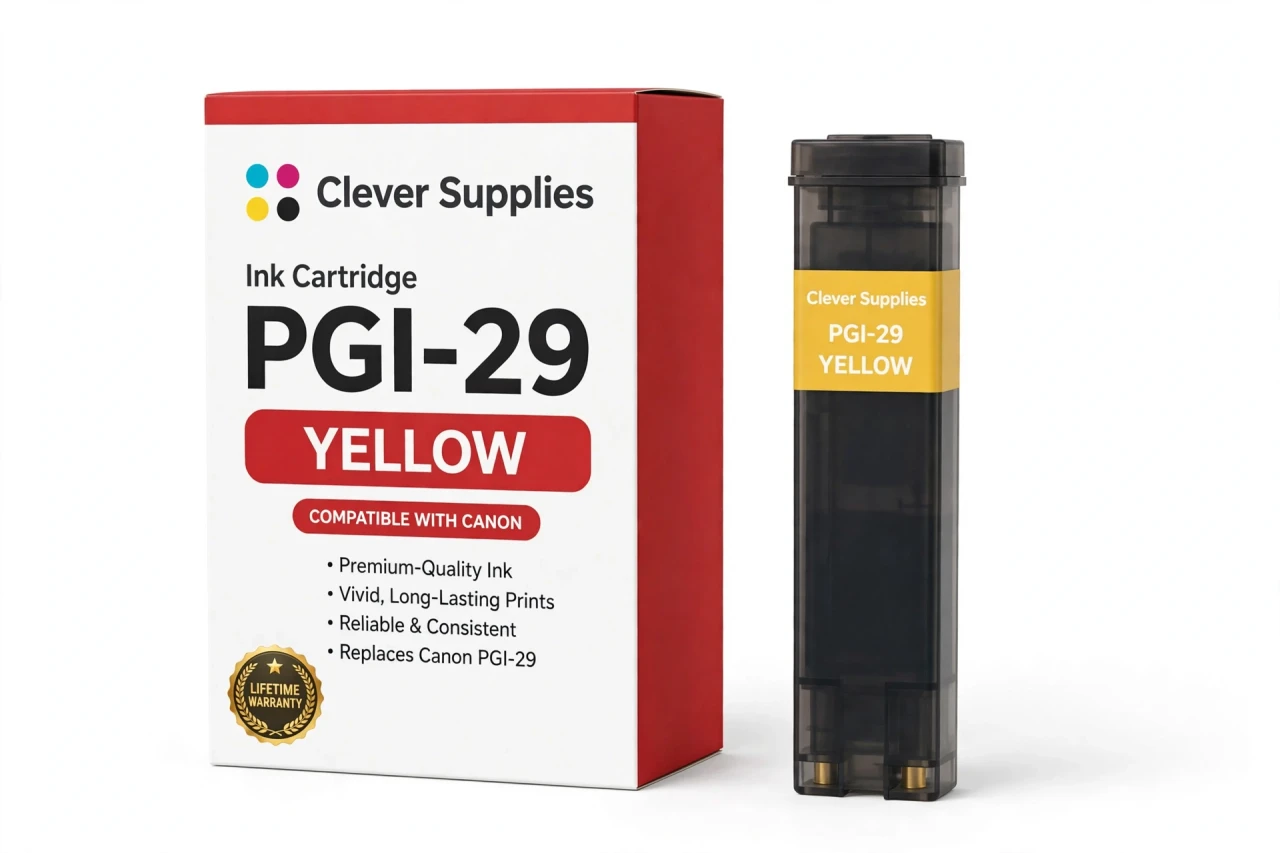
CLEVER SUPPLIES · CANON PGI-29 INK
Compatible Canon PGI-29 Yellow Ink Cartridge
Replaces Canon PGI-29
LUCIA pigment ink · PIXMA PRO-1 12-tank system · New compatible chip
Fits: PIXMA PRO-1
Covered by the Clever Supplies Lifetime Warranty
Frequently Asked Questions
Why does yellow quietly decide so much of a photograph's warmth?
This PGI-29 Yellow cartridge supplies the warm base color for the Canon PIXMA PRO-1. Yellow builds sunlight, sand, wood, and golden skin warmth alone, and mixes with cyan for greens and with magenta for oranges. Because yellow is light, its loss sneaks up quietly.
My prints have turned slightly blue and my greens look cold — could yellow be low?
Yes, that is the classic yellow warning sign. With yellow fading, cyan dominates, greens lose their sunlit warmth, and warm neutrals drift blue. Check the reported yellow level, run a nozzle check, and compare a small test print against an older good one.
Which printer does this yellow cartridge fit?
It fits the Canon PIXMA PRO-1 only. That single printer is the whole compatibility list for PGI-29 Yellow and the rest of this twelve-tank family. Other Canon printers use yellow cartridges with different fittings and chips, so match the PRO-1 name on your machine rather than ordering by brand and color alone.
How does yellow work with the dedicated red tank in this system?
Yellow and PGI-29 Red divide the warm spectrum: yellow carries golds and light warmth, red extends the deep saturated end, and yellow mixed with PGI-29 Magenta fills the oranges between.
Is a page yield published for this cartridge?
No. The PGI-29 family has no published page yield, so we state none for Yellow. Green summer landscapes and blue winter seascapes empty this tank at very different speeds. It is filled to the original specification. Follow the printer's level report.
Will the PRO-1 recognize this compatible yellow tank?
Yes. Each cartridge carries a new compatible chip, so the printer reads it and shows the yellow level normally. If a Canon firmware update ever prompts a recognition warning, reseat the tank and restart the printer — that clears most cases. A tank still refusing to print after that step is covered under warranty.
Can yellow be replaced on its own without refreshing the other primaries?
Yes. It is an independent tank, changed alone when it runs low, while PGI-29 Cyan and magenta stay in place. After the change, print a small warm test image — foliage or a sunlit portrait shows balance well — and confirm the warm balance before full-size sheets.
Is this an original Canon yellow cartridge?
No. It is a Clever Supplies compatible cartridge built to the same PGI-29 specification as the original Canon Yellow tank, with pigment ink matched to the LUCIA system. Yellow is a high-use primary, so a covered compatible version keeps costs steady and stops a fading primary from quietly shifting every print.
How should a spare yellow cartridge be stored?
Sealed in its packaging, upright, at room temperature, and out of direct sunlight and heat until installation day. Yellow is hard to judge by eye through packaging, so write the purchase date on the box and rotate stock, always installing the oldest sealed spare next.
What happens under warranty if this tank fails?
Every Clever Supplies inkjet cartridge carries a Lifetime Warranty, and this one includes 1 Year returns. A leaking, unrecognized, or poorly printing tank will be replaced or refunded when you contact us, chip faults included. Keep the shifted test print; it helps confirm the cause.
Related Items
Canon
Compatible Canon PGI-29 Gray Ink Cartridge
The Clever Supplies compatible Canon PGI-29 Gray ink cartridge replaces the Canon PGI-29 and fits the PIXMA PRO-1 — the only printer in this family. Our cartridge is filled to the same specification...

Canon
Compatible Canon PGI-29 Cyan Ink Cartridge
The Clever Supplies compatible Canon PGI-29 Cyan ink cartridge replaces the Canon PGI-29 and fits the PIXMA PRO-1 — the only printer in this family. Our cartridge is filled to the same specification...
Canon
Compatible Canon PGI-29 Red Ink Cartridge
The Clever Supplies compatible Canon PGI-29 Red ink cartridge replaces the Canon PGI-29 and fits the PIXMA PRO-1 — the only printer in this family. Our cartridge is filled to the same specification...
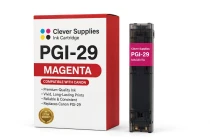
Canon
Compatible Canon PGI-29 Magenta Ink Cartridge
The Clever Supplies compatible Canon PGI-29 Magenta ink cartridge replaces the Canon PGI-29 and fits the PIXMA PRO-1 — the only printer in this family. Our cartridge is filled to the same...