





 See Compatible Printers
 Read more about our ink!
Canon
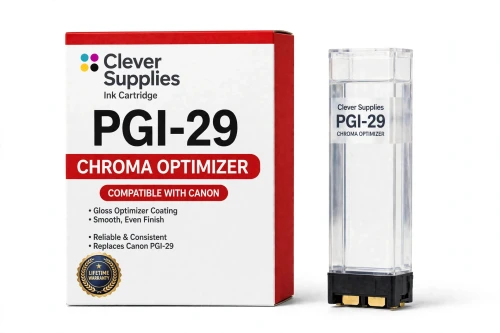
Compatible Canon PGI-29 Chroma Optimizer Ink Cartridge
- Shipping:
- Calculated at Checkout

Amazon Price:

- Shipping:
- Calculated at Checkout
- Compatible Printers
- Specifications
- SKU:
- CS-CN-29-CO
- Condition:
- New (compatible)
- OEM Part #:
- PGI-29
- Color:
- Chroma Optimizer
- Ink Type:
- Pigment
- Chip:
- Yes — new compatible chip
- Warranty:
- Lifetime Warranty
- Returns:
- 1 Year
- Description
- Reviews
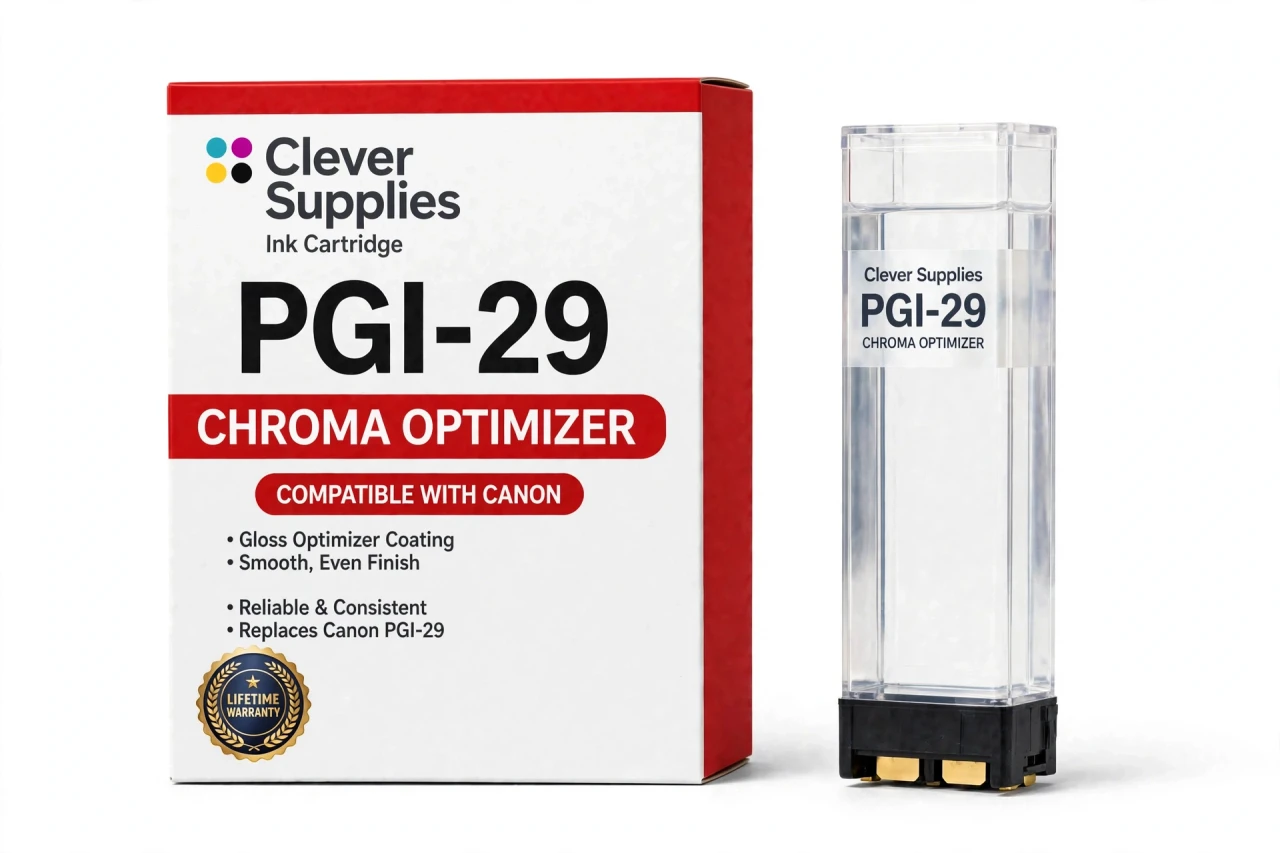
The Clever Supplies compatible Canon PGI-29 Chroma Optimizer ink cartridge replaces the Canon PGI-29 and fits the PIXMA PRO-1 — the only printer in this family. Our cartridge is filled to the same specification with pigment ink and carries a new compatible chip that reports ink levels to the printer.
The cartridge carries a new compatible chip that reports ink levels to the printer. If a firmware update ever causes a recognition warning, reseating the cartridge and restarting the printer clears most false alarms; anything that still refuses to print is covered by the lifetime warranty.
Shop the PGI-29 family: PGI-29 Cyan, PGI-29 Dark Gray, PGI-29 Gray, PGI-29 Photo Gray, PGI-29 Magenta, PGI-29 Matte Black, PGI-29 Photo Black, PGI-29 Photo Cyan, PGI-29 Photo Magenta, PGI-29 Red, PGI-29 Yellow.
Printer series: PIXMA printers — every model in the Compatible Printers list below takes this cartridge.


CLEVER SUPPLIES · CANON PGI-29 INK
Compatible Canon PGI-29 Chroma Optimizer Ink Cartridge
Replaces Canon PGI-29
LUCIA pigment ink · PIXMA PRO-1 12-tank system · New compatible chip
Fits: PIXMA PRO-1
Covered by the Clever Supplies Lifetime Warranty
Frequently Asked Questions
What is Chroma Optimizer, and why is it not just another color?
PGI-29 Chroma Optimizer is a clear coating cartridge, not a color ink. On the Canon PIXMA PRO-1 it lays an even layer over the image on glossy paper, balancing gloss between dark and light areas and reducing bronzing, the metallic sheen pigment ink shows at an angle.
When will I actually see the difference this tank makes?
Tilt a glossy print under a lamp. Without enough optimizer, dark areas look dull beside shiny light areas and blacks may flash bronze. With a healthy tank the surface looks uniform edge to edge. Judge it on glossy or semi-gloss paper.
Does Chroma Optimizer matter on matte paper too?
Its main job is on glossy media. On matte and fine art papers the printer uses far less, because there is no gloss to even out. Matte depth depends instead on PGI-29 Matte Black, while glossy shadows rely on PGI-29 Photo Black.
Which printer uses this Chroma Optimizer cartridge?
Only the Canon PIXMA PRO-1 takes the PGI-29 Chroma Optimizer. No other PIXMA runs the same twelve-tank LUCIA pigment setup with a clear tank. Check the name on your machine before ordering; if it is not the PRO-1, this cartridge has no slot waiting for it.
How much printing will one optimizer tank cover?
No page yield is published for any PGI-29 cartridge, so we quote none here either. Use depends on paper choice and how much glossy work you print, which makes a page figure meaningless. This tank is filled to the original specification. Watch the reported level and keep a sealed spare.
Will the printer recognize this compatible clear cartridge?
Yes. It carries a new compatible chip, so the PRO-1 reads it and tracks its level like the other eleven tanks. After a firmware update a warning can occasionally appear; reseating the tank and restarting clears most. Do not judge this tank by eye — the contents are clear, so trust the reported level.
Can the optimizer run empty while the colors still have ink?
Yes, and glossy prints show it first as uneven shine rather than missing color. The twelve tanks empty at different rates, so replace this one alone when the printer reports it low. For a balanced glossy finish, keep it healthy alongside color tanks such as PGI-29 Cyan.
Is this an original Canon cartridge?
No. This is a Clever Supplies compatible cartridge built to the same PGI-29 specification as the original Canon Chroma Optimizer tank. Skipping the clear layer quietly downgrades every glossy print — a covered compatible tank keeps that layer affordable to maintain.
How do I install and store the optimizer tank correctly?
Install it only in its labeled slot, seal removed as directed, seated until it clicks. Never swap it into a color slot to test it. Store spares sealed and upright, away from heat and sunlight, and date the box, so old and new spares never get mixed.
What cover comes with this cartridge if something goes wrong?
It carries the Clever Supplies Lifetime Warranty with 1 Year returns, like every inkjet cartridge we sell. If it leaks, is not recognized, or a faulty tank leaves your glossy finish uneven, contact us for a replacement or refund. Keep the test print; it confirms the fault quickly.
Related Items
Canon
Compatible Canon PGI-72 Chroma Optimizer Ink Cartridge
The Clever Supplies compatible Canon PGI-72 Chroma Optimizer ink cartridge replaces the Canon PGI-72 and fits the PIXMA PRO-10 — the only printer in this family. It is rated at about 525 pages; our...

Canon
Compatible Canon PGI-29 Magenta Ink Cartridge
The Clever Supplies compatible Canon PGI-29 Magenta ink cartridge replaces the Canon PGI-29 and fits the PIXMA PRO-1 — the only printer in this family. Our cartridge is filled to the same...
Canon
Compatible Canon PGI-29 Red Ink Cartridge
The Clever Supplies compatible Canon PGI-29 Red ink cartridge replaces the Canon PGI-29 and fits the PIXMA PRO-1 — the only printer in this family. Our cartridge is filled to the same specification...
Canon
Compatible Canon PGI-29 Gray Ink Cartridge
The Clever Supplies compatible Canon PGI-29 Gray ink cartridge replaces the Canon PGI-29 and fits the PIXMA PRO-1 — the only printer in this family. Our cartridge is filled to the same specification...