






 See Compatible Printers
 Read more about our ink!
Canon
Compatible Canon PGI-29 Cyan Ink Cartridge
- Shipping:
- Calculated at Checkout

Amazon Price:

- Shipping:
- Calculated at Checkout
- Compatible Printers
- Specifications
- SKU:
- CS-CN-29-C
- Condition:
- New (compatible)
- OEM Part #:
- PGI-29
- Color:
- Cyan
- Ink Type:
- Pigment
- Chip:
- Yes — new compatible chip
- Warranty:
- Lifetime Warranty
- Returns:
- 1 Year
- Description
- Reviews
The Clever Supplies compatible Canon PGI-29 Cyan ink cartridge replaces the Canon PGI-29 and fits the PIXMA PRO-1 — the only printer in this family. Our cartridge is filled to the same specification with pigment ink and carries a new compatible chip that reports ink levels to the printer.
The cartridge carries a new compatible chip that reports ink levels to the printer. If a firmware update ever causes a recognition warning, reseating the cartridge and restarting the printer clears most false alarms; anything that still refuses to print is covered by the lifetime warranty.
Shop the PGI-29 family: PGI-29 Chroma Optimizer, PGI-29 Dark Gray, PGI-29 Gray, PGI-29 Photo Gray, PGI-29 Magenta, PGI-29 Matte Black, PGI-29 Photo Black, PGI-29 Photo Cyan, PGI-29 Photo Magenta, PGI-29 Red, PGI-29 Yellow.
Printer series: PIXMA printers — every model in the Compatible Printers list below takes this cartridge.


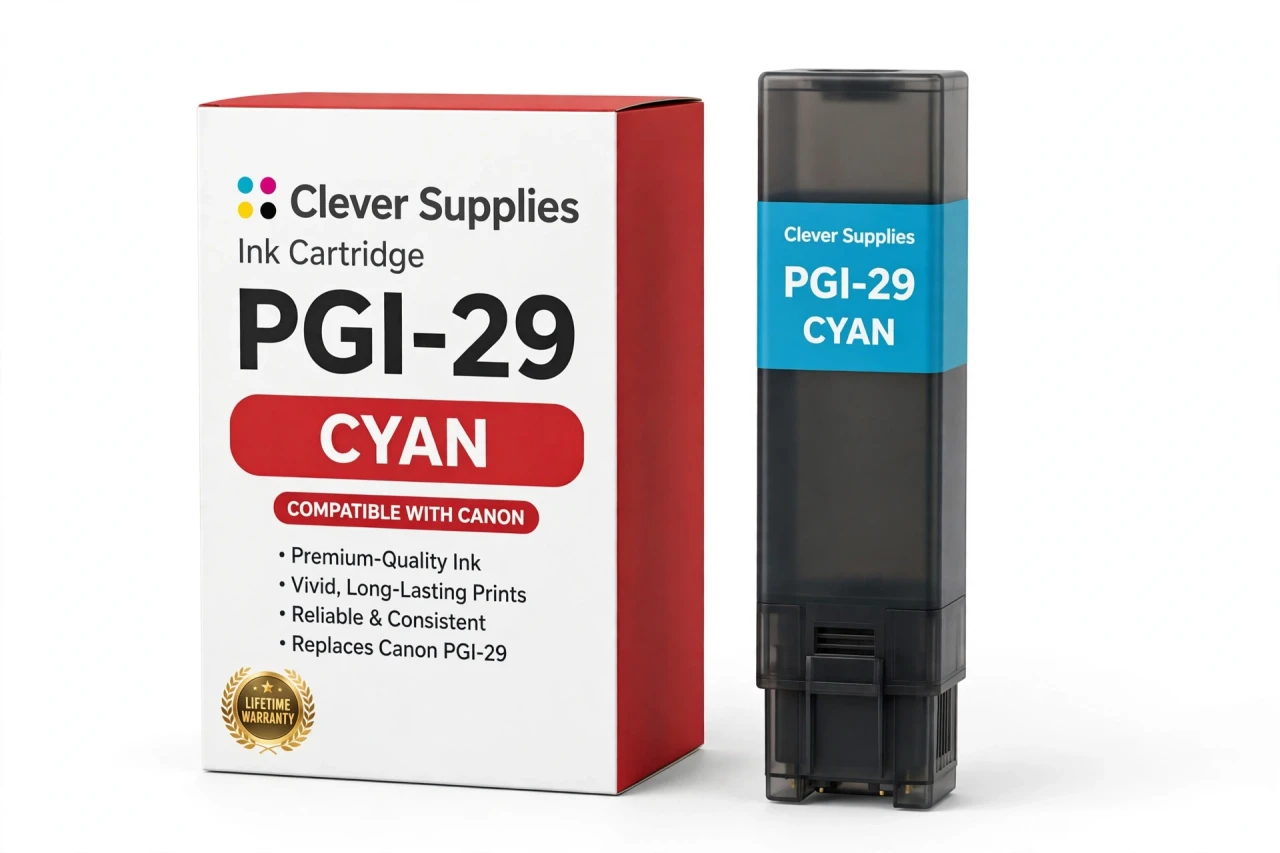
CLEVER SUPPLIES · CANON PGI-29 INK
Compatible Canon PGI-29 Cyan Ink Cartridge
Replaces Canon PGI-29
LUCIA pigment ink · PIXMA PRO-1 12-tank system · New compatible chip
Fits: PIXMA PRO-1
Covered by the Clever Supplies Lifetime Warranty
Frequently Asked Questions
What does the cyan tank actually control in a PRO-1 print?
This PGI-29 Cyan cartridge supplies the blue base color in the LUCIA pigment system of the Canon PIXMA PRO-1. Cyan builds skies, water, and blue clothing, and mixed with yellow it creates every clean green in the image, so its health shows across far more than just blue subjects.
Which printer does this PGI-29 Cyan cartridge fit?
One printer only: the Canon PIXMA PRO-1. That is the complete compatibility list for the whole PGI-29 family, so there is no second model to check. If your printer is not the PRO-1, this tank will not fit, however similar another PIXMA cartridge may look.
Why pair full cyan with a separate photo cyan?
Full-strength cyan is right for deep, saturated blues, but its dots can show as grain in pale tints. The PRO-1 therefore also carries PGI-29 Photo Cyan, a lighter version for smooth highlights. Healthy tanks in both slots give you strong color and clean gradients in one print.
Is a page yield listed for this cartridge?
No page count is published for the PGI-29 family, and we do not invent one. Photo printing uses ink by coverage, paper, and image, not by a standard text page, so a page figure would mislead. This tank is filled to the original specification — the honest measure to compare.
Will the PRO-1 recognize this compatible cyan cartridge?
Yes. Each tank carries a new compatible chip, so the printer reads it and reports the cyan level normally. If a Canon firmware update ever triggers a recognition warning, reseat the tank firmly and restart the printer. Most false alarms clear that way, and a stubborn tank is covered.
Can I replace just the cyan tank on its own?
Yes. All twelve PRO-1 tanks are separate, so you change cyan alone when it runs low and leave the other eleven in place. Reorder it alongside PGI-29 Magenta and PGI-29 Yellow when you want the main color balance refreshed across a long print run.
My blues look dull and my greens look flat — could cyan be the cause?
It could. A low cyan tank shifts skies toward magenta, turns water muddy, and flattens greens that depend on cyan and yellow together. Check the reported level, run a nozzle check, and print a small test image before a large sheet. Replacing a nearly empty tank early protects expensive paper.
Is this a genuine Canon cartridge?
No. This is a Clever Supplies compatible cartridge built to the same PGI-29 specification as the original Canon tank, with pigment ink and a new chip, at a lower price. It suits photographers who print often and want the PRO-1 color system to stay affordable over years of use.
How should I store a spare cyan tank?
Keep it sealed in its original packaging, upright, at normal room temperature, and out of direct sunlight and heat. Do not break the seal early; pigment ink keeps best unopened. Order spares before big projects; cyan drains quietly on blue-heavy work.
What warranty and returns cover this cartridge?
Every Clever Supplies inkjet cartridge carries a Lifetime Warranty, and this tank includes 1 Year returns. If it ever leaks, is not recognized, or prints poorly, contact us and we will replace it or refund you.
Related Items
Canon
Compatible Canon PGI-29 Photo Cyan Ink Cartridge
The Clever Supplies compatible Canon PGI-29 Photo Cyan ink cartridge replaces the Canon PGI-29 and fits the PIXMA PRO-1 — the only printer in this family. Our cartridge is filled to the same...


Canon
Compatible Canon PGI-2200XL Cyan Ink Cartridge
The Clever Supplies compatible Canon PGI-2200XL Cyan ink cartridge replaces the Canon PGI-2200XL and fits 6 verified printers — the MAXIFY MB5020 and the rest of the list under Compatible Printers...
Canon
Compatible Canon PGI-72 Cyan Ink Cartridge
The Clever Supplies compatible Canon PGI-72 Cyan ink cartridge replaces the Canon PGI-72 and fits the PIXMA PRO-10 — the only printer in this family. It is rated at about 525 pages; our cartridge is...

Canon
Compatible Canon PGI-1200XL Cyan Ink Cartridge
The Clever Supplies compatible Canon PGI-1200XL Cyan ink cartridge replaces the Canon PGI-1200XL and fits 4 verified printers — the MAXIFY MB2020 and the rest of the list under Compatible Printers...