





 See Compatible Printers
 Read more about our ink!
Canon
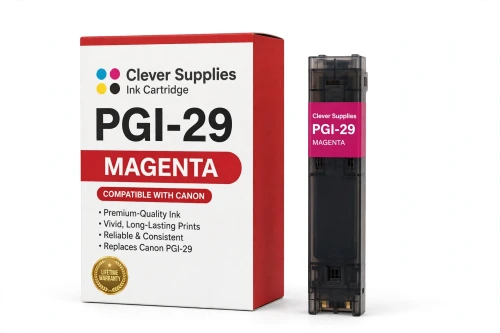
Compatible Canon PGI-29 Magenta Ink Cartridge
- Shipping:
- Calculated at Checkout

Amazon Price:

- Shipping:
- Calculated at Checkout
- Compatible Printers
- Specifications
- SKU:
- CS-CN-29-M
- Condition:
- New (compatible)
- OEM Part #:
- PGI-29
- Color:
- Magenta
- Ink Type:
- Pigment
- Chip:
- Yes — new compatible chip
- Warranty:
- Lifetime Warranty
- Returns:
- 1 Year
- Description
- Reviews
The Clever Supplies compatible Canon PGI-29 Magenta ink cartridge replaces the Canon PGI-29 and fits the PIXMA PRO-1 — the only printer in this family. Our cartridge is filled to the same specification with pigment ink and carries a new compatible chip that reports ink levels to the printer.
The cartridge carries a new compatible chip that reports ink levels to the printer. If a firmware update ever causes a recognition warning, reseating the cartridge and restarting the printer clears most false alarms; anything that still refuses to print is covered by the lifetime warranty.
Shop the PGI-29 family: PGI-29 Cyan, PGI-29 Chroma Optimizer, PGI-29 Dark Gray, PGI-29 Gray, PGI-29 Photo Gray, PGI-29 Matte Black, PGI-29 Photo Black, PGI-29 Photo Cyan, PGI-29 Photo Magenta, PGI-29 Red, PGI-29 Yellow.
Printer series: PIXMA printers — every model in the Compatible Printers list below takes this cartridge.


CLEVER SUPPLIES · CANON PGI-29 INK
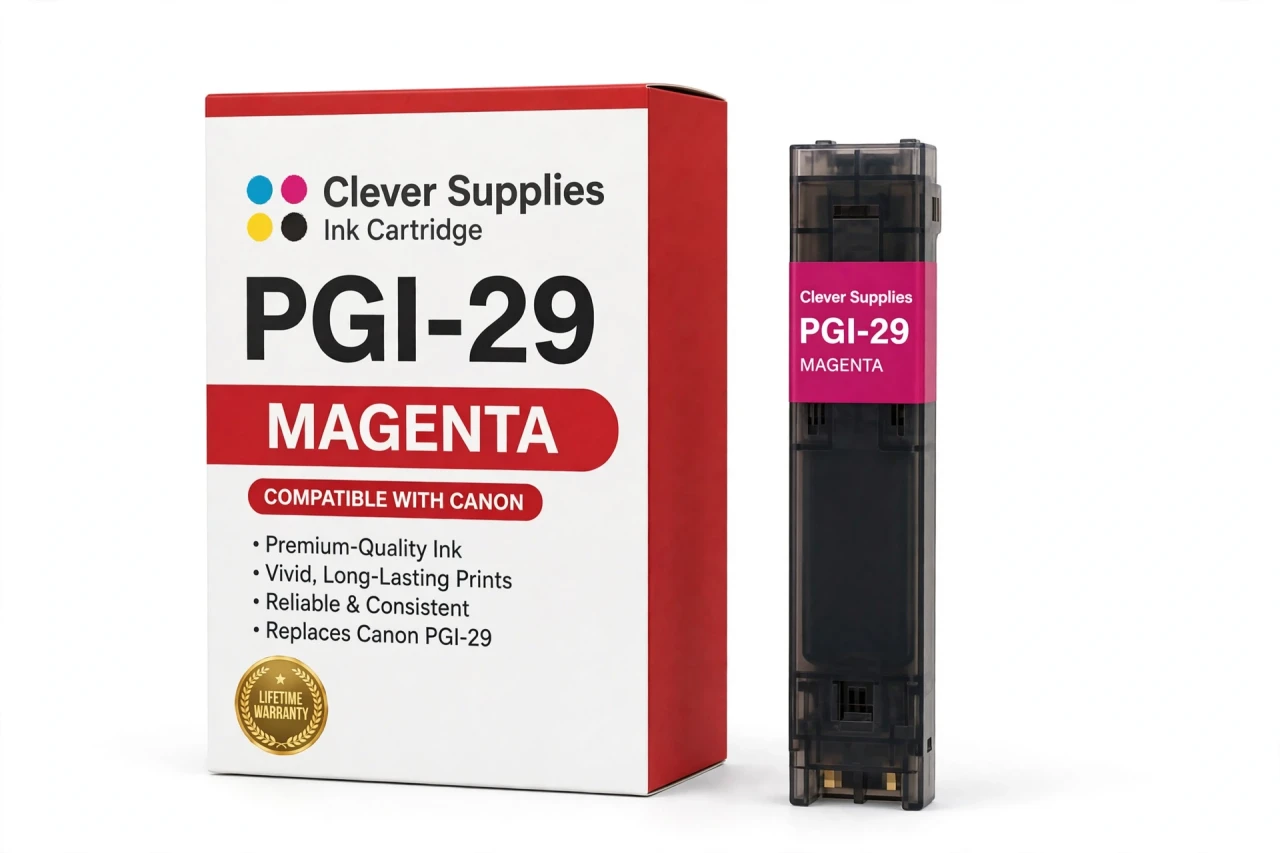
Compatible Canon PGI-29 Magenta Ink Cartridge
Replaces Canon PGI-29
LUCIA pigment ink · PIXMA PRO-1 12-tank system · New compatible chip
Fits: PIXMA PRO-1
Covered by the Clever Supplies Lifetime Warranty
Frequently Asked Questions
What does full-strength magenta bring to a PRO-1 photograph?
This PGI-29 Magenta cartridge delivers the saturated red-pink base color for the Canon PIXMA PRO-1. It drives rich reds, deep pinks, and purple shadows, and mixes with yellow for oranges and with cyan for blues and purples. Healthy magenta makes warm subjects look full instead of thin or faintly green.
How do magenta and photo magenta split the work between them?
This tank handles strong color. Its lighter partner, PGI-29 Photo Magenta, handles pale pinks and delicate tints where full-strength dots would show as grain. If saturated reds look weak, suspect this tank first; if only the palest skin tones look rough, check the photo version instead.
Which printer does this magenta cartridge belong to?
It belongs to the Canon PIXMA PRO-1 only — the complete fit list for the PGI-29 family, with no other PIXMA or MAXIFY model included. Confirm the PRO-1 name before ordering, because other Canon magenta tanks use different shapes, chips, and ink.
My reds look orange and my purples look blue — could magenta be low?
That pattern points at magenta, yes. As this tank fades, red loses its pink component and slides toward orange, while purples turn blue. Check the reported level, run a nozzle check, and test on a small sheet first.
Is there a stated page yield for this cartridge?
No yield figure is published for PGI-29 cartridges, and we will not estimate one for magenta. Red rock landscapes and blue seascapes use this tank at completely different rates. It is filled to the original specification. Use the printer's ink monitor for timing, and keep a spare if your portfolio leans warm.
Will this compatible magenta tank be recognized without workarounds?
Yes. A new compatible chip is built in, so the printer reads the tank and reports magenta levels normally, with no non-genuine workaround for everyday printing. If a firmware update ever causes a warning, reseat the tank and restart the printer. A tank that still will not print is covered by warranty.
Can I change magenta by itself in the middle of a project?
Yes. The twelve PRO-1 tanks are independent, so magenta swaps alone without disturbing PGI-29 Cyan or the dedicated PGI-29 Red. Print a small proof after the swap to confirm the warm balance is back, then continue the edition.
Is this cartridge an original Canon product?
No. It is a Clever Supplies compatible cartridge built to the same PGI-29 specification as Canon's original magenta tank, with pigment ink for the LUCIA system. Photographers printing warm, saturated work use magenta steadily, and a covered compatible tank keeps that cost predictable.
How should I store a backup magenta cartridge?
Keep it sealed and upright at room temperature, out of direct sunlight and away from heat, with the seal unbroken. Store it apart from the photo magenta and label both spots to avoid a mix-up.
What warranty and returns does this tank carry?
A Lifetime Warranty, with 1 Year returns. If it leaks, is not recognized, or prints poorly, contact us for a replacement or refund — chip faults included. For a color claim, keep the off-color test print; it shows the shift and settles the claim faster.
Related Items
Canon
Compatible Canon PGI-29 Photo Magenta Ink Cartridge
The Clever Supplies compatible Canon PGI-29 Photo Magenta ink cartridge replaces the Canon PGI-29 and fits the PIXMA PRO-1 — the only printer in this family. Our cartridge is filled to the same...


Canon
Compatible Canon PGI-1200XL Magenta Ink Cartridge
The Clever Supplies compatible Canon PGI-1200XL Magenta ink cartridge replaces the Canon PGI-1200XL and fits 4 verified printers — the MAXIFY MB2020 and the rest of the list under Compatible Printers...

Canon
Compatible Canon PGI-2200XL Magenta Ink Cartridge
The Clever Supplies compatible Canon PGI-2200XL Magenta ink cartridge replaces the Canon PGI-2200XL and fits 6 verified printers — the MAXIFY MB5020 and the rest of the list under Compatible Printers...
Canon
Compatible Canon PGI-72 Magenta Ink Cartridge
The Clever Supplies compatible Canon PGI-72 Magenta ink cartridge replaces the Canon PGI-72 and fits the PIXMA PRO-10 — the only printer in this family. It is rated at about 525 pages; our cartridge...