




ImageClass MF4890
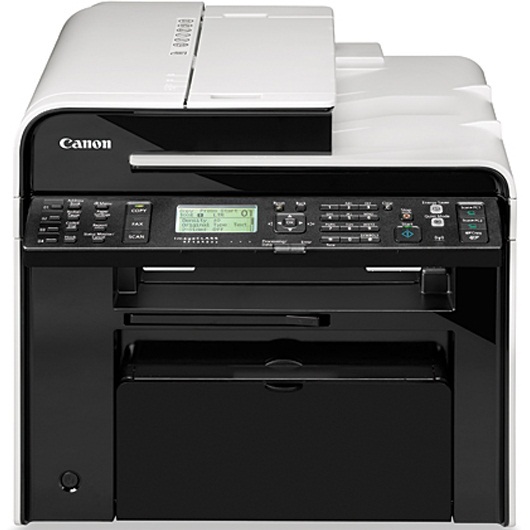
For offices that wire everything, the imageCLASS MF4890 offers Ethernet plus USB and a 50-sheet duplexing ADF on a 26-ppm engine. It is the cable-loving twin of the wireless MF4890dw — the same appetite, a stricter connection policy. It prints from the Canon 128 black cartridge, rated at up to 2,100 pages, the common supply of Canon's small workgroup line.
A networked machine with a big duplexing feeder becomes the room's default destination for copies, scans and print runs, and the MF4890 is built for exactly that gravity. The feeder takes a 50-sheet stack and turns it over by itself; the wired connection keeps the machine permanently on the office map. Where its wireless sibling — the ImageClass MF4890DW — trades places and reconnects, this one simply stays put, serving whoever sends it work. Toner planning, not connectivity, is the only routine it asks of anyone.
Toner Cartridges for ImageClass MF4890
| Cartridge | Color | Page Yield |
|---|---|---|
| Canon 128 Premium Quality — 5 Pack | Black | 2,100 pages per cartridge |
| Canon 128 — 5 Pack | Black | 2,100 pages per cartridge |
| Canon 128 — 3 Pack | Black | 2,100 pages per cartridge |
| Canon 128 — 2 Pack | Black | 2,100 pages per cartridge |
| Canon 128 | Black | 2,100 pages (at 5% coverage) |
| Canon 128 Jumbo | Black | See product page |
| Canon 128 MICR | Black (MICR) | See product page |
Which cartridge should you buy?
Shared machines deserve stocked shelves. Start from the 5 Pack or the Premium Quality 5 Pack if the MF4890 serves a whole bench — the cartridge door on a workgroup machine opens on other people's deadlines. The jumbo 128 reduces how often anyone plays supply clerk. A lone Canon 128 single is best kept as the emergency reserve, still sealed, behind the multipack. The MICR cartridge belongs to whichever desk prints the checks; it is not a shared-machine upgrade.
Chip, toner and everyday use
When the panel warns of low toner, the chip is doing its job — on a networked machine, that warning is the whole room's notice, so stage the replacement the same day. The 2,100-page rating assumes about 5% coverage; group copying of dark originals will spend it faster. A cartridge that fades mid-stack can usually be coaxed through the job by removing it and rocking it gently to redistribute the toner inside. Keep spares sealed, flat and away from radiators: a supply cabinet above a heat source shortens a waiting cartridge's useful life.
Frequently Asked Questions
Is the MF4890 wireless?
No — it connects by Ethernet and USB. The wireless version is the ImageClass MF4890DW; this model is its wired twin and uses the same cartridge.
What toner does the MF4890 take?
The Canon 128 black cartridge, rated at up to 2,100 pages. Every fill of the 128 sold here — standard, jumbo, MICR and the multipacks — fits this machine.
How many originals does the feeder take?
The automatic document feeder holds 50 sheets and duplexes them, scanning both sides in a single pass — one reason this model consumes cartridges at a workgroup pace.
Will a cartridge bought for the MF4890dw work here?
Yes. The wired and wireless twins share the same engine family and the same 128 cartridge; supplies move freely between them.
More printers that use the same cartridges
Wired machines travel in large families. Woven together from every badge Canon sells this hardware under, the 128 also runs in: FaxPhone L100, ImageClass 4890DW, Satera MF4410, i-Sensys MF4410, FaxPhone L190, ImageClass D520, Satera MF4430, i-Sensys MF4430, ImageClass D530, Satera MF4450, i-Sensys MF4450, ImageClass D550, Satera MF4470, i-Sensys MF4550D, ImageClass D560, Satera MF4480, i-Sensys MF4570DN, ImageClass MF4412, Satera MF4550, i-Sensys MF4580DN, ImageClass MF4420, Satera MF4570, ImageClass MF4420N, Satera MF4580, ImageClass MF4450, ImageClass MF4550, ImageClass MF4550D, ImageClass MF4570, ImageClass MF4570DN, ImageClass MF4570DW, ImageClass MF4580, ImageClass MF4580DN, ImageClass MF4770, ImageClass MF4770N, ImageClass MF4800, ImageClass MF4880, ImageClass MF4880DW, ImageClass MF4890DW.