




i-Sensys MF4450
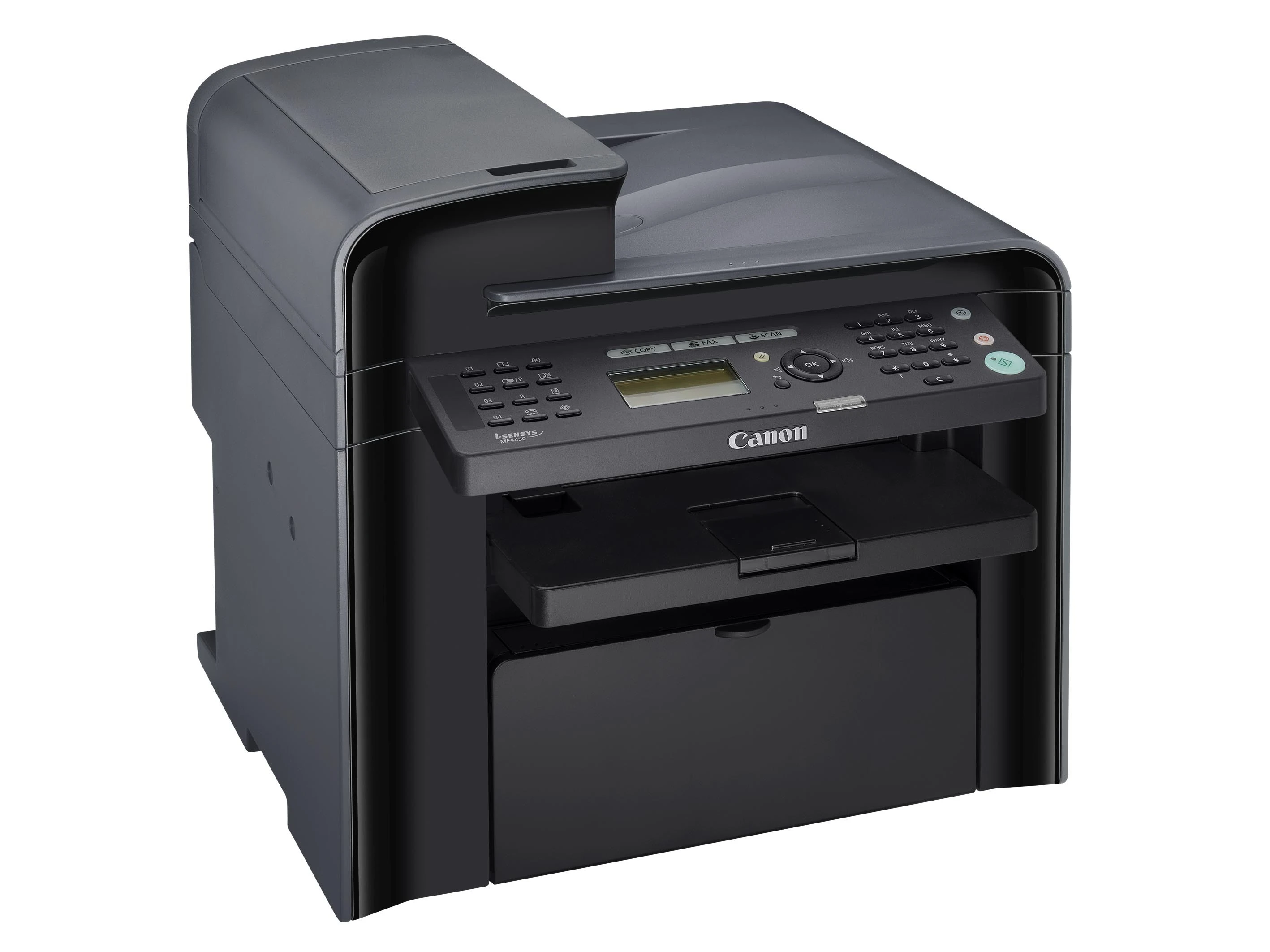
Take the feeder-equipped rung of Canon's i-SENSYS ladder and add a Super G3 fax modem, and the result is the i-Sensys MF4450: a complete 4-in-1 printing at 23 pages per minute. Print, copy, scan and fax all draw on the same 35-sheet automatic document feeder, and the whole machine hangs off a single USB connection to one computer. Its supply is the Canon 128 toner cartridge, good for up to 2,100 pages per cartridge.
A machine like this typically anchors a small office that still lives partly on paper: contracts arrive by fax, get copied for the file, scanned for email and printed for signature, all across one desktop unit. The MF4450's predecessor without fax, the i-Sensys MF4430, covers desks that never touch a phone line; the MF4450 is the version for desks where the fax line still rings daily. Because incoming faxes print the moment they arrive, its toner use has a mind of its own — a busy fax afternoon can consume pages nobody in the office consciously printed.
Toner Cartridges for i-Sensys MF4450
| Cartridge | Color | Page Yield |
|---|---|---|
| Canon 128 Black — 2 Pack | Black | 2,100 pages per cartridge |
| Canon 128 Black — Single Cartridge | Black | 2,100 pages |
| Canon 128 MICR Black | Black | See product page |
| Canon 128 Black — 3 Pack | Black | 2,100 pages per cartridge |
| Canon 128 Jumbo Black | Black | See product page |
| Canon 128 Premium Quality Black — 5 Pack | Black | 2,100 pages per cartridge |
| Canon 128 Black — 5 Pack | Black | 2,100 pages per cartridge |
Which cartridge should you buy?
The standard single cartridge suits an MF4450 that mostly prints and copies through the week. If the fax line is active, think one step bigger: a 2 pack means the spare is already in the drawer when a long incoming fax drains the installed cartridge at an awkward moment. Offices with steady monthly volume usually settle on the 3 pack or one of the 5 packs and stop reordering so often. The Jumbo cartridge cuts swap frequency for the heaviest users — its rating is on its product page — while the MICR cartridge exists for one job only, printing checks with magnetic toner. Whichever you choose, these compatibles carry a 1-year warranty with 1-year returns.
Chip, toner and everyday use
When the display warns about toner, treat it as a prompt rather than an emergency: remove the cartridge and rock it gently a few times to redistribute what remains, and you will usually finish the day comfortably. Fitting the replacement is tool-free — front cover open, old cartridge out, protective strip off the new one, slide it in until it clicks — and the onboard chip is recognized automatically. Ratings are quoted at 5% page coverage; fax pages and closely typed letters sit near that figure, while forms with logos and shading use more. Store spares flat, sealed and away from direct sunlight so the toner stays evenly distributed.
Frequently Asked Questions
What does the MF4450 add over the MF4430?
Fax. The two machines share the 23-ppm engine and 35-sheet feeder, but the MF4450 adds a Super G3 fax modem, making it a full print, copy, scan and fax 4-in-1.
Which cartridge fits the i-Sensys MF4450?
The Canon 128. One standard cartridge yields up to about 2,100 pages at 5% coverage.
Will the MF4450 work on our office network?
No — it connects by USB to a single computer. Network sharing in this range starts with the Ethernet-equipped models higher up the ladder.
Can I print checks on the MF4450?
Yes, with the MICR version of the cartridge listed above, which uses magnetic toner formulated for check printing. Ordinary documents take the standard cartridge.
More printers that use the same cartridges
Plenty of other Canon models run on this same cartridge, which makes standardizing a small fleet easy. The full list: i-Sensys MF4580DN, i-Sensys MF4570DN, i-Sensys MF4550D, i-Sensys MF4430, i-Sensys MF4410, Satera MF4580, Satera MF4570, Satera MF4550, Satera MF4480, Satera MF4470, Satera MF4450, Satera MF4430, Satera MF4410, ImageClass MF4890DW, ImageClass MF4890, ImageClass MF4880DW, ImageClass MF4880, ImageClass MF4800, ImageClass MF4770N, ImageClass MF4770, ImageClass MF4580DN, ImageClass MF4580, ImageClass MF4570DW, ImageClass MF4570DN, ImageClass MF4570, ImageClass MF4550D, ImageClass MF4550, ImageClass MF4450, ImageClass MF4420N, ImageClass MF4420, ImageClass MF4412, ImageClass D560, ImageClass D550, ImageClass D530, ImageClass D520, ImageClass 4890DW, FaxPhone L190, FaxPhone L100.