




ImageClass MF232w
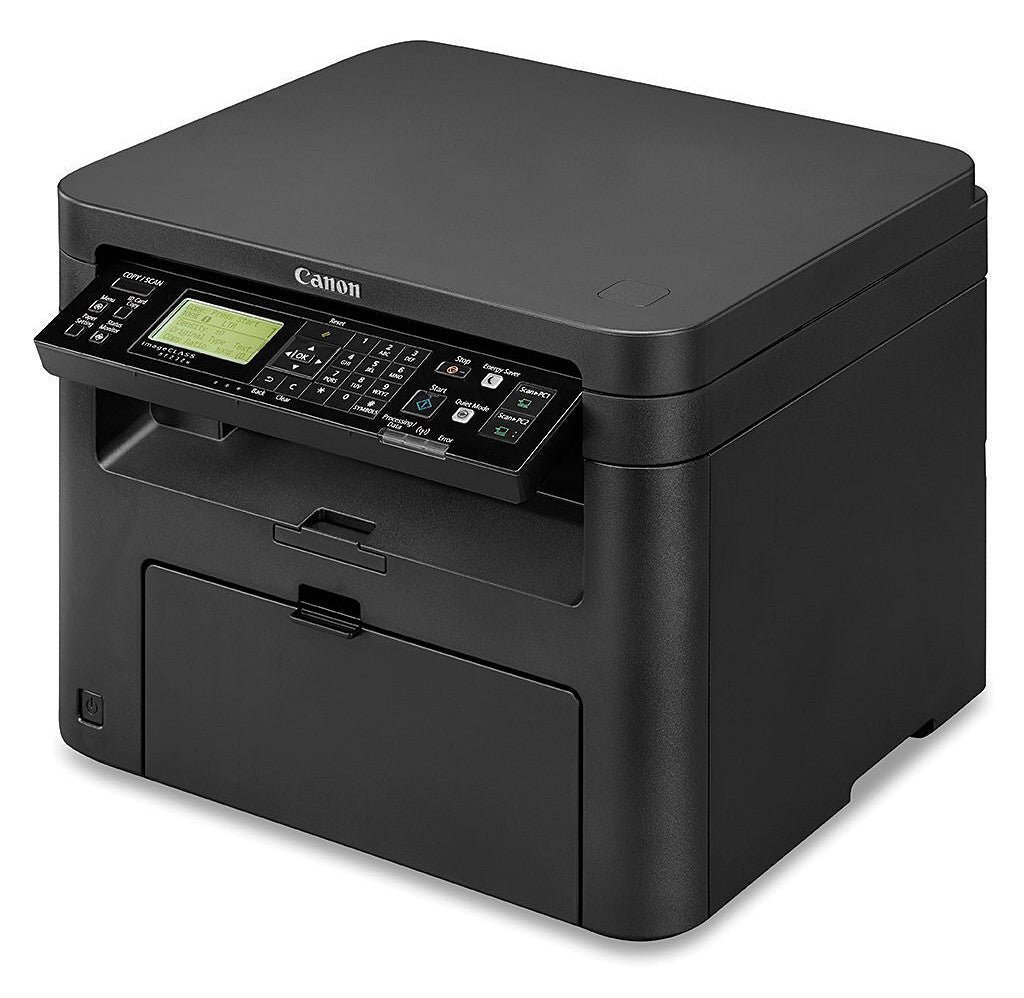
Not every office wants to pay for a fax board it will never wire up. The Canon imageCLASS MF232w is the 28-page-per-minute wireless 3-in-1 of the 2016 MF230 series — print, copy and scan, with duplex printing built in and the fax hardware simply left off the specification. Leaving it off keeps both the price and the footprint down. It runs on the Canon 137 black toner cartridge, good for about 2,400 pages.
This is the streamlined member of its family, aimed squarely at home offices and small teams whose document traffic already lives in email and cloud folders. Printing arrives over Wi-Fi from whichever desk sends it, scanning handles the occasional signed page or receipt, and copying covers the odd form — all without a phone line anywhere in the story. If your workflow has genuinely outgrown fax, the MF232w is the version of this platform that stops charging you for it.
Toner Cartridges for ImageClass MF232w
| Cartridge | Color | Page Yield |
|---|---|---|
| Canon 137 — Black, Single Cartridge | Black | 2,400 pages |
| Canon 137 Black 2 Pack | Black | 2,400 pages per cartridge |
| Canon 137 Black 3 Pack | Black | 2,400 pages per cartridge |
| Canon 137 Black 5 Pack | Black | 2,400 pages per cartridge |
| Canon 137 Black 10 Pack | Black | 2,400 pages per cartridge |
| Canon 137 for ImageClass MF232w — Black | Black | 2,400 pages |
Which cartridge should you buy?
Every route leads to the same cartridge here: the standard Canon 137, rated at 2,400 pages, is the only size this family offers, and the listing sold under the MF232w's own name is that identical unit — choose it or the plain 137 listing with equal confidence. What changes with the packs is simply how often you reorder. A home office printing a few hundred pages a month can run happily on singles. A small team sharing the machine over Wi-Fi will empty cartridges at a pace that makes the 2-pack the sensible default, and the 5- and 10-packs exist for anyone who would rather stock a supply shelf once and forget about toner for a season.
Chip, toner and everyday use
Fit a fresh 137 and the machine reads its chip, confirms the cartridge and starts reporting toner levels without any setup ritual — just open the cover, slide the old unit out and the new one in until it seats. A few gentle rocks end to end before installation distribute the toner so early pages are not lighter at one edge. Keep in mind that the 2,400-page rating is calculated at roughly 5% coverage; a month of dense reports will legitimately finish a cartridge sooner than a month of letters. Because a wireless printer tends to live on a shelf or credenza rather than beside its heaviest user, keeping the spare cartridge in the same room saves the scavenger hunt when the low-toner warning lands mid-job.
Frequently Asked Questions
What toner does the Canon imageCLASS MF232w use?
The Canon 137 black cartridge, rated for about 2,400 pages. Singles and multi-packs on this page all contain that same cartridge, including the listing that carries the MF232w's name.
What do I give up by choosing the MF232w over its fax-equipped siblings?
Fax, essentially. Models such as the ImageClass MF236n and the ImageClass MF244dw add a fax board to the same 137 platform; the MF232w skips it and sticks to print, copy and scan. If nothing in your office sends faxes, you give up nothing you would have used.
Does the MF232w print on both sides automatically?
Yes — duplex printing is part of the specification, so two-sided output does not need manual page flipping. Note that this refers to printing; the machine's scanning is a separate path.
How many pages should I expect from each cartridge?
Around 2,400 at the standard 5% coverage measure. Light text pages can stretch past it; coverage-heavy documents will finish the cartridge earlier. Most shared offices find the 2-pack keeps one cartridge in reserve at all times.
More printers that use the same cartridges
One of the pleasures of this platform is that the spare on your shelf is never wasted — the identical 137 cartridge also runs these Canon models: ImageClass D570, ImageClass LBP151dw, ImageClass LBP151dw, ImageClass MF212, ImageClass MF212W, ImageClass MF216, ImageClass MF216N, ImageClass MF217W, ImageClass MF227, ImageClass MF227DW, ImageClass MF229, ImageClass MF229dw, ImageClass MF236n, ImageClass MF244dw, ImageClass MF247dw, ImageClass MF249dw, imageCLASS MF217.