




WorkCentre 7675
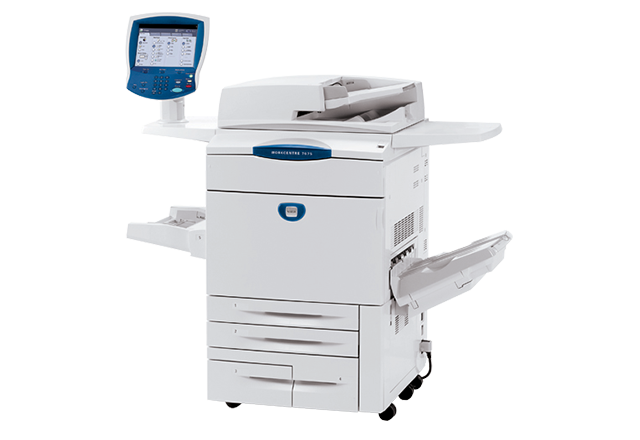
The WorkCentre 7675 tops the 76xx tabloid color MFP range, fueled by the same long-life 006R01219 black toner — roughly 30,000 pages per cartridge. Restocking one means more than black: cyan toner is 006R01222, magenta is 006R01221, yellow is 006R01220, and the imaging drum to watch is the 013R00602 drum unit, which carries the image between toner changes.
At the top of a range, expectations rise with the spec sheet: the 7675 is bought to print color at production pace, all day, for offices that measure downtime in missed deadlines. A black cartridge with 30,000-page endurance is matched to that brief — and compatible toner is what keeps the cost per page low enough that the pace stays affordable. The machine's appetite is predictable, which is precisely what makes it plannable.
Toner Cartridges for WorkCentre 7675
| Cartridge | Color | Page Yield |
|---|---|---|
| 006R01219 Laser Toner Cartridge | Black | Approx. 30,000 pages |
| 006R01222 Laser Toner Cartridge | Cyan | Check the product page |
| 006R01221 Laser Toner Cartridge | Magenta | Check the product page |
| 006R01220 Laser Toner Cartridge | Yellow | Check the product page |
Full-bank options carried on this page:
- 4 Color Set (006R01219, 006R01222, 006R01221, 006R01220)
- WorkCentre 7675 4 Color Set
- WorkCentre 7675 Premium Quality 4 Color Set
The drum unit is stocked apart from toner:
- 013R00602 Drum Unit — single unit
Which cartridge should you buy?
For the range-topper, stock like you mean it. Black in depth, because every job burns it; colors as singles for the uneven weeks, and a 4 color set in reserve for the moments when a campaign drains the bank together. Choosing between the standard and premium set listings is a shelf decision, not a fit decision — both carry this family's cartridges. Singles remain the right tool mid-cycle, when only one slot is low and the others have thousands of pages left. The drum is bought on diagnosis alone: it outlasts several toner rounds and announces itself through print quality, not warnings about toner.
Chip, toner and everyday use
Keep swaps boring: power on for chip recognition, a slow rock to level the toner, one firm seat until it clicks, door closed before the queue resumes. On a flagship machine, the expensive mistake is a half-seated cartridge misread as a faulty one. Store the reserve sealed, flat and away from heat, and fit oldest stock first. If output fades evenly, a cartridge is finishing; if a defect repeats at the same interval down the page, stop changing toner and look at the drum unit — it is the long-cycle part behind image quality.
Frequently Asked Questions
What toner does the WorkCentre 7675 use?
The 006R01219 black cartridge, at roughly 30,000 pages, plus 006R01222 cyan, 006R01221 magenta and 006R01220 yellow. Imaging is handled by the separate 013R00602 drum unit.
Why does this machine use such a high-capacity black cartridge?
Because it sits at the top of a production-paced tabloid range: long runs would chew through ordinary cartridges and turn supply changes into a daily event. A 30,000-page class black stretches the interval to something a busy office can schedule around.
Does the 7675 need its drum changed with every toner?
No. The 013R00602 drum runs on its own much longer cycle. Toner warnings are about toner; the drum asks for attention through repeating print defects that stay after a fresh cartridge is fitted.
Should I buy singles or a set for the 7675?
Singles for routine top-ups — colors finish at different times — and a set when several slots age together or a major color job is scheduled. Most top-of-range machines end up using both patterns across a quarter.
More printers that use the same cartridges
The rest of the family sharing this black cartridge: DocuColor 240, DocuColor 242, DocuColor 250, DocuColor 252, DocuColor 260, WorkCentre 7655, WorkCentre 7665, WorkCentre 7755, WorkCentre 7765, WorkCentre 7775.