




DocuColor 250
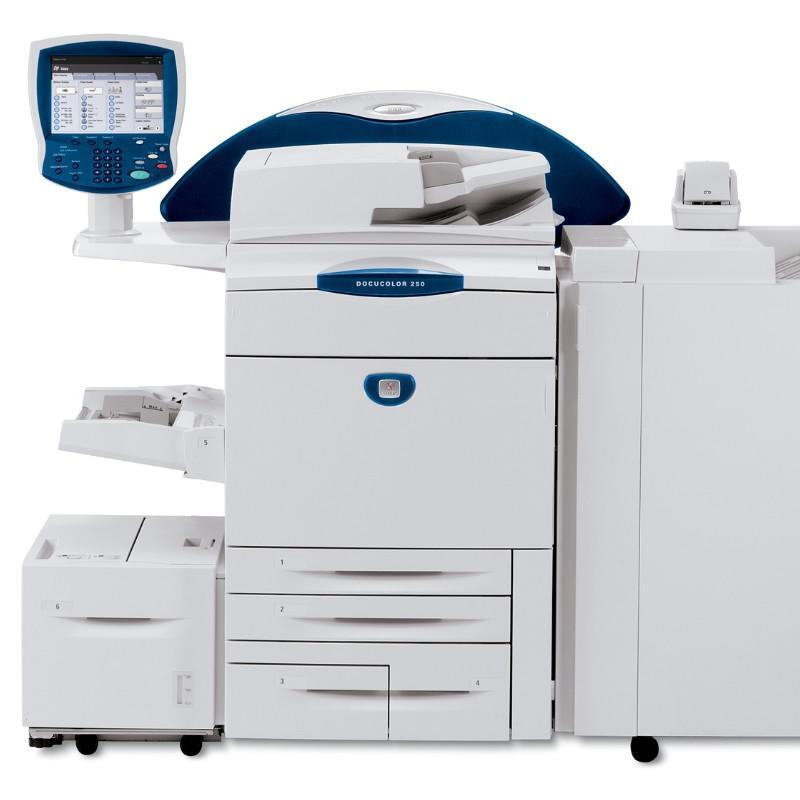
When a print shop outgrows entry-level digital color, the Xerox DocuColor 250 is the step up: a color production printer chosen for higher volumes. Volume changes the supply conversation from "which cartridge" to "how do we never stop," and the machine's black toner is the 006R01219 cartridge, carried here as a compatible alongside 006R01222 cyan, 006R01221 magenta and 006R01220 yellow.
Higher volume also means consumption becomes measurable. A 250 running daily production develops a rhythm — black for the text-heavy work, colors at rates set by the job board — and smart operators reorder against that rhythm rather than against the low-toner light. The listings below support both habits: singles for targeted restocking, sets for planned refreshes, and a separate drum line for the imaging side of the machine.
Toner Cartridges for DocuColor 250
| Cartridge | Color | Page Yield |
|---|---|---|
| 006R01219 | Black | Standard yield |
| 006R01222 | Cyan | Standard yield |
| 006R01221 | Magenta | Standard yield |
| 006R01220 | Yellow | Standard yield |
| DocuColor 250 4 Color Set | Full Set | Standard yield |
| DocuColor 250 Premium Quality 4 Color Set | Full Set | Standard yield |
| 4 Color Set (006R01219 / 006R01222 / 006R01221 / 006R01220) | Full Set | Standard yield |
The DocuColor 250 keeps its drum separate from its toner supply, so the drum follows a replacement cycle of its own rather than being changed with every cartridge: the 013R00602 Drum Unit Cartridge (Black).
Which cartridge should you buy?
At 250 volumes, the cheapest cartridge is the one that is already on your shelf when the current one empties. Build your pattern around that: identify your fastest-moving color from a few weeks of job records — commonly black — and hold it in depth, ordering the slower colors as singles when the press warns. Full 4 color sets earn their place at planned service points, when the machine is open anyway and a coordinated refresh avoids four separate interruptions. The premium quality set listed here is the alternate route to that same refresh. What does not pay at this volume is emergency ordering: freight and downtime both cost more than the shelf space a spare occupies.
Chip, toner and everyday use
Busy presses reward boring routines. Receive toner, log it, store it flat and sealed in the press room — not a hot storeroom — and fit cartridges in job gaps rather than mid-run whenever the schedule allows. A new cartridge should be rocked slowly several times before fitting so toner coats evenly from the first page; hurried installs are behind many "bad cartridge" calls that a reseat quietly fixes, because the chip contacts must meet cleanly for the press to read levels. Keep the old cartridge until the new one proves itself across a job or two, and record each swap on the machine's log sheet so consumption per color stays visible.
Frequently Asked Questions
What toner does the DocuColor 250 use?
It uses the 006R01219 black cartridge with 006R01222 cyan, 006R01221 magenta and 006R01220 yellow — all standard yield, all sold on this page as compatible singles and in 4 color sets.
How is the drum handled on the 250?
Separately. The 013R00602 drum unit cartridge images the page and is replaced on its own cycle, independent of toner swaps; it is listed under the table above.
We run the 250 beside a DocuColor 240. Can the two share toner stock?
Yes — both models use this same four-cartridge family, as do the other machines in the list below, so one supply shelf can serve the whole fleet.
What coverage do the stores offer on compatible cartridges?
Clever Supplies backs its compatible cartridges with a 1-year warranty and 1-year returns.
More printers that use the same cartridges
Fleet buyers, take note: one toner family covers every machine in this list, which simplifies stocking considerably: DocuColor 240, DocuColor 242, DocuColor 252, DocuColor 260, WorkCentre 7655, WorkCentre 7665, WorkCentre 7675, WorkCentre 7755, WorkCentre 7765, WorkCentre 7775.