




WorkCentre 7120
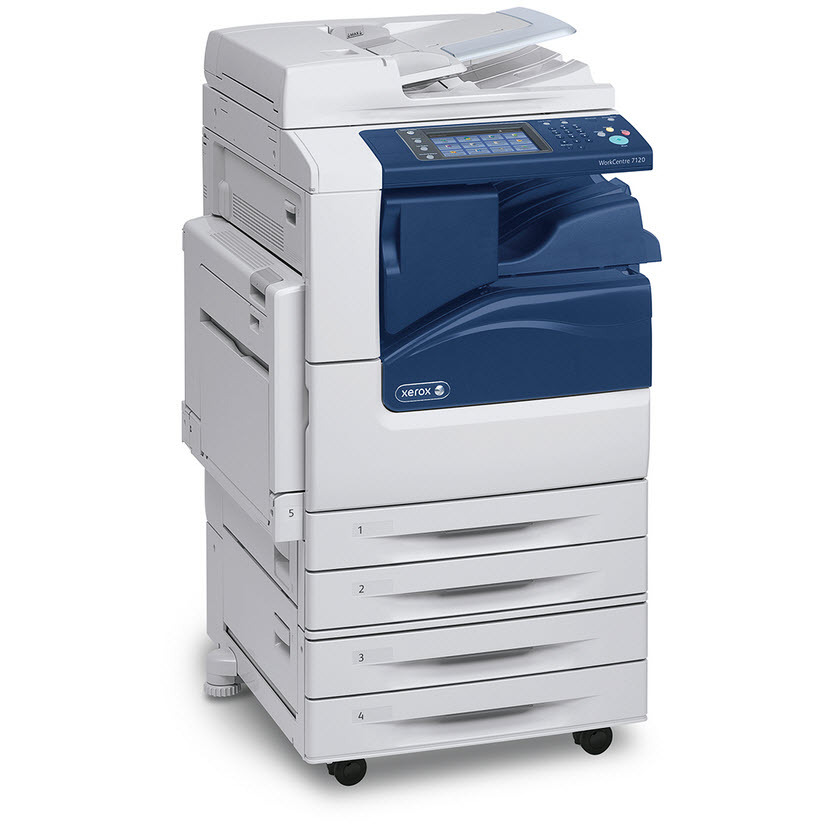
The Xerox WorkCentre 7120 is a tabloid-capable color multifunction printer for offices that need more than letter-size output, and it runs on the 006R01457 black toner cartridge, rated for about 22,000 pages. Color work draws on three more cartridges — 006R01460 in cyan, 006R01459 in magenta and 006R01458 in yellow — and color cartridges for this family yield roughly 15,000 pages each. Compatible 006R01457 toner makes this A3 color system economical to operate despite its size.
Tabloid capability changes what an office prints in-house: posters, spreads, folded booklets and full-bleed proofs that used to go to a copy shop. Those jobs are coverage-hungry, so the 7120's generous ratings matter — color cartridges still last through long proofing cycles, and black stretches across months of mixed output. The machine typically anchors a creative or administrative hub where several teams share one A3 resource.
Toner Cartridges for WorkCentre 7120
| Cartridge | Color | Page Yield |
|---|---|---|
| 006R01457 | Black | Approx. 22,000 pages |
| 006R01460 | Cyan | Approx. 15,000 pages |
| 006R01459 | Magenta | Approx. 15,000 pages |
| 006R01458 | Yellow | Approx. 15,000 pages |
Packs and WorkCentre 7120 sets stocked with the singles:
- Black 2 Pack — two 006R01457 cartridges
- 3 Color Set — the three color cartridges together
- 5 Color Set — black plus colors with a spare
- 4 Color Set — one cartridge for each slot
- WorkCentre 7120 Laser Toner Cartridges 4 Color Set
- WorkCentre 7120 Premium Quality 4 Color Set
Which cartridge should you buy?
Long ratings make singles the sensible default: with 22,000 pages in black and roughly 15,000 per color, replacements are rare events, and buying exactly the empty slot keeps inventory lean. A set justifies itself when a big proofing season is coming or when the whole machine is due together after years of piecemeal swaps. The black 2-pack suits offices that cannot afford a stopped A3 queue and would rather hold depth in the longest-running cartridge. Compatible units carry a 1-year warranty and 1-year returns, which keeps the trial risk low against OEM pricing.
Chip, toner and everyday use
Open the front cover, slide the old cartridge out, rock the new one gently to distribute its toner, and push it in until it clicks — the chip then confirms the cartridge and its level. A3 color pages drink toner far faster than the 5% coverage behind the ratings, so judge remaining life by the machine's gauge rather than the calendar. Keep spares sealed and flat; a cartridge stored upright for months may print a light band until its toner is rocked loose again.
Frequently Asked Questions
What toner does the WorkCentre 7120 use?
Black is the 006R01457 at about 22,000 pages. Colors are 006R01460 cyan, 006R01459 magenta and 006R01458 yellow, each rated around 15,000 pages — the same set used across the family listed below.
Why do color cartridges last so long on this machine?
The family was designed for departmental A3 duty, so its cartridges are sized accordingly — roughly 15,000 pages per color at light coverage. Dense tabloid proofs will use them faster, which is normal and not a sign of a fault.
Can I replace just the yellow cartridge?
Yes, every color is an independent unit. Order the 006R01458 on its own when yellow runs low and leave the other slots untouched until their own warnings arrive.
More printers that use the same cartridges
Thirteen sibling machines share this exact cartridge set, which makes pooled stock practical across a fleet: WorkCentre 7120s, WorkCentre 7120t, WorkCentre 7125, WorkCentre 7125s, WorkCentre 7125t, WorkCentre 7220, WorkCentre 7220i, WorkCentre 7220t, WorkCentre 7225, WorkCentre 7225i, WorkCentre 7225t, WorkCentre WC7220TI, WorkCentre WC7225TI.