




WorkCentre WC7220TI
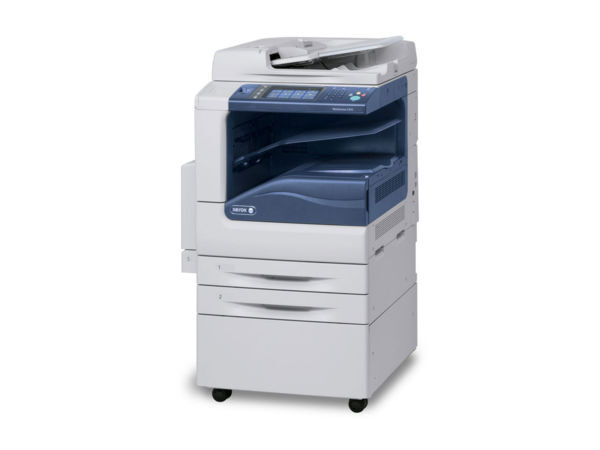
For offices standardizing on Xerox, the WorkCentre WC7220TI is a natural color laser multifunction choice with proven output. Black printing runs on the 006R01457 cartridge, good for about 22,000 pages between swaps, while color work draws on 006R01458 for yellow, 006R01460 for cyan and 006R01459 for magenta.
Standardizing is the point of a machine like this: an office that settles on one color platform wants one supply list, one set of spares and no surprises at reorder time. The WC7220TI's four-cartridge system fits that thinking — black is the high-volume workhorse with its 22,000-page rating, and the three colors sit behind it, changed far less often in offices whose color work is reports and presentations rather than production printing.
Toner Cartridges for WorkCentre WC7220TI
| Cartridge | Color | Page Yield |
|---|---|---|
| 006R01457 | Black | Approx. 22,000 pages |
| 006R01460 | Cyan | See product page |
| 006R01459 | Magenta | See product page |
| 006R01458 | Yellow | See product page |
The listings behind those cartridges: the 006R01457 Black 2 Pack, the 3 Color Set (cyan, magenta and yellow together) and the 5 Color Set, which brings all four part numbers into one box.
Which cartridge should you buy?
Singles are not how this page sells the WC7220TI's toner, so the buying decision is about pack architecture. The Black 2 Pack is the staple: black does most of the work in a typical office, and two 22,000-page cartridges keep a shared machine fed for a long stretch. The 3 Color Set refreshes cyan, magenta and yellow together, which suits offices that change colors as a set when one runs low. The 5 Color Set is the full reload — all four part numbers in one box — and makes sense after a heavy color period or when stocking a new machine's cupboard from empty. All are compatible cartridges with a 1-year warranty and 1-year returns.
Chip, toner and everyday use
Color machines reward a little supply discipline. Change the cartridge the panel actually names — the four colors run independently, and a low yellow says nothing about the black. Before fitting, rock the new cartridge gently to distribute the toner; afterwards, let the machine recognize it and settle before judging output. Yield figures are estimates at 5% coverage, and color pages with charts or photos use far more than that, so treat the 22,000-page black rating as a best-case guide. Keep one black pack in reserve at all times: on a standardized office machine, black is the cartridge that can least afford to be missing.
Frequently Asked Questions
What toner does the WorkCentre WC7220TI use?
Four cartridges: 006R01457 in black, 006R01460 in cyan, 006R01459 in magenta and 006R01458 in yellow. The listings on this page are the compatible versions.
How many pages does the black cartridge print?
The 006R01457 is rated for approximately 22,000 pages at 5% coverage. Real yield depends on how dense your pages are.
Can I buy a single black cartridge for the WC7220TI here?
Black is stocked on this page as a 2 pack rather than a single — two cartridges of 006R01457 in one listing, which matches how quickly a shared color machine goes through black.
One color has run out. Do I have to replace all three?
Each color is its own cartridge in the machine, so only the empty one stops you. On this page the colors are sold together as the 3 Color Set, which refreshes the trio at once — handy when the other two are also getting low.
More printers that use the same cartridges
The same four cartridges serve the wider 7120 and 7220 generation — every model below draws from the same supply list:
WorkCentre 7120, WorkCentre 7120s, WorkCentre 7120t, WorkCentre 7125, WorkCentre 7125s, WorkCentre 7125t, WorkCentre 7220, WorkCentre 7220i, WorkCentre 7220t, WorkCentre 7225, WorkCentre 7225i, WorkCentre 7225t, WorkCentre WC7225TI.