




WorkCentre WC7225TI
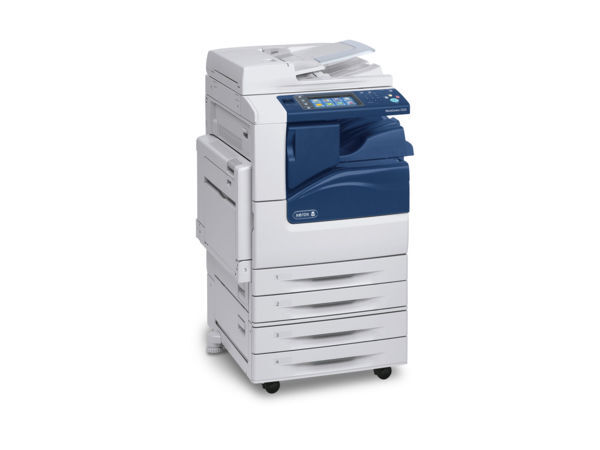
A color laser multifunction from Xerox's WorkCentre line, the WorkCentre WC7225TI was made for workplaces where the printer never really rests. It takes the 006R01457 black cartridge at approximately 22,000 pages per cartridge, with color handled by 006R01458 (yellow), 006R01460 (cyan) and 006R01459 (magenta).
That combination of color output and a 22,000-page black cartridge is what makes the model a practical pick for shared printing. On a machine serving a whole floor, toner planning matters more than the price of any single box: the black supply is deep enough that changes are occasional, and when a color does run dry it is one cartridge of four, not a full stop for the department.
Toner Cartridges for WorkCentre WC7225TI
| Cartridge | Color | Page Yield |
|---|---|---|
| 006R01457 | Black | Approx. 22,000 pages |
| 006R01460 | Cyan | See product page |
| 006R01459 | Magenta | See product page |
| 006R01458 | Yellow | See product page |
On this page the range is sold three ways: a Black 2 Pack, a 3 Color Set carrying the three colors, and a 5 Color Set that covers all four part numbers at once.
Which cartridge should you buy?
Think of the three listings as shelf planning rather than three different products. The Black 2 Pack is the standing reserve — black empties first on almost every shared machine, and this listing puts roughly 44,000 pages of it in the cupboard. The 3 Color Set is the color refresh, bought when the panel starts warning on cyan, magenta or yellow. The 5 Color Set is the one-box reset for a machine that has run everything low at once, or for a supply room starting from zero. Every option is a compatible cartridge covered by a 1-year warranty and 1-year returns, so the choice is purely about how your office prints.
Chip, toner and everyday use
On a shared machine, swap toner at a quiet moment and finish the job completely — cover closed, cartridge clicked home — rather than leaving the machine open between tasks. Give the new cartridge a gentle side-to-side rock first so the toner sits evenly. Remember that the published yields assume light 5% coverage; a floor printing dense color documents will cycle cartridges faster, and the machine's own supply gauges are the truer forecast. Store spares sealed and upright in the supply room, and check the shelf whenever black is changed — that is the natural moment to notice a color running low too.
Frequently Asked Questions
Which cartridges does the WorkCentre WC7225TI take?
Black is 006R01457, rated at approximately 22,000 pages; the colors are 006R01458 yellow, 006R01460 cyan and 006R01459 magenta. All four are listed on this page in compatible versions.
What is in the 5 Color Set that the 3 Color Set leaves out?
Black. The 3 Color Set carries cyan, magenta and yellow only, while the 5 Color Set adds the 006R01457 black cartridge to the same box, covering the machine's full toner list in one order.
How often will a shared WC7225TI need black toner?
Each black cartridge is rated around 22,000 pages and the black listing here holds two, so a busy floor has roughly 44,000 pages between orders — how long that lasts depends entirely on the department's volume.
Are compatible cartridges a safe choice for a machine this busy?
They are built for this model and covered by a 1-year warranty with 1-year returns. If your machine sits under a manufacturer service agreement, check its terms as well — otherwise the compatible listings here are the straightforward option.
More printers that use the same cartridges
Standardize further if you like — the models below share the WC7225TI's exact toner list, so one supply shelf can serve them all:
WorkCentre 7120, WorkCentre 7120s, WorkCentre 7120t, WorkCentre 7125, WorkCentre 7125s, WorkCentre 7125t, WorkCentre 7220, WorkCentre 7220i, WorkCentre 7220t, WorkCentre 7225, WorkCentre 7225i, WorkCentre 7225t, WorkCentre WC7220TI.