




WorkCentre 7125s
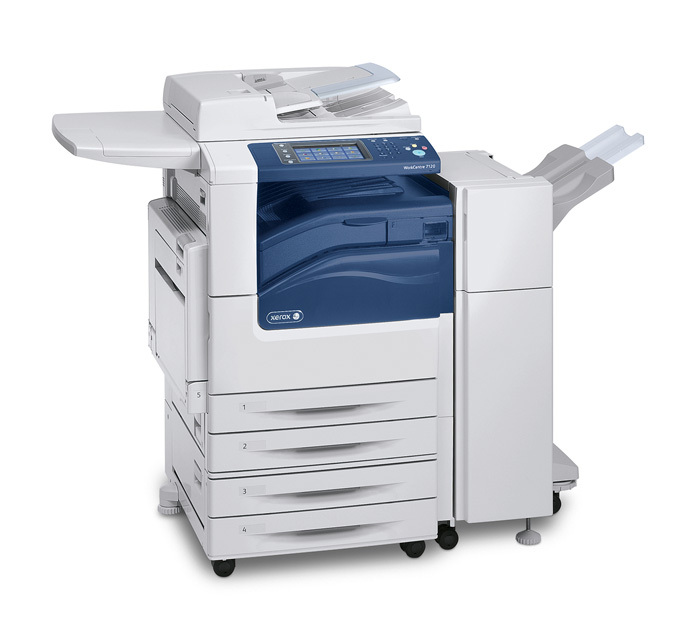
Xerox positions the WorkCentre 7125s as the speedier sibling in its tabloid color multifunction family, and its supply list is the family standard: 006R01457 black — around 22,000 pages per cartridge — with 006R01460 cyan, 006R01459 magenta and 006R01458 yellow in the color slots. Because the numbers never change across this range, restocking the 7125s is a matter of watching levels, not relearning a catalog.
The 7125s typically sits where color work is constant rather than occasional: marketing corners, school offices, busy front desks. On a machine like that, toner use is steadier and more predictable than on a print-and-copy unit down the hall, and the long black rating stretches the interval between orders. What owners notice most is that a single cartridge system covers the whole department — nobody has to ask which of three supply types a given printer takes.
Toner Cartridges for WorkCentre 7125s
| Cartridge | Color | Page Yield |
|---|---|---|
| 006R01457 | Black | 22,000 pages |
| 006R01458 | Yellow | See product page |
| 006R01459 | Magenta | See product page |
| 006R01460 | Cyan | See product page |
| 006R01457 / 006R01460 / 006R01459 / 006R01458 — 4 Color Set | Black + all three colors | See product page |
| — 4 Color Set | Black + all three colors | See product page |
| — 4 Color Set, Premium Quality listing | Black + all three colors | See product page |
Which cartridge should you buy?
For steady color use, the cleanest habit is a rotation: run the installed cartridges, keep the WorkCentre 7125S 4 Color Set on the shelf, and reorder when the spare goes in. The set replaces all four slots in one pass, which suits a machine whose colors deplete at a similar pace.
If your 7125s prints mostly text, invert that logic. Black singles (006R01457) will be your repeat purchase, and individual color singles cover the occasional empty slot without tying money up in a full set. A Premium Quality four-color set (WorkCentre 7125S Premium) is also listed for this model. All compatibles here are backed by a 1-year warranty and 1-year returns.
Chip, toner and everyday use
Toner levels on the 7125s are reported per cartridge, and the machine warns before a slot is truly empty — treat the warning as your reorder point, not the day the prints fade. Rock a fresh cartridge gently side to side before installing so the toner distributes evenly, and store spares flat, sealed and away from heat. Vertical storage and sunlight both shorten a cartridge's useful life.
Frequently Asked Questions
Does the 7125s take a different cartridge than the 7125?
No. Both use 006R01457 black with 006R01460, 006R01459 and 006R01458 in the color slots. The difference between the models is the machine, not the supplies.
What exactly is in the 4 Color Set?
One cartridge of each of the four numbers — black, cyan, magenta and yellow. It is a full change in a single box, listed both under this model's name and as the family set in the table.
Why does the black cartridge outlast the colors?
The black is rated near 22,000 pages, and ordinary office pages are mostly black text. Color cartridges carry no published rating on their listings here, and graphics-heavy work drains them faster than text drains black.
Can I replace just the yellow cartridge?
Yes. 006R01458 is sold as a single, and each color slot swaps independently of the others.
More printers that use the same cartridges
These related models draw from the identical supply shelf: WorkCentre 7120, WorkCentre 7120s, WorkCentre 7120t, WorkCentre 7125, WorkCentre 7125t, WorkCentre 7220, WorkCentre 7220i, WorkCentre 7220t, WorkCentre 7225, WorkCentre 7225i, WorkCentre 7225t, WorkCentre WC7220TI, WorkCentre WC7225TI.